

Description
Sultan Ismail Petra Airport (WMKC) Pengkalan Chepa, Kelantan, Malaysia
Sultan Ismail Petra Airport (IATA: KBR, ICAO: WMKC) is an airport that operates in Kota Bharu, a city in the state of Kelantan in Malaysia. The airport is named after Ismail Petra of Kelantan, the twenty eight Sultan of Kelantan, who ruled from 1979 to 2010. The present new terminal was officially opened in September 2002.
Credit
Thank You yopeastr85 for the models of the airport and giving me the permission to upload this :)
Huge thanks to yemsno for doing the taxiway, runway and many more !
Installations
Simply drag and paste the folder into the community folder
Easter Egg
Use showcase camera to find the QR code and use your phone to scan the QR code . It will then direct you to my discord group :)
Kindly let me know if you are facing any difficulites with the files.
Sultan Ismail Petra Airport - WMKC
Explore Sultan Ismail Petra Airport (WMKC) in Kota Bharu, Malaysia. This add-on features a detailed replica of the airport named after Sultan Ismail Petra of Kelantan. Experience the new terminal opened in 2002 with accurate runway and taxiway designs. Dont miss the hidden Easter Egg waiting to be discovered!

Avis des utilisateurs
2 avis
Historique des versions
Improved the airport
Similaires
![Custom Camera Views [FENIX A320]](https://cdn.flightsim.to/images/23/custom-camera-views-fenix-a320-lrIBO.jpg?width=500)
Custom Camera Views [FENIX A320]
Customize your flight experience with this add-on featuring custom camera views for the FENIX A320 aircraft. From pilot view to overhead panel, this mod offers a variety of perspectives to enhance your simulation immersion. Follow the installation instructions carefully to enjoy these new camera angles and elevate your Microsoft Flight Simulator experience.
par MistyEagleGaming
![Custom Camera Views [PMDG 737]](https://cdn.flightsim.to/images/23/custom-camera-views-pmdg-737-x45Be.jpg?width=500)
Custom Camera Views [PMDG 737]
Custom Camera Views for PMDG 737 (ALL VARIANTS) offering a variety of defined camera perspectives including pilot view, cockpit views, wing views, and more to enhance your flight simulation experience. Follow the provided installation instructions carefully to set up custom camera views in the main MSFS location. Ensure to backup your existing "Airplanes" folder before copying over the new files to easily revert back to your saved camera views if needed.
par MistyEagleGaming
![[FBW] Custom Camera Views [A32NX]](https://cdn.flightsim.to/images/12/pOItB70S.png?width=500)
[FBW] Custom Camera Views [A32NX]
Enhance your FlyByWire Mod A320 NEO experience with this add-on featuring custom camera views such as pilot view, overhead panel, and cockpit wing views. Follow detailed instructions to install the custom cameras outside of the Community folder, ensuring a seamless integration into your Microsoft Flight Simulator. Explore a variety of unique camera perspectives to immerse yourself in the A320 NEO cockpit environment.
par Brandon
Batik Air A320Neo (PK-BDF) - FBW A32NX
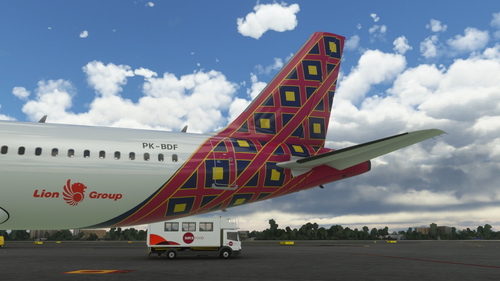
This add-on offers a new livery for the A320neo featuring Batik Air PK-BDF in a dirty 8k resolution. It includes unique features like a CUP with Starbucks logo, a slightly dirty aircraft appearance, and an accurate SELCAL Plate in the cockpit. Compatible with FlyByWire version and SimUpdate 8+.
par Brandon
Connectez-vous pour participer à la discussion
Se connecterCommentaires(7)
over 4 years ago
Does it work for SU7?
over 5 years ago
attached is wmkc upgrade which expect to start later this year....it will be awesome if u can upgrade in msfs2020 as well...
over 5 years ago
https://flightsim.to/file/6386/kota-bharu-airport-lapangan-terbang-sultan-ismail-petra
over 5 years ago
over 5 years ago
over 5 years ago
over 5 years ago