
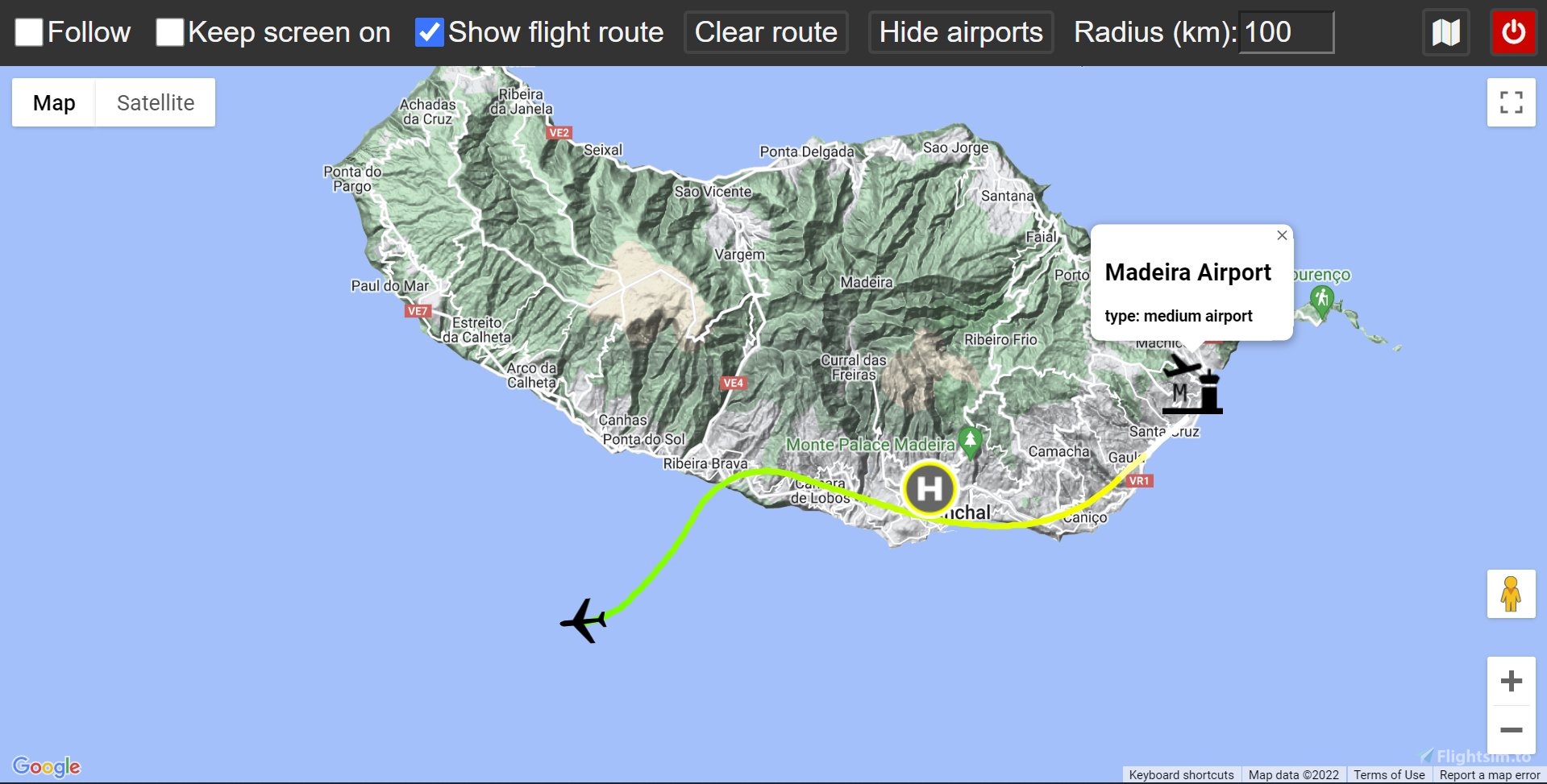
Description
A web application that allows to monitor your flight on an interactive map from any device with a web browser.
Features:
- Google Maps and OpenStreetMap support
- Displaying route with different colors indicating aircraft's altitude
- Finding and displaying airports within a specified distance from the aircraft
This is an open source project - check it out on GitHub
How to use
Installing1. Download the latest release
2. Unzip the downloaded file
1. Navigate to the extracted folder and run the maps-server.exe file
2. When prompted, allow for the access through firewall, otherwise you won't be able to open the map from other devices
3. Follow the information displayed on screen
4. As soon as you start your flight in Flight Simulator, you should see the aircraft properly displayed on the map
1. Delete the folder containing all of this program's files
2. Follow the installation guide again
Troubleshooting
If your Google Maps view is grayed out and For development purposes only or any error message is displayed, you'll need to provide a Google Maps API key, you can get a free trial here (the key has to have access to the Maps JavaScript API). After you've obtained your key, you can simply copy and paste it into api_key.txt file located inside your extracted folder. After your free trial has expired, you can still use the Google Maps API for free, as long as you don't exceed 200$ a month (which should be more than enough for personal use) or you can always use OpenStreetMap for free without providing any additional stuff.
Updates
v2.1.0- added display of more information about airports
- added status icon
- updated SimConnect libraries
- other improvements and bug fixes
- added support for OpenStreetMap
- project has been rewritten for easier distribution and usage - no need of any installation
- improved displaying route
- other small improvements
- added option to display route on the map
- added option to show airports in a selected radius
- updated UI for both desktop and mobile
- app now properly closes connection with the SIM when window is closed (previously only when it was terminated with CTRL+C)
- follow is now temporarily disabled when user interacts with the map, allowing for easier looking around the map
- map now fits into the window (no scrollbar on the right)
- app will now notify users of a new release
Google Maps and OpenStreetMap for Microsoft Flight Simulator
Track your flight in Microsoft Flight Simulator with Google Maps and OpenStreetMap support using this web application. Monitor your aircrafts altitude with colored routes and easily find nearby airports. This open source project allows for interactive map viewing on various devices with a web browser.


Avis des utilisateurs
10 avis
Historique des versions
- added display of more information about airports - added status icon - updated SimConnect libraries - other improvements and bug fixes
Connectez-vous pour participer à la discussion
Se connecterCommentaires(57)
about 5 hours ago
10 months ago
almost 2 years ago
over 2 years ago
over 2 years ago
over 2 years ago
almost 3 years ago
almost 3 years ago
almost 3 years ago
almost 3 years ago
almost 3 years ago
almost 3 years ago
about 3 years ago
Got the api key, copy-pasted into api_key.txt, restarted, get a big fat "Oops - something went wrong". Javascript console says that api key needs to be loaded via a callback, not directly.
Also, no instructions to use openstreetmaps.
So, broken.
I already have nginx and php-cgi installed (start when I need to test files locally, stop when I'm done), no problems, so it's not like I am not able to run a server ... and no problems with running Little Navmap. So it's the app. Sorry :-(
Needs, at the very least, a README or HOWTO for openstreetmaps
almost 3 years ago
There's a button to switch to OpenStreetMap, top-right corner, map icon.
I'm not sure how nginx and php-cgi is relevant here - it's not needed. Just run the server, as written in the instructions.
about 3 years ago
over 3 years ago
about 3 years ago
over 3 years ago
Thank you very much.