
Description
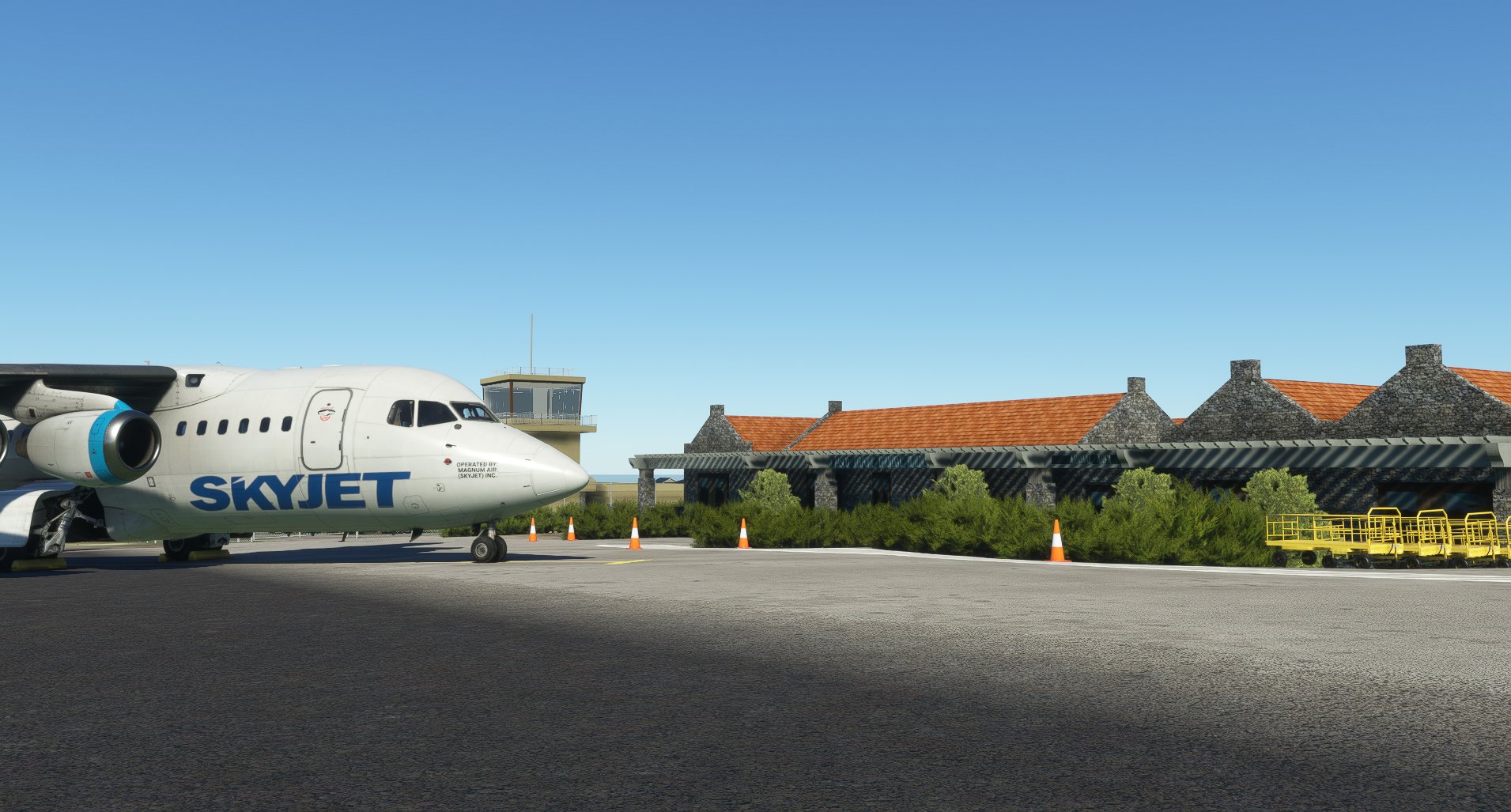
Basco Airport is an airport serving the province of Batanes in the Philippines. It is located in the provincial capital, Basco, and is one of two airports in the Batanes Islands, the other being Itbayat Airport. The airport is classified as a Class 2 principal (minor domestic) airport by the Civil Aviation Authority of the Philippines (CAAP), a body of the Department of Transportation that is responsible for the operations of not only this airport but also of all other airports in the Philippines except the major international airports.
The airport is one of the hubs of Sky Pasada.
Although the airport in the past was briefly served by international flights, the airport is not officially classified as an international airport.
NOTICE TO ALL AIRMEN:
- For ALL NAVIRAPH USERS, I have reports coming in that some are having DOUBLE RUNWAY ISSUES when using our addon.
PHILIPPINE FREEWARE SCENERY DEVELOPERS
MEMBERS INVOLVED IN THIS PROJECT
NARDZ, KER0TIN and TURTLETANK1997
Dépendances
Questions fréquemment posées
Commentaires(12)
Connectez-vous pour participer à la discussion
Se connecter10 months ago
12 months ago
over 1 year ago
over 1 year ago
about 2 years ago
about 2 years ago
about 2 years ago
over 3 years ago
there is no content.xml on that folder. where can i find it?
over 3 years ago
That's already the default location of the xml file. Both Steam and MS Store Sims. Unless you installed it somewhere else then you have to find it manually.
over 3 years ago
FOR THOSE WHO ARE HAVING A DOUBLE RUNWAY ISSUE, Follow this:
Go to and open CONTENT.XML: C:\Users\I**USERNAME**\AppData\Local\Packages\Microsoft.FlightSimulator_8wekyb3d8bbwe\LocalCache
Insert this just below the <Priorities> thread and then save. And start the sim:
<Package name="z_TurtleNardzKer0-rpuo-basco" priority="10"/>
over 3 years ago
Thank you!
about 4 years ago
Thanks for this! Amazing how u solved the double runway issue.
Basco Airport (RPUO)
Basco Airport (RPUO) is a minor domestic airport located in the province of Batanes, Philippines, serving as one of the hubs for Sky Pasada. While it was briefly served by international flights in the past, it is not officially classified as an international airport. Developed by NARDZ, KER0TIN, and TURTLETANK1997, this freeware scenery provides a detailed depiction of this important airport in the Batanes Islands.
Contributeurs
Avis des utilisateurs
7 avis
More Information
Historique des versions
- Microsoft Flight Simulator 2024 Update
Similaires

RPVI - Iloilo International Airport
Explore the bustling <em>Iloilo International Airport</em> (RPVI) in the Philippines, serving the province of Iloilo and its capital, Iloilo City. Opened in 2007 to replace its predecessor, this airport is the fourth-busiest in the country and the first on Panay Island built to international standards. Keep an eye out for future updates as this airport continues to evolve.
par TurtleTank1997

Dumaguete - Sibulan Airport (RPVD)
Experience flying in and out of Dumaguete with this add-on showcasing Sibulan Airport (RPVD). Situated in the Philippines, near the city of Dumaguete, this Class 1 principal airport reopened in 2021 after undergoing significant upgrades. Discover the beauty of this region with enhanced airport detailing in Microsoft Flight Simulator.
par TurtleTank1997

Daniel Z. Romualdez Airport / Tacloban Airport - RPVA
Explore the bustling Daniel Z. Romualdez Airport, also known as Tacloban Airport, a major hub in the Eastern Visayas region of the Philippines. Named after a former speaker of the House of Representatives, this airport has a rich history, including surviving the devastating Typhoon Haiyan. From handling commercial flights to emergency landings of large aircraft like the Boeing C-17 Globemaster III, this airport offers a unique flying experience in Microsoft Flight Simulator.
par TurtleTank1997

RPVR - Roxas Airport
Explore Roxas Airport (RPVR) - a domestic airport in the Philippines. Serving Roxas City and the province of Capiz, this Class 1 principal airport is a key hub in the region. Enjoy realistic scenery as you take to the skies in Microsoft Flight Simulator.
par TurtleTank1997
over 3 years ago
FOR THOSE WHO ARE HAVING A DOUBLE RUNWAY ISSUE, Follow this:
Go to and open CONTENT.XML: C:\Users\I**USERNAME**\AppData\Local\Packages\Microsoft.FlightSimulator_8wekyb3d8bbwe\LocalCache
Insert this just below the <Priorities> thread and then save. And start the sim:
<Package name="z_TurtleNardzKer0-rpuo-basco" priority="10"/>