
Description
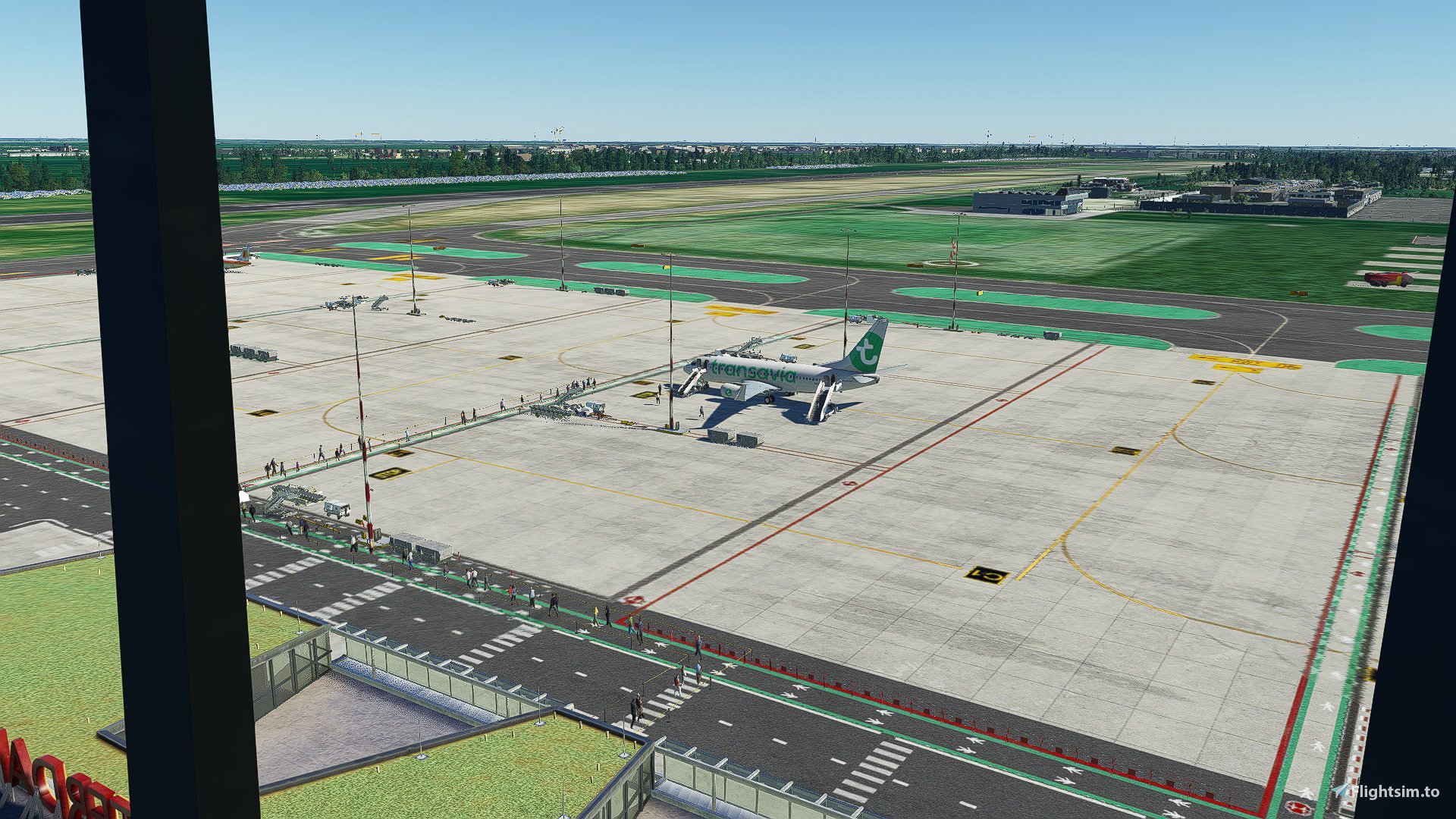
Config file for GSX Pro for RDPresets EHRD (Rotterdam)
Might work with the default or WU IV Rotterdam but I havent tested.
Gates A and B are serviced by shuttlebus, C and D are Walk-In gates. Ground services kind of matched with the static GS already on the apron.
HOW TO INSTALL:
Place the file inside the zip into the following folder: %appdata%/Virtuali/GSX/MSFS
If it doesn't show up, try the following:
- Open the GSX airport editor when loaded in to EHRD
- Copy the AFCAD .bgl path shown on top
- Open the .ini file (the one you download here) and overwrite the path after "afcad_path = "
- Save the file
- restart Couatl, either though the GSX menu in-sim or rightclick on the systray icon.
Dépendances
Commentaires(10)
Connectez-vous pour participer à la discussion
Se connecteralmost 4 years ago
Try to recreate it. I work irl on EHRD and the preset is not accurate
almost 4 years ago
Hi, can you shoot me a message as to what is incorrect and how it should be? Be happy to make it more realistic!
almost 4 years ago
It doesn't work well, the idea is great however the stairs are too high, the cars are empty in the sense of no people. The poles float. Passengers walk underground & the cabin crew too.
almost 4 years ago
Thank you for your feedback. This was all with the RDpresets scenery?
The stairs are too highIn what sense? If you mean line up to the aircraft: that is aircraft specific. I don't edit any of those numbers. If you mean on the apron: I'll check it out!
the cars are empty in the sense of no people.Which cars? All GSX vehicles have ground crew in them. If not happening, something may be corrupted in your install.
Other vehicles I can't do anything with
The poles floatWhat poles exactly? I can't remember seeing any poles put in by GSX
Passengers walk underground & the cabin crew too.I'll check again
almost 4 years ago
I think he means the polse with the barrier ribbon in between
almost 4 years ago
Thank you for your upload but this profile is not ready, there are lots of bugs, passengers wouldn't appear after several tries.. (I know how to use GSX)
almost 4 years ago
That's strange, checked them all on my end and they worked. If you open the Airport manager, do gates C and D show up als "Walk-IN"?
almost 4 years ago
Hi, can you check what AFCAD path is shown when in the editor? Then copy this path and paste it in the first line of the .ini and check again. I had to do this to some downloaded GSX files myself to get them working.
almost 4 years ago
Okay I’ll check this when I’m back home
call u back
RDPresets EHRD (Rotterdam) GSX Pro profile
Enhance your ground handling experience at RDPresets EHRD (Rotterdam) with this GSX Pro profile. Serviced gates A and B by shuttle bus and C and D are walk-in gates, with services matching the static GS on the apron. Installation instructions included for optimal performance.

Avis des utilisateurs
3 avis
More Information
Historique des versions
Aucun historique de version disponible.
almost 3 years ago
Is this GSX-profile for EHRD accurate yet from irl airport or no? Because I see some negative reviews