
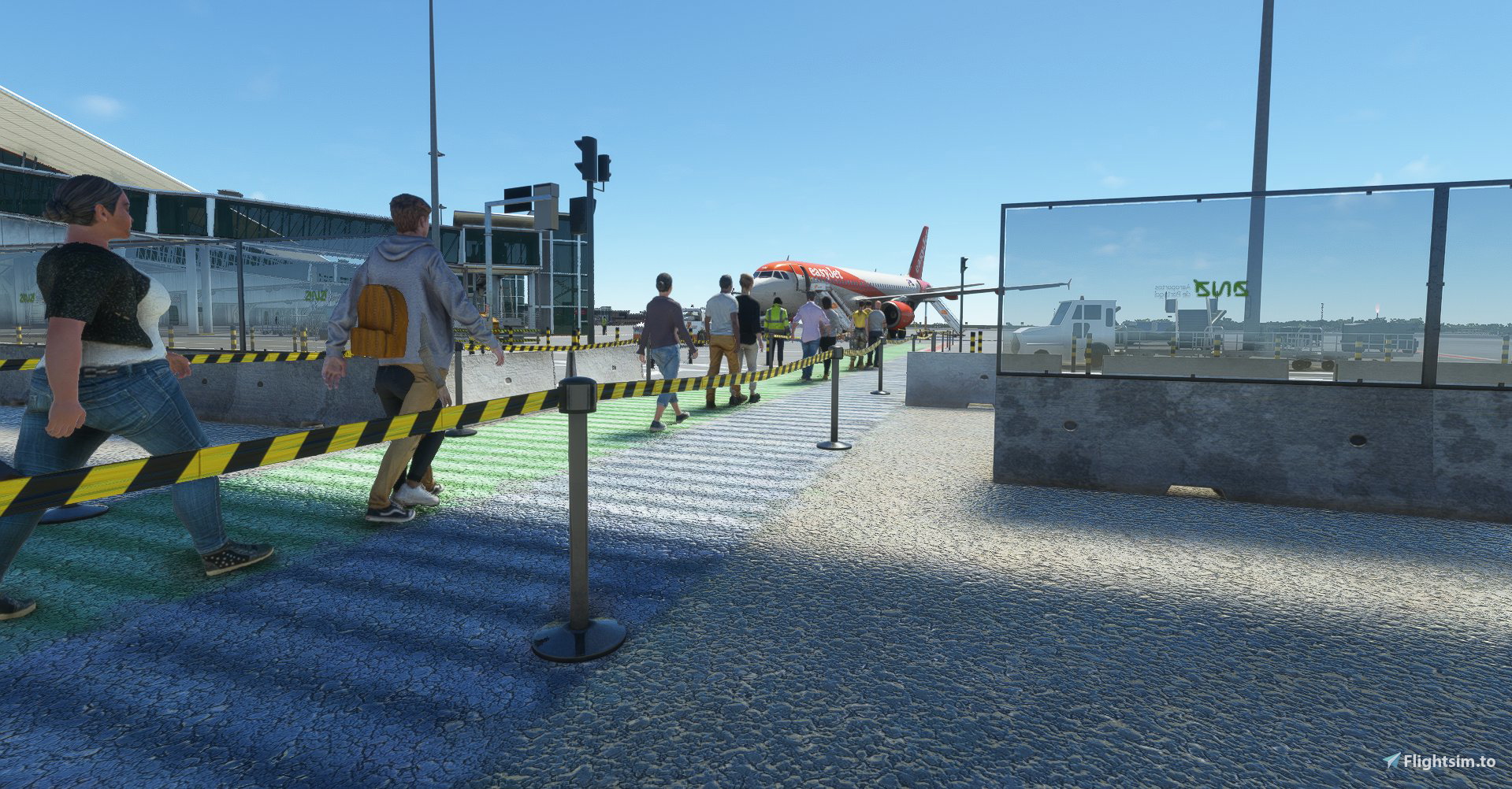
Description
Stands at the moment available are:
S10/ S11/ S12/
S30/ S31/ S32/ S33/ S34/ S35/ S36/ S37/ S38/
S50/ S52/ S53/ S54
Features:
- custom pushback
- custom placement of ground services
- Walk in at all gates/stands above mentioned
- I put the VDGS system ahead of the original because I don't know how to remove the default VDGS system :D
In the next few days I will release more updates.
How to install:
Copy and paste the .ini file into the following folder:
AppData\Roaming\virtuali\GSX\MSFS
Work in progress....
Commentaires(12)
Connectez-vous pour participer à la discussion
Se connecterover 3 years ago
Is this dead?
over 3 years ago
Hi,
It is normal in your ini file the path to the afcad cible the original fs base generique world file ? ( Packages\Official\OneStore\fs-base-genericairports\scenery\0502\APX45170.bgl )
And not the MK Studio files ?
( Community\mkstudios-airport-lppr-porto\scenery\world\scenery\lppr-scene.bgl )
over 3 years ago
Unfortunately this profile seems to have been made based on a Marketplace version of the airport, so it's not usable by anyone having the scenery from third party sources.
almost 4 years ago
Sorry for my bad English i used Google Translate
almost 4 years ago
For first work, I can say great work!!!
Now, as Garic said, our community files are in different places than yours. So I advise you to put it in the description to change the position within the text.
Also, when you change the gate, check what the gate name is when you are on the World Map and put that as the name to identify the gate. Also if you look at the charts from the airport they will give you a lot of information about everything.
And again excellend work!!!
almost 4 years ago
First of all, thanks for your work.
When I installed the profile, I could not make it work because in my case GSX was using another file for airport data, and the names of the gates didn't match. I had to rename all the gates for GSX to recognoize them.
Also, I had to change the safedock device for all gates, because acording to the charts, it should be "ApisWall" instead of "SafeDockTS42". In fact, the ApisWall matches the size and colour of the builtin safedock system, making it blend better.
over 2 years ago
almost 4 years ago
Thank you for your work. Still needs some tweaks especially in the gate department as passenger's feet are visible though the gate's floor. yet, still awesome. Cheers.
almost 4 years ago
This is something that can't be fixed yet, because GSX can't know at what height the jetway starts and more or less guesses it. Acording to Umberto (the GSX developer), in a future GSX update we will have the posibility of setting the height for each jetway model.
almost 4 years ago
Thanks for your work! Those docking systems floating sometimes a bit far for the mountings however and the pushback tags are penetrated by the walking passengers. Why not placing them directly in front of the aircraft, as in real life.
almost 4 years ago
Thanks for your sugestion :D
I'll try to fix this in the next update
GSX Profile MK Studios LPPR
Enhance your ground handling experience at MK Studios LPPR with this GSX Profile add-on. Enjoy custom pushback, ground services placement, and the ability to walk in at all available gates/stands. Stay tuned for upcoming updates to further improve your virtual airport operations.

Avis des utilisateurs
6 avis
More Information
Historique des versions
Added stands S10/ S11/ S12/ S30/ S31/ S32/ S33/ S34/ S35/ to this version. Hope it works for you guys .
over 3 years ago
Profile made off a Marketplace version of the airport, based on the stock MSFS BGL data. Using the scenery bought from somewhere else than the Marketplace makes the profile unusable.
This information needs to be in the title of the profile since it affects a lot of users who can't use it.