

Description
Do you fly on VATSIM with vPilot? Are you loving the FSLTL models? But do you wish that general aviation aircraft were represented by something better than generic Asobo aircraft?
Me too! That's why I made this supplemental set of model matching rules. This does not replace FSLTL rules but it operates in addition to FSLTL to give basic representation of general aviation aircraft when you're flying online.
What to do...- Install FSLTL Traffic Base Models as usual
- Download GA_Matching_Supplement.vmr and place it in a convenient location for you to access from vPilot
- As is usual for FSLTL, go to vPilot >Settings > Model Matching > Custom Rules, and add the existing FSLTL_Rules.vmr at the top of the list
- After FSLTL_Rules.vmr, add GA_Matching_Supplement.vmr
- You should be good to go!
If you're flying in VATSIM and you encounter, for example, a Cessna 310, my GA rules will work like this:
- if you have the Blackbird Cessna 310, that will be displayed as the first priority. If not, then...
- if you have the Deluxe edition of MSFS, a Beechcraft Baron will be displayed. If not, then...
- if you have the Standard edition of MSFS, a generic Asobo twin piston aircraft will be displayed.
- (and so hopefully you won't see something crazy like a generic twin-jet airliner!)
I don't own every high-quality GA add-on! And I therefore lack matching details for some of the high-quality aircraft that may be installed in your Community or Official folders. If you would like to see better representation of a type that you have purchased, then please get in touch in the comments. Usually, the information I need is in the "title" value in the aircraft.cfg file.
Commentaires(13)
Connectez-vous pour participer à la discussion
Se connecterabout 2 years ago
over 3 years ago
could you add the MSFS default helos also with this? or do they work by default?
over 3 years ago
Hi! In v1, I have the type code of "B06" going to "Bell 407 Blue Stripes", and I have the type code of "G2CA" going to "Asobo Cabri G2". In v2, I will add "B06T", "B407", "B427", and "B429" to point to that same Bell model. Are there any other improvements you would like to see?
over 3 years ago
By the way, thanks for asking this because I realise I wasn't very thorough in v1 about the model-matching for the Bell machine!
over 3 years ago
at most maybe add a line too for any military jets for model matching to match the Asobo F-18 as i do not think there is one by default in vPilot. I mentioned the helis cause I don't think there was one either for that and id rather have a Bell represent any heli present on the network or at least anything close to its Class of aircraft then a random single prop fixed hovering hehe. For now I cannot think of anything but thanks a lot for this file!
over 3 years ago
Yes! Good idea! Twin-jet fighters F14, F15, F35, MG29, MG31, SU27, SU30, SU34, SU35, SU57 will now all match to the Asobo F-18. New file coming soon!
over 3 years ago
Hi again! An update: MSFS does not appear to be passing useful information through to Simconnect/vPilot for aircraft with a category of 'helicopter'. The HPG H135 works because it actually has a category of 'airplane'. I will see if I can log a ticket with Asobo.
over 3 years ago
cheers!
over 3 years ago
Thanks
over 3 years ago
Awesome for VFR flights!
General aviation model matching for vPilot users with FSLTL
Do you fly on VATSIM? Do you want to see general aviation aircraft represented by something better than a (sometimes weird!) generic model? Here's a set of rules to help vPilot select a good model for general aviation aircraft when you're flying online with vPilot, and FSLTL models.

Avis des utilisateurs
3 avis
More Information
Historique des versions
As requested, HondaJet (HDJT) and VisionJet (SF50) are now included. They point to the default CJ4 (C25C) for now. Leave a comment if you want a specific add-on model represented. For now, helicopters are not working correctly, except for the HPG H135 (EC35) because it's configured behind the scenes with a category of 'airplane'. I'm gathering info to file a ticket with Asobo about this. Thanks!
Similaires
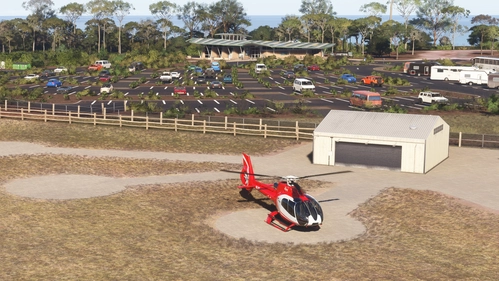
Glenample Heliport (Twelve Apostles), Australia
This add-on brings Glenample Heliport YGHP, located near the Twelve Apostles in Victoria, Australia, to Microsoft Flight Simulator. The scenery uses default MSFS 2024 assets and includes generic hangars, a concrete apron, and static helicopters. All nine helipads are available with cold-and-dark and ready-to-fly start options. The heliport serves as a base for exploring the Twelve Apostles or conducting charter flights from local airports.
par MatthewCr
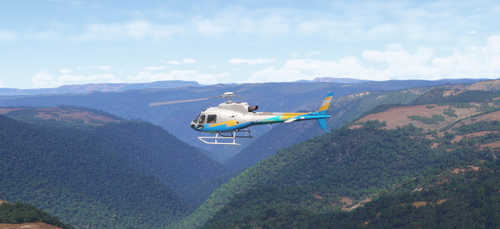
Helicopter bush flying challenge in the H125 - Cradle Mountain, Tasmania
Experience a detailed flight plan for the Helicopter Bush Flying Challenge featuring the Airbus H125 in Cradle Mountain, Tasmania. This add-on guides you from Cradle Mountain Helicopters (YCDL) over stunning landscapes including Dove Lake and Crater Lake, with key waypoints such as Waterfall Valley Hut and New Pelion Hut. The flight plan is designed for use within MSFS2024 and aims to provide a scenic and challenging flying experience.
par Matthew Crawford
12 months ago