
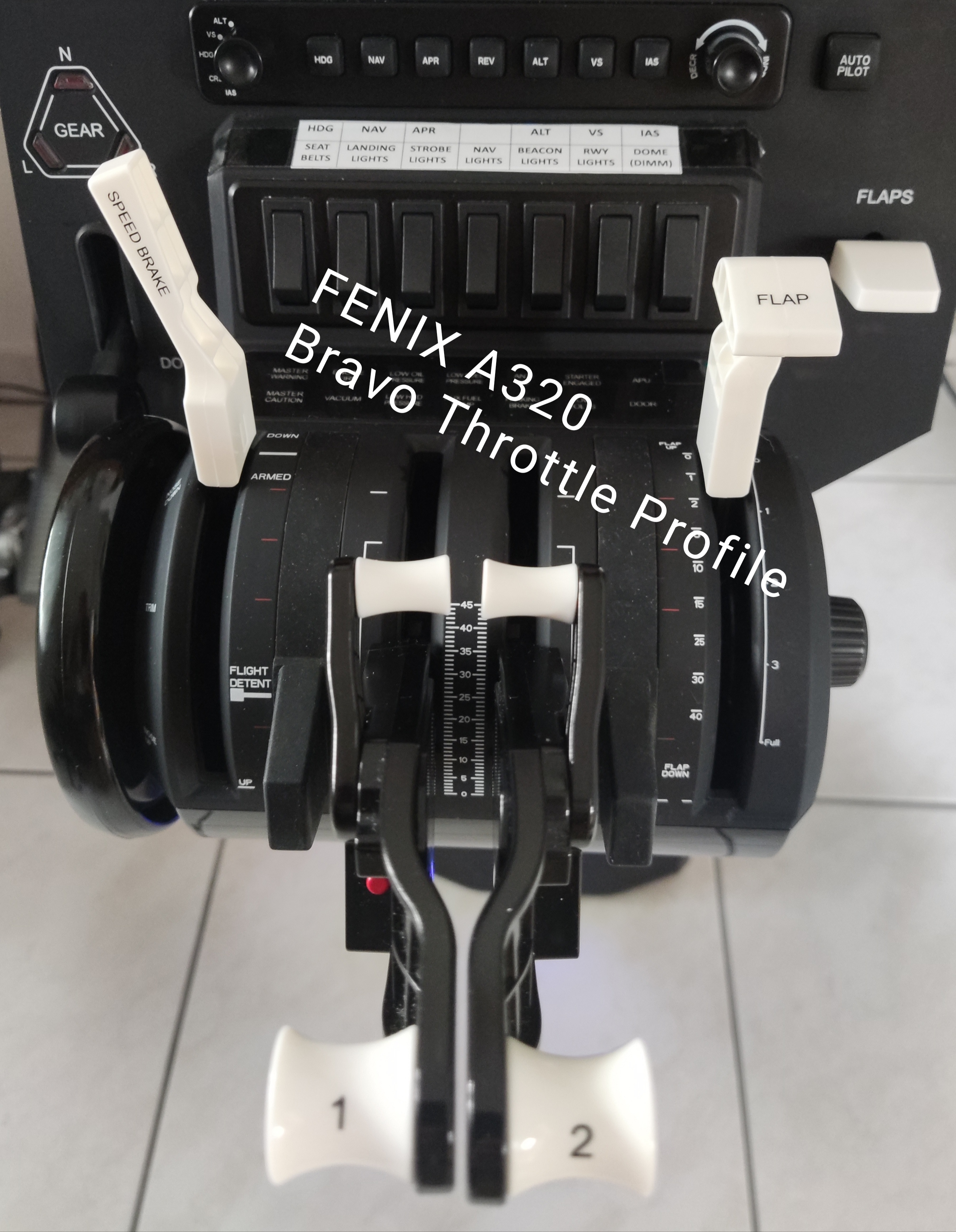
Description
NEW ---- MSFS2024---UPDATE
Hello everybody,
attached you have the possibility to download the new template for the Fenix A320 MSFS2024 in which most of the buttons and rotary switches of the Honeycomb Bravo Throttle are assigned. You can easily change it if you want to. Now you can fly the autopilot without the mouse:-)
it´s perfect for VR or dektop flying
I have searched everywhere in the internet but didn´t find a way to assign all the knobs and keys to the Bravo Throttle in Fenix A320 inside the MSFS Controls Options.
So I decided to give it a try with the programm Axis and ohs. It´s about 20 Euro but its worth the money, because you can create profiles for every aircraft you have and it automatically starts with this profile inside the sim. You need this programm also to import the profile and run the profile while MSFS ist started.
IF YOU ENJOY I WOULD BE VERY HAPPY FOR A LITTLE DONATION / THANK YOU:-) KLICK:_)
FOLLOW THESE STEPS:
1. Buy and download the programm Axis and Ohs (without it won´t work)
2. Download the template file attached
3. Open Axis and Ohs and import the template via TEMPLATES - IMPORT TEMPLATE
4. Start the sim and start a flight (Fenix at a gate for example, it must be an active fligth)
5. Then apply the template to you fenix via - TEMPLATES - APPLY TEMPLATE TO THIS AIRCRAFT
You need to apply this template for every livery airplane of the Fenix.
Assignements:
Left big rotary knob is change between (from up to down)
Speed, Heading, Baro, Altitude, VS Speed
Right big rotary knob is increase and decrease the values for Speed, Altitude etc.
Push Buttons are for toggle between manual and manged mode
1. Button - Toggle Speed manual/managed
2. Button -Toggle Heading manual/managed
6. Button - Toggle Atitude manual/managed
7. Button - Toggle VS Speed manual/managed
The big autopilot knob is to change between altitude and flight level local QNH and Standard QNH 1013hpa
I think this template works also with other sims, but i have no chance to test it. Please write in comments below if it works. Thanks.
I hope you will enjoy it / let me know in coments...
If something doesn´t work please tell me and i try to fix it.
By the way, thrust levers and flaps you will have to configure inside the Fenix MCDU (as you have already done i think).
I have set the big white flaps knob on the right of the Bravo Throttle inside MSFS Controls to
Push down = Parking brake / pull up = arm Spoilers (for take-off and landing) / this is easy to assign
NEW!!! MSFS2024 FENIX A320 profile for Honeycomb Bravo Throttle / Programm Axis and Ohs required
Here you have a complete profile for the Fenix A320 / all knobs / keys and rotary switches work (are assigned) to work with the Honeycomb Bravo Throttle Thrust lever. No problems anymore with the inside controls section in MSFS for the configuration of Fenix A320.


Connectez-vous pour participer à la discussion
Se connecterCommentaires(13)
6 months ago
about 1 year ago
about 1 year ago
over 1 year ago
over 1 year ago
over 2 years ago
Turning the bravo knob for changing the altitude for example, when the selector knob is positioned to "alt" changes the settings of altitude, heading , speed and vertical speed in the same time instead of the altitude setting only and so on...
Kind regards
over 1 year ago
over 1 year ago
meanwhile I have bought the WinWing FCU so that my problem with these settings is solved. Kind reagards!
over 3 years ago
The switches arent working?
about 3 years ago
Hi, the switches work also. They are assigned like you can see at the pdf. file i´ve uploaded also.
over 3 years ago
Excellent work!
Have you thought about doing the same addon but for the FBW A20NX, because there is not yet a Honeycomb Bravo profile for that plane?.
Best regards.
over 3 years ago
Thank you, yes, I´ll think about it. Everything is working well?
about 3 years ago