
Description
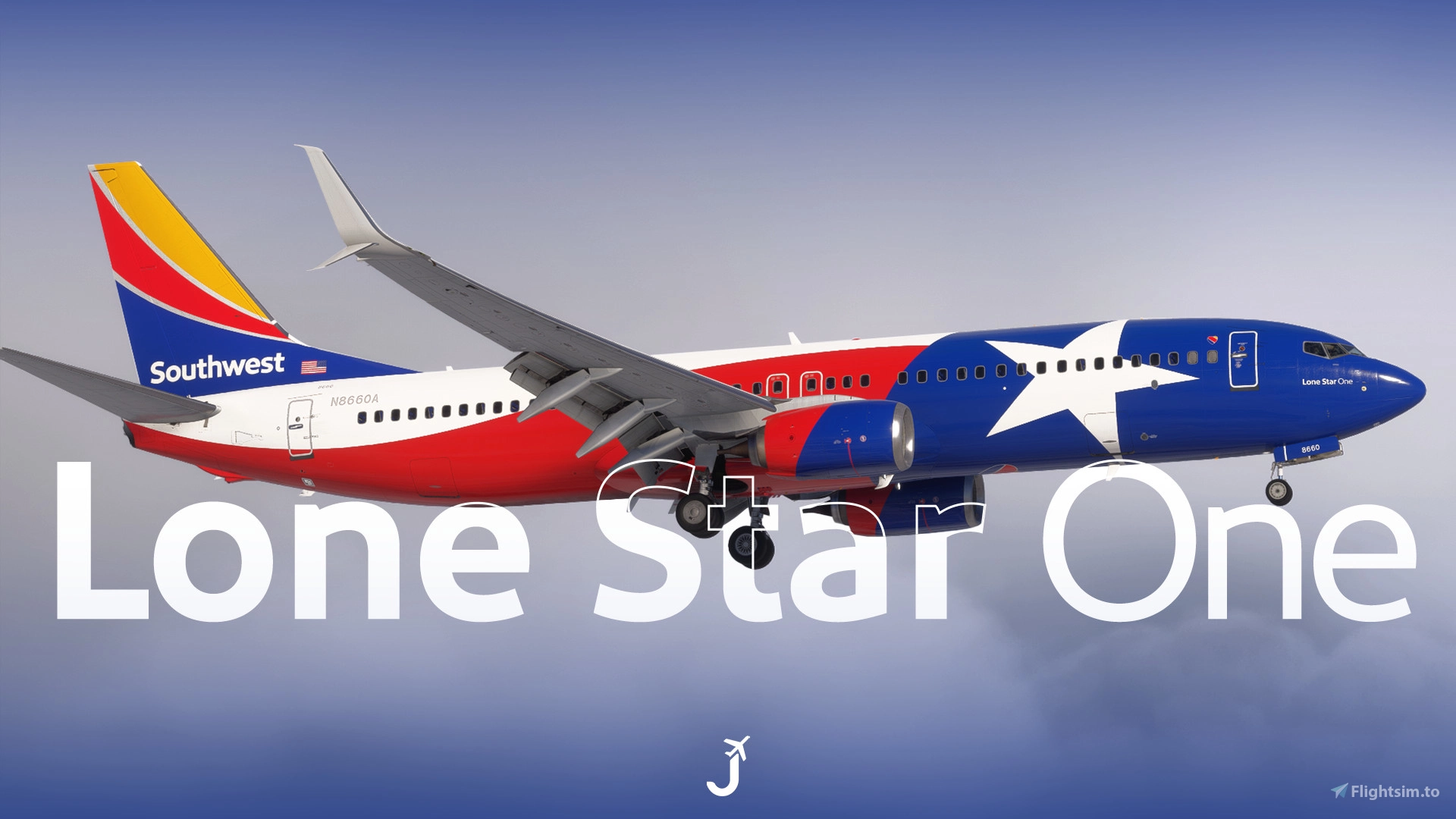
Southwest Airlines 'Lone Star One' N8660A for the PMDG 737-800 (MSFS2024).
Features:
- Custom Southwest Airlines cabin
- Accurate SWA-specific stencils
- Realistic SWA-aircraft/equipment configurations pre-installed (special thanks and credit to
FlyPrecisely) - Southwest Airlines cockpit decals and placards (IDG Stickers, CATIII plate, Broadband Wifi Panel, Airworthiness/Registration Information, Yoke Evacuation Checklist, etc)
- Southwest Airlines pushback tug
- Paintkit/base texture overhaul and improvement in partnership with Atarium, Comet133, and Henrik
KNOWN ISSUES
- Due to the way PMDG has modeled, textured, and developed the 737NG for FS2024, there are several limitations with this livery. Intricate bulkhead designs are not possible in the FS2024 version, the seatback IFE screens will emit light in dark environments, and some textures may be mirrored or slightly inaccurate due to the constraints of PMDG’s model. I appreciate your patience and understanding.
INSTALLATION – 2024
- Open the PMDG Operations Center (OC3).
- Navigate to your 737-800 2024 Installation.
- In the Livery section, click Import and select the provided .ZIP file. PMDG has discontinued .PTP files in lieu of .ZIP files.
- The correct aircraft configurations are pre-installed.
⚠️ Important Note:
- PMDG sometimes fails to save aircraft configurations correctly, despite best efforts. To address this, I’ve included an individual aircraft configuration file. You can manually drag and drop the .ini file into the appropriate folder to automatically apply the correct real-world aircraft configuration.
- For aircraft configurations to load properly in MSFS 2024, be sure to enter the aircraft registration (e.g., N8660A) in the Identification menu when selecting the livery. You may also select the configuration directly through the FMC.
- To load the configuration in the PMDG FMC, navigate to:
PMDG SETUP > AIRCRAFT > LOAD FROM ANOTHER > N8660A (or whatever registration you've chosen). - Detailed instructions are provided in the readme .txt file included in the download.
Feel free to join the Canvas Corner discord server where you can download other liveries from myself and good friends of mine: Canvas Discord
If you like my work and would like to support me, you can donate via this link: My PayPal
Please do not modify, redistribute, or reupload this livery or contents of this livery without permission.
Southwest Airlines 'Lone Star One' | w/Cabin | PMDG B737-8H4
This add-on features the Southwest Airlines Lone Star One livery for the PMDG 737-800, specifically designed for Microsoft Flight Simulator 2024. It includes a custom cabin, accurate stencils, and detailed cockpit decals, as well as a pre-installed realistic aircraft configuration. While there are some limitations with the texturing and modeling due to the PMDG development, detailed installation instructions and an individual configuration file are provided for user convenience.

Historique des versions
- Added Cockpit Weathering - Fixed IDG Generator Textures - Improved Cockpit Yoke / Checklist Textures
Similaires
![Southwest Airlines "Heart" [Pack] w/Cabin PMDG 737-800](https://cdn.flightsim.to/images/24/southwest-airlines-heart-mega-pack-w-cabin-pmdg-737-800-30161-1679234142-QiUIw.jpg?width=500)
Southwest Airlines "Heart" [Pack] w/Cabin PMDG 737-800
Southwest Airlines "Heart" 15-pack for the PMDG Boeing 737-800. Includes 15 liveries spanning SSW, mismatches, ETOPS, and special decal jets. Features custom interior, custom SWA pushback tug, authentic SWA stencils, interior + exterior weathering, realistic SWA aircraft configurations, and other details.
par Jviation
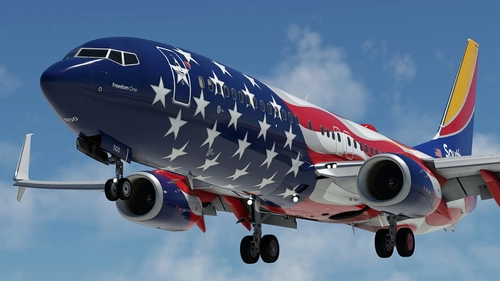
Southwest Airlines "Freedom One" w/Cabin PMDG 737-8H4
Southwest Airlines "Freedom One" for the PMDG Boeing 737-800. Unveiled on June 18, 2021, Freedom One celebrates Southwest Airlines' 50th anniversary and serves as a tribute to the employees, military, and nation that Southwest has served over the past five decades. Excluding "Warrior One", "Heart One", and "Heart Two", Freedom One is the first special livery for Southwest fitted onto the Boeing 737-800. Features custom interior, custom SWA pushback tug, authentic SWA stencils, interior + exterior weathering, realistic SWA aircraft configurations, and other details.
par Jviation
![Southwest Airlines "Canyon Blue" [Pack] w/Cabin PMDG 737-800](https://cdn.flightsim.to/images/25/southwest-airlines-canyon-blue-7-pack-w-cabin-pmdg-737-800-30161-1682222655-lE0aH.jpg?width=500)
Southwest Airlines "Canyon Blue" [Pack] w/Cabin PMDG 737-800
Southwest Airlines "Canyon Blue" 6-pack for the PMDG Boeing 737-800. Includes 7 liveries spanning SSW and mismatches. Features custom interior, custom SWA pushback tug, authentic SWA stencils, interior + exterior weathering, realistic SWA aircraft configurations, and other details.
par Jviation
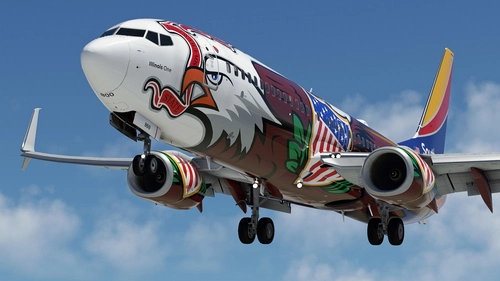
Southwest Airlines "Illinois One" w/Cabin PMDG 737-8H4
Southwest Airlines "Illinois One" for the PMDG Boeing 737-800. Originally unveiled on April 14, 2008, Illinois One commerates Southwest Airlines' 37+ years of service to the state of Illinois. Features custom interior, custom SWA pushback tug, authentic SWA stencils, interior + exterior weathering, realistic SWA aircraft configurations, and other details.
par Jviation
Connectez-vous pour participer à la discussion
Se connecterCommentaires(4)
9 months ago
9 months ago
9 months ago
File: undefined.
9 months ago