
Description
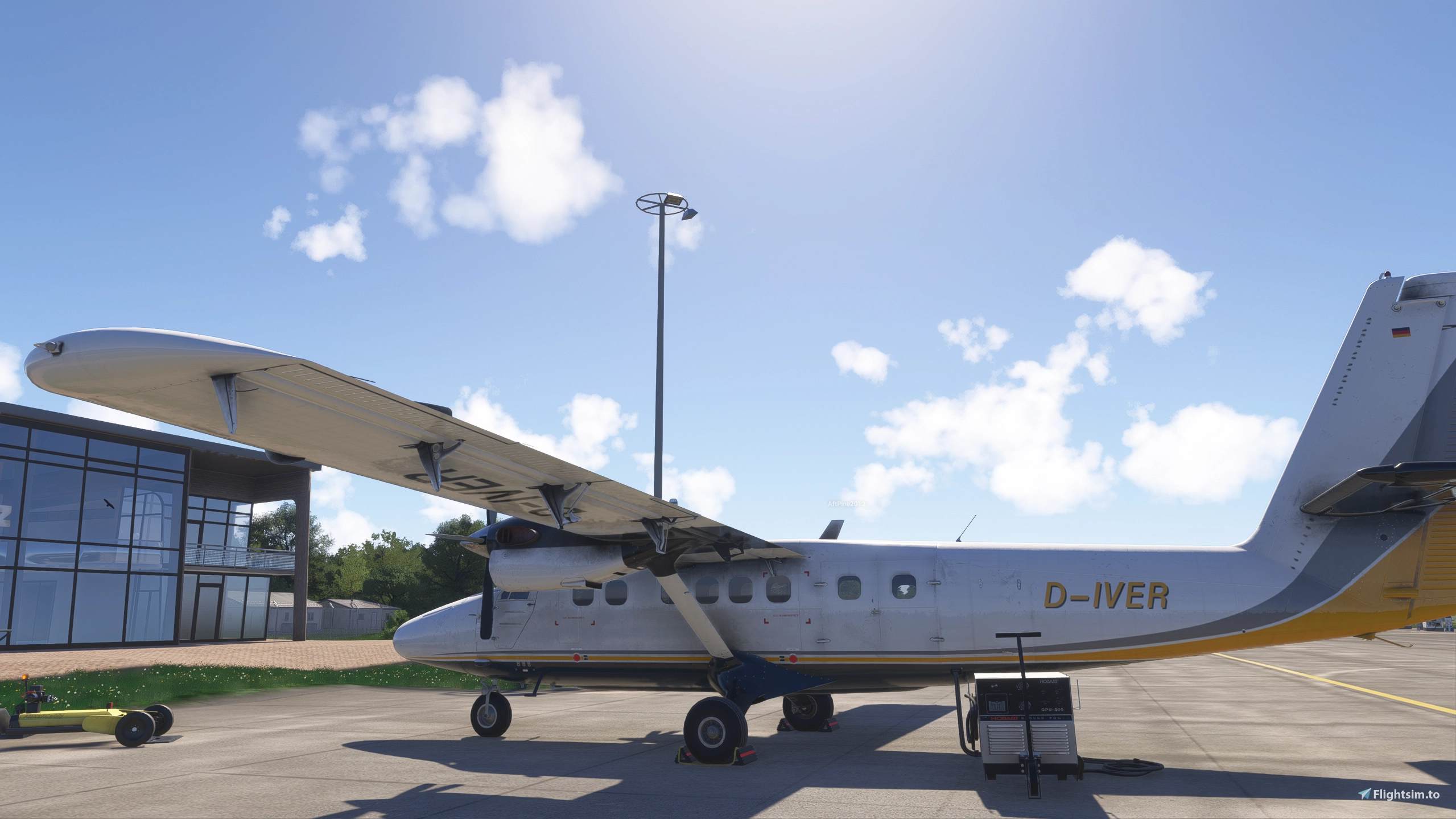
Twotter Revived v2024.3.260 (still in beta) - Ground Handling Hotfix
By now, this is probably what the modding community would call a "Total Conversion". Almost every system in the aircraft has changed, many have been replaced and redesigned, and even some core sim systems had to go in favor of custom implementations.
This is a test version, please flag any issues you notice. I try to make sure the releases published on flightsim.to don't contain any blockers or stoppers that would keep you from flying, but bugs cannot be avoided and if you find one, please return it to its rightful owner.
If you run into issues or have questions, contact me here or on Discord: aurel#3010 (if you're active on Discord, we most likely share a few flightsim servers). If you know about the aircraft IRL or aircraft development in MSFS, I'm especially grateful for your input and suggestions.
Installation
NOTE: Because of previous drama around Aerosoft mods, this mod is distributed as an archive containing xdelta files and an install script. You will need an original, unmodded installation of the Twin Otter 1.1.1 (installed using Aerosoft One, the legacy Aerosoft installer, or by other means) so the installation process can READ the original files and WRITE the changed files to the mod folder. Your original files will not be touched.
Until the install script has been executed, the mod will be inactive.
Before you report an installation error, please consider reinstalling a fresh copy of the Aerosoft Twin Otter in the last release version (1.1.1) and trying with that folder. If the errors persist, please contact me so we can figure out why they happen. The installer should now work with all popular versions of 1.1.1.
The contents of the zip file:
- charliebravo-aircraftmod-twin-otter, this is all you need, you must unpack this to use the mod, the rest is optional
- charliebravo-soundmod-twin-otter-turbineduke, this is an optional sound mod, must own the Black Square Turbine Duke to use it
- z_aerosoft-twin-otter_propblur_mod, this is an optional mod that makes props blurry when you're close
- z_aerosoft-twin-otter_flat_cameras, this is an optional mod that levels out the cockpit camera views (the close pilot view and the three captain's instrument views), instead of having them tilted down at the panel
- historic_ndb_userpoints.csv, this file can be imported in Little Navmap to show historic (decommissioned) NDB beacons
You will still need to have the base model (ie. the aerosoft-aircraft-twin-otter folder) in your Community/ folder for the mod to work.
Step by step:
- UNPACK directly into community or wherever you keep your Community add-ons
- OPEN the folder charliebravo-aircraftmod-twin-otter
- optionally, if you're paranoid or they are actually after you: EXAMINE install.bat and install.ps1, overwrite the xdelta executable with a version you trust
- DOUBLE-CLICK install.bat or RUN install.ps1 in Powershell (install.bat is just a wrapper that executes the Powershell script)
- follow the prompts and SELECT an unmodified aerosoft-aircraft-twin-otter folder
In a perfect world, the changes are applied and you end up with a working mod and the lawyers have no leverage against me. I apologize for this, I can assure you that it has been even less fun to set this up. I contacted Aerosoft and Microsoft to get their blessing, but, so far, I didn't receive a response. It appears our Twotter is in some legal limbo: Aerosoft sold the rights to Microsoft, and now neither party appears to have any interest in the legacy product. xdelta helps me to stay on the safe side.
If you unpacked the soundmod:
- OPEN the folder charliebravo-soundmod-twin-otter
- DOUBLE-CLICK install.bat or RUN install.ps1 in Powershell
- follow the prompts and SELECT an your bksq-aircraft-turbineduke folder
Liveries
Legacy liveries for the Aerosoft model might work, if the loading order is carefully managed. You might have to rename folders to ensure the mod is loaded after base aircraft and liveries.
The Turbine Duke sound mod [NEW]
This version includes an optional, highly experimental sound mod that re-uses the Black Square Turbine Duke soundbank with kind permission by Black Square and Boris Audio Works.
This sound mod only works for owners of the Black Square Turbine Duke. To enable the sound mod, copy it to your Community/ folder and launch install.bat in the charliebravo-soundmod-twin-otter-turbineduke folder.
Because of the experimental nature of the mod, it is highly recommended you remove or disable it when flying the Turbine Duke. If you experience any sound issues in the Turbine Duke while this mod is installed (and they go away if you disable the mod), please contact me. We don't want to bother the nice people of Just Flight with problems created by the Twotter.
Resources:
- Read about what Twotter Revived can do for you in the Twotter Revived manual.
- Discuss the mod on the official MSFS forum.
- Find preview versions, release candidates and the mod's WASM source on Google Drive.
Twotter Revived is a community project. It is not endorsed or certified by De Havilland Aircraft of Canada. It is not approved by anyone in any way, shape, or form for training or any other real-world application. Any real-world references are provided for entertainment and educational simulation use only and may be incomplete, outdated, configuration-specific, or inaccurate.
Questions fréquemment posées
Twotter Revived
Twotter Revived is a free, community-built overhaul of the Aerosoft Twin Otter (MSFS 2020) for MSFS 2024. The goal is a faithful recreation of the aircraft, replacing stock sim systems with custom code where the sim falls short. Engines, electrics, radio navigation, and countless other systems are simulated in depth and interact with each other. The flight model has been overhauled by aerodynamicist extraordinaire CanadianCaptainMoustache. Cockpit state persists between flights, an EFB app handles loading, settings, and maintenance, and components can wear out and fail.

Avis des utilisateurs
28 avis
Historique des versions
# Patch notes v2024.3.258 -> v2024.3.260 - Ground Handling Hotfix - Flight model: Fixed a misconfiguration that turned ground operations in wind into a nightmare. - Props: Added Secure Props to the EFB Systems tab. The latch releases automatically on engine start. - Hydraulics: The electric pump behavior is no longer matched to the audio event, resulting in fewer actuations. - Autopilot: Changed the Trim in Motion lamp to light in sync with the Trim in Motion callout. - Chocks: Fixed wheel chocks that could end up misplaced when spawned during the loading cinematics.
Similaires
Verkehrslandeplatz Cottbus/Neuhausen (EDAP)
Authentic representation of the Cottbus/Neuhausen airfield (ICAO: EDAP) as part of the "Lausitz Scenery" project. Custom buildings, high resolution DEM, static aircraft, and more included. Unfinished project with some known issues; provided "as is". Visit the detailed release notes for more information.
par aurel42
Lausitz Landmarks
This scenery project adds landmarks to the Lausitz area and Cottbus city in Microsoft Flight Simulator as part of the "Lausitz Scenery" project. Please note that the project is unfinished, with known modeling imperfections and potential performance issues. Featured landmarks include power station Jänschwalde and the Cottbus Altmarkt.
par aurel42
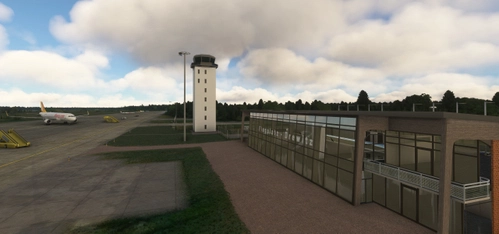
Verkehrslandeplatz Cottbus-Drewitz (EDCD, anno 2012)
Experience an authentic representation of Cottbus-Drewitz airfield around 2012 with this scenery project, part of the "Lausitz Scenery" project. Custom models for tower, terminal building, and aircraft shelters are included, along with high-resolution DEM and custom aerial data. Please note this project is unfinished and may have performance issues due to incomplete modeling.
par aurel42
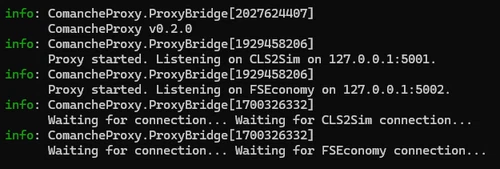
ComancheProxy (A2A with Brunner CLS-E yokes)
ComancheProxy is a utility designed to bridge A2A Accu-Sim aircraft, such as the Comanche, with Brunner CLS-E force-feedback yokes via CLS2Sim by providing more accurate flight data than standard MSFS. It enables enhanced force-feedback effects by relaying expected control surface information. The tool also allows users to fly unsupported or encrypted aircraft in FSEconomy by modifying aircraft identification data. Configuration options support both yoke integration and FSEconomy profile compatibility.
par aurel42
Connectez-vous pour participer à la discussion
Se connecterCommentaires(217)
about 19 hours ago
about 11 hours ago
4 days ago
Ce commentaire a été supprimé
4 days ago
What I usually do: I use the default flight planning app in the EFB, hit the load button and select the option that lets me paste a route string in a dialog window, and I set the altitude manually (it's not picked up from the LNM route string). Using planner.flightsimulator.com works, too.
I'll add Simbrief support to my todo list. Since I don't use Simbrief, I'm not promising anything.
12 days ago
11 days ago
11 days ago
11 days ago
11 days ago
19 days ago
21 days ago
27 days ago
25 days ago
25 days ago
25 days ago
25 days ago
25 days ago
I have no doubt that the GTN mod works with a lot of planes. But the modded Twotter is unlike other airplanes.
A whole bunch of custom systems live on top of stock sim systems, replacing them. Features like the custom implementation of VHF navaids or the custom autopilot depend on being integrated with the avionics.
The GTN750 is not aware of these features. It will work based on the stock sim systems. If you're curious how I feel about this, ask Youtube for "Sunny Muffins" (content warning: Robot Chicken). No offense meant.