
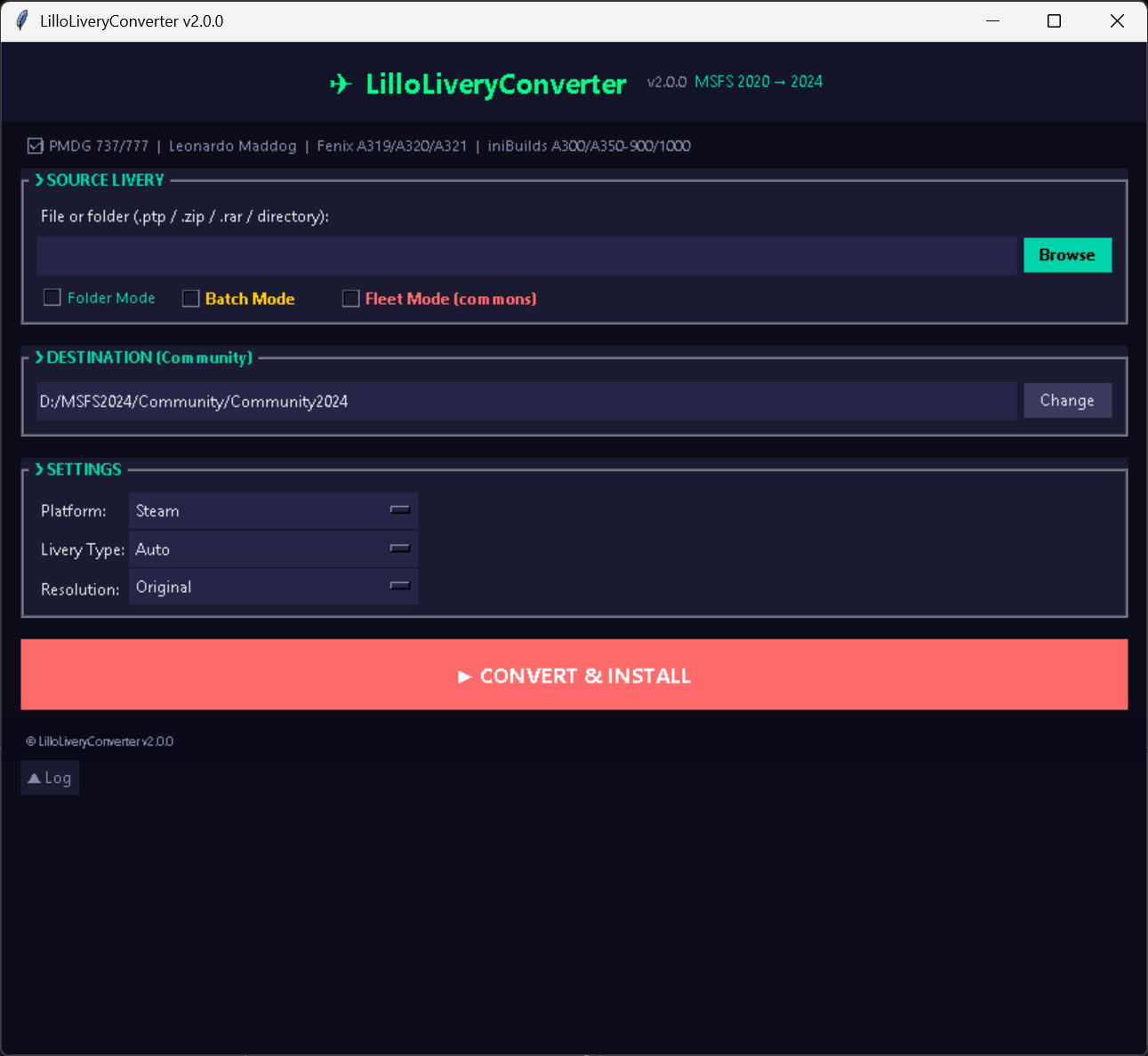
Description
# LilloLiveryConverter — MSFS2024 Livery Converter
## What is it
LilloLiveryConverter is a Program that automatically converts MSFS2020 liveries into standalone packages compatible with Microsoft Flight Simulator 2024 and viceversa.
## Supported Aircraft
- Fenix A319/A320/A321
- **iniBuilds A350-900/1000, A300-600, A300-600F
- PMDG 737-600/700/800/900/900ER, 777-200ER/LR/300ER/F
## How it works
1. Download any MSFS2020 livery ZIP from flightsim.to
2. Drag & drop the ZIP onto the converter window
3. The tool auto-detects the aircraft type (PMDG, Fenix, Maddog, iniBuilds)
4. Click "Convert & Install"
5. The converter handles texture conversion, manifest generation, layout generation, and installs to your Community folder
## Features
- Auto-detect — recognizes PMDG, Fenix, Maddog X, iniBuilds from the livery title
- Smart texture pipeline — DDS → KTX2 conversion, BC6H → DXT5 for Maddog X, resolution scaling (2K/4K/8K)
- Automatic texture.cfg — fixes fallback paths for MSFS2024 base packages
- Fleet Mode — merge common textures across multiple liveries (shared interiors)
- Batch Mode — command-line support for mass conversion
- PTP support — converts native MSFS2020 PTP format
- Standalone packages — generates proper manifest.json, layout.json, dependencies, and thumbnails
## Installation
1. Download LilloLiveryConverter.exe
2. Run it — the GUI window opens
3. Select your MSFS2024 Community folder path
4. Choose any MSFS2020 livery ZIP onto the window and convert
## Changelog
v1.0 — Initial release
- PMDG 737/777 family support
- Leonardo Maddog X MD-80 family support
- Fenix A319/A320/A321 support
- iniBuilds A350-900/1000, A300-600, A300-600F
LilloLiveryConverter
LilloLiveryConverter is a tool that enables automatic conversion of Microsoft Flight Simulator 2020 liveries into standalone packages compatible with MSFS2024 and vice versa. It supports popular aircraft including the PMDG 737 and 777 series, FlyByWire A380X, Fenix A320 family, and iniBuilds Airbus and A300 variants. The converter offers features such as auto-detection of aircraft type, smart texture processing, batch mode, and support for both PTP and ZIP formats. Converted liveries are installed directly to the Community folder and structured for MSFS2024 compatibility.


Avis des utilisateurs
23 avis
Historique des versions
# Changelog ## v2.0.0 (2026-06-02) ### Added - **Extract PTP to MSFS2020**: New checkbox mode that extracts PTP/ZIP/RAR files directly to MSFS2020-native format (DDS textures preserved, no KTX2 conversion). For users who need to recover PMDG liveries after OC2 shutdown. Destination path uses the Community folder field below.
Résumé des commentaires
Les retours de la communauté concernant le LilloLiveryConverter sont partagés. De nombreux utilisateurs saluent l’idée et soulignent des conversions réussies, notamment pour les avions comme le PMDG 737 et le Fenix, avec des améliorations notées dans la restitution des couleurs grâce aux mises à jour récentes. Toutefois, beaucoup rencontrent des problèmes tels que des textures manquantes ou roses, des couleurs inexactes, la détection ou conversion incorrecte de certains avions (erreurs d’identification), et des conversions incomplètes (absence de cabines personnalisées ou plaques d'immatriculation de couleur erronée). Certains partagent des astuces, comme utiliser un générateur de layout ou modifier manuellement les fichiers de configuration, ce qui peut parfois corriger certains défauts. Les demandes d’extension de la compatibilité à d’autres avions et une meilleure documentation sont fréquentes. En résumé, bien que le potentiel de l’outil soit reconnu, divers problèmes techniques limitent actuellement sa fiabilité selon les livrées et appareils.
Résumé du 23 nov. 2026
Connectez-vous pour participer à la discussion
Se connecterCommentaires109
Only issue I ran into was when installing multiple liveries, only the first was installed, with batch mode enabled. However extracting and manually installing the others in folder mode is a workaround.
I found that PMDG 737 always convert to BW winglets so I had to update livery.cfg manually to SSW winglets.
Hope for future update!
Ty!
https://flightsim.to/addon/77244/ana-all-nippon-airways-777-381er-ja784a-eevee-jet
- When converting A306, I find "A32N_INT_SPARES_ALBD.PNG.KTX2", "A32X_DECALS_COCKPIT_LIVERY_ALBD.PNG.KTX2" and their jsons in results. Other FS24 liveries don't have those files so they're not needed?