
Description
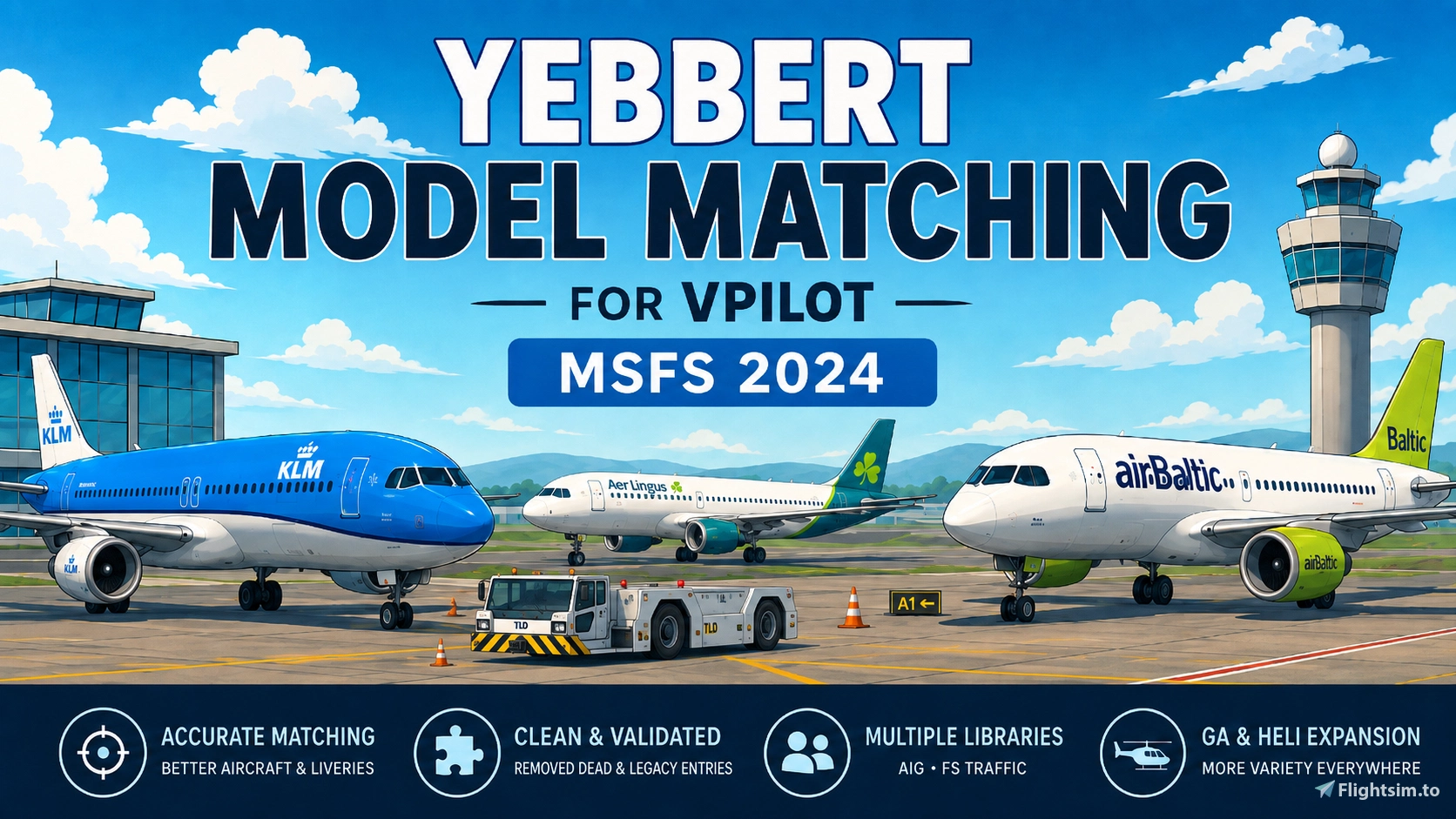
Improve the variety, accuracy and realism of VATSIM traffic in Microsoft Flight Simulator 2024 with a cleaned and validated set of custom vPilot Model Matching Rules (VMR).
Yebbert Model Matching was created by combining, reviewing and cleaning a large number of aircraft and airline matching rules with one main goal:
Show the correct aircraft type and airline/operator livery as often as possible, while avoiding unrealistic or broken fallback matches.
The project has been tested in MSFS 2024 and is built around real-world plausibility.
If a real airline/operator and aircraft combination does not exist, Yebbert aims to avoid forcing a completely different aircraft type simply to preserve an airline livery.
What's New in V4.7?
V4.7 further improves aircraft-type accuracy, historical fleet coverage and realistic airline representation across the supported model libraries.
- Expanded Boeing 757-200/300 matching, with additional verified historical, legacy and niche aircraft coverage.
- Refined airline and AOC matching, including SAS, Norwegian, Icelandair and KLM/KLM Cityhopper.
- Corrected aircraft variants and unrealistic fallbacks for selected operators.
- Additional model-reference checks and rule cleanup across AIG, FS Traffic and IVAO MTL.
For the full list of changes, see the V1.6 / V4.7 changelog in the Version History.
Included Versions
Choose ONE main VMR
Five main VMR versions are included.
Do not load multiple main Yebbert VMR files at the same time.
Choose the version that matches the model libraries installed on your system.
Important for AIG users
Before using an AIG-based VMR, check the AIG Model Library section below. Our validated reference installation combines v1.5 and v1.6; v1.6 alone should not be assumed to contain every model.
1. AIG + FS Traffic + IVAO MTL
Use:
Yebbert_ModelMatching_AIG_FSTraffic_MTL
For users with:
- AIG AI models
- Just Flight FS Traffic
- IVAO MTL
This is the broadest-coverage edition and can use models from all three libraries.
Recommended for users looking for the widest possible aircraft and livery coverage, including additional legacy, niche and historical aircraft types.
2. AIG + FS Traffic
Use:
Yebbert_ModelMatching_AIG_FSTraffic
For users with:
- AIG AI models
- Just Flight FS Traffic
No IVAO MTL models are referenced.
This version combines both libraries to increase available airline and aircraft coverage.
3. AIG + IVAO MTL
Use:
Yebbert_ModelMatching_AIG_MTL
For users with:
- AIG AI models
- IVAO MTL
No FS Traffic models are referenced.
This edition is particularly useful for additional legacy and niche aircraft coverage that may not currently be available through AIG alone.
4. FS Traffic Only
Use:
Yebbert_ModelMatching_FSTraffic_Only
For users who only want to use:
- Just Flight FS Traffic
No AIG or IVAO MTL models are referenced.
5. AIG Only
Use:
Yebbert_ModelMatching_AIG_Only
For users who only use:
- AIG AI models
No FS Traffic or IVAO MTL models are referenced.
This remains the simplest choice if you use AIG without any additional model library.
Optional GA & Business Expansion
Use:
Yebbert_GA_Business_Expansion_AIG
This optional additional VMR expands matching for:
- General Aviation / VFR
- Business jets
- Business and utility turboprops
- Bush and utility aircraft
Business aviation coverage includes aircraft from families such as:
Gulfstream, Citation, Challenger, Global, Falcon, Learjet, Embraer Legacy / Phenom, King Air, PC-12 and more.
The expansion contains 731 additional rules and uses AIG models only.
Important
The GA & Business Expansion should only be used when AIG is installed.
It should be loaded above your chosen main Yebbert VMR.
Why Include IVAO MTL Editions?
AIG and FS Traffic provide very broad airline coverage, but no single model library covers every aircraft type, historical operator or niche aircraft.
The optional IVAO MTL editions provide additional model-title coverage where available, particularly for some:
- Legacy aircraft
- Historical aircraft
- Less common aircraft types
- Niche operators
Important IVAO MTL Notice
No IVAO aircraft models, liveries, installers or model files are included or redistributed with Yebbert Model Matching.
The MTL editions only contain vPilot model-matching rules referencing model titles expected to already exist on the user's own system.
Users are responsible for having any required model libraries installed separately.
Installation
Open vPilot and go to:
Settings → Model Matching (MSFS 2024) → Custom Rules
Recommended order
For AIG users:
Yebbert_GA_Business_Expansion_AIG(optional)- ONE chosen
Yebbert_ModelMatchingVMR
Do not load multiple main Yebbert VMR files together.
Choose the main version that matches the libraries installed on your system.
Updating from V4.6?
The main Yebbert VMR filenames are unchanged.
Back up your existing VMR, then overwrite it with the matching V4.7 file in the same location.
If the filename and path remain unchanged, you do not need to remove and re-add the VMR in vPilot. Restart vPilot to ensure the updated rules are loaded.
If you are switching to a different main edition, select the new file in Custom Rules and remove the old main edition. Do not load two main Yebbert VMR files together.
AIG Model Library
Important: V4.7 was validated against a merged AIG v1.5 + v1.6 installation.
Our development scans used v1.5 base models together with v1.6 updates/additions in one installation. A standalone v1.6 update should therefore not be assumed to contain every model that Yebbert references.
Make sure your installed model library is complete and follow the installation instructions supplied with your AIG download. Missing or incorrectly combined model files can cause vPilot model creation errors even when the matching rule is valid.
AIG package information and downloads:
https://github.com/Samueleonard/AIG-ModelMatching-For-MSFS2024/releases
Make sure the relevant AIG components are installed correctly, including:
- OCI / SimObjects aircraft models and liveries
- ModelBehavior
- Effects
Yebbert does not include or redistribute AIG aircraft models or textures.
Matching Philosophy
Yebbert Model Matching deliberately prioritizes realistic aircraft/operator combinations.
The general approach is:
- Real-world operator + correct aircraft type → preferred
- Legitimate historical combinations → allowed when verified
- Legitimate wet-lease / operated-by combinations → allowed when verified
- Sensible same-family fallbacks → used conservatively
- Unrealistic cross-family combinations → avoided
For example, Yebbert is designed to avoid selecting an unrelated aircraft simply because it carries the correct airline colours.
Correct aircraft type and real-world plausibility are more important than forcing a livery onto the wrong airframe.
What Has Been Improved?
The original source data contained many useful matches, but also generated, outdated or overly aggressive fallback rules.
Yebbert Model Matching has therefore been cleaned and refined to:
- Prioritize correct airline/operator and aircraft combinations
- Add verified real-world operator/type matches
- Include selected legitimate historical combinations
- Include verified wet-lease / operated-by relationships
- Retain sensible same-family fallbacks where useful
- Avoid unrealistic cross-family substitutions
- Remove duplicate and empty rules
- Provide separate builds for different installed model libraries
- Combine AIG, FS Traffic and IVAO MTL coverage where appropriate
- Add optional legacy and niche-aircraft coverage through IVAO MTL
- Significantly expand business aviation matching
- Provide optional GA & Business Aviation coverage
- Add dedicated British Airways SHT / “Shuttle” matching for UK domestic services using BA mainline short-haul aircraft
- Improve AOC-specific matching and reduce cross-operator model bleed across easyJet, Ryanair, Wizz Air, TUI and Corendon groups
- Improve AOC, fleet and wet-lease accuracy across AirAsia, Volaris, Jetstar and Smartwings using the verified AIG model inventory
- Refresh selected current wet-lease and operated-by relationships
- Remove or replace outdated AIG model references no longer present in the current model set
- Further reduce outdated, overly broad and unrealistic fallback combinations
- Expand Boeing 757-200 and 757-300 matching, particularly through verified legacy and IVAO MTL models
- Refine SAS, Norwegian, Icelandair and KLM/KLM Cityhopper fleet and AOC combinations
The AIG + FS Traffic + IVAO MTL V4.7 edition contains 9,477 matching rules.
The optional GA & Business Expansion contains 731 additional rules.
A Note About Model Matching
Model matching can never be 100% watertight.
vPilot may have multiple valid models available for a matching rule and can choose between those models.
A VMR rule containing multiple models should therefore not be interpreted as a strict first-choice → second-choice → third-choice priority chain.
Yebbert controls which models are considered valid candidates for a match, but vPilot ultimately handles the final model selection.
Different users may also have different:
- Model-library versions
- Liveries
- Installed subsets
- Missing or outdated packages
- Incorrectly installed model libraries
Because of this, an occasional unexpected aircraft, livery or model-loading error can still occur even when the VMR rule itself is valid.
A ModelErrors entry does not automatically mean the VMR itself is incorrect.
It can also indicate that a specific model or livery is:
- Missing
- Outdated
- Incomplete
- Incorrectly installed
The goal of this project is therefore not to promise perfect matching, but to provide a cleaner, broader and more realistic starting point for MSFS 2024 VATSIM traffic.
Feedback & Error Reports
Feedback is very welcome.
If you encounter:
- An incorrect aircraft type
- An obviously incorrect airline/operator livery
- A missing model
- Strange fallback behaviour
- A vPilot model creation error
Please include, when possible:
- Callsign
- Aircraft TypeCode
- Exact Yebbert VMR filename/version
- Which model libraries you have installed
- Relevant ModelErrors.txt entries from vPilot
- A screenshot of your vPilot Custom Rules order, if relevant
Please also make sure the selected Yebbert edition matches the model libraries actually installed on your system.
Real-world testing and community feedback will continue to be used to improve future releases where possible.
Important
Yebbert is a model-matching project only.
It does not install aircraft models and does not inject AI or static traffic.
The required aircraft models must be installed separately through the supported model libraries.
FSLTL models are not referenced by the V4.7 editions; FSLTL integration is planned separately for V4.8.
Enjoy the traffic!
– Yebbert
Yebbert Model Matching VMR Pack for MSFS 2024
This VMR pack for Microsoft Flight Simulator 2024 enhances vPilot model matching for VATSIM by providing a curated and validated set of custom rules. It supports AIG and Just Flight FS Traffic model libraries, offering accurate aircraft type and airline livery representation. An optional expansion improves matching for general aviation, helicopters, business, and utility aircraft. The pack aims to minimize unrealistic fallback matches, using only current and available models for improved traffic realism.

Avis des utilisateurs
8 avis
Historique des versions
### V1.6 / V4.7 – Extended Fleet Coverage & Model Matching Accuracy - Significantly expanded Boeing 757-200 and 757-300 model matching, including additional verified IVAO MTL liveries and improved aircraft variant accuracy. - Expanded historical airline and aircraft coverage, including classic Boeing, Airbus, Douglas and Lockheed aircraft. - Improved SAS Group matching with more accurate separation between SAS, SAS Connect and SAS Link operations. - Refined Norwegian Group matching, including AOC-specific rules, legitimate operated-by arrangements and more accurate aircraft variants. - Corrected Icelandair model matching, including the removal of an inappropriate Hapag-Lloyd livery selection and improved historical Boeing 737-300/400 coverage. - Improved KLM and KLM Cityhopper matching, including proper Embraer E195-E2 representation and additional E190 operator-specific rules. - Corrected several Airbus A321/A321neo mismatches where smaller A319/A320 variants could previously be selected. - Improved Boeing 757-200 versus 757-300 matching to prevent incorrect fuselage variants. - Further reduced inaccurate cross-aircraft-type substitutions while preserving verified historical fleets and legitimate wet-lease arrangements. - Expanded and refined matching through the combination of AIG, Just Flight FS Traffic and IVAO MTL models. - Validated all included model references against installed model inventories and performed additional XML, duplicate-rule and integrity checks. - Retained five alternative main VMR editions plus the optional GA & Business Aviation Expansion. - Simplified the public package structure by removing internal all-in-one development variants. - Existing VMR filenames remain unchanged, allowing users to replace their previous files without rebuilding their vPilot configuration. **Important:** V4.7 only contains model-matching rules. No aircraft models, liveries or textures are included. The corresponding model libraries must be installed separately.

Connectez-vous pour participer à la discussion
Se connecterCommentaires(40)
about 1 month ago
Yebbert V4.6 has been rebuilt and validated against the official AIG MSFS 2024 v1.6 model set.
If you use any AIG-based Yebbert edition, please update the complete AIG package to v1.6 or newer before using V4.6.
This includes:
- AIG OCI
- AIG ModelBehavior
- AIG Effects
Older AIG installations may be missing model titles referenced by V4.6 and can cause model loading errors or unexpected fallbacks.
If you are updating from Yebbert V4.5, the VMR filenames are unchanged. Simply overwrite your existing Yebbert VMR with the matching V4.6 file.
As always, make sure you use the Yebbert edition that matches the model libraries you actually have installed.
If you still receive model errors after updating, please include the exact ModelErrors.txt lines when reporting the issue.
Location: https://github.com/Samueleonard/AIG-ModelMatching-For-MSFS2024/releases
about 4 hours ago
12 days ago
11 days ago
The pack has been assembled by the uploader from Github. So 1.5 is the google download and 1.6 is a recent update addition. Those two can be merged.
Once the 3 folders are placed directly into your community folder you select the VMR that suits your situation.
Example:
Do you only use AIG? --> use AIG only VMR
Do you use AIG + Fstraffic --> Use AIG + Fstraffic VMR
This is also explained above in the description, unless that isnt clear feel free to send me a message again.
Hope this helps
9 days ago
Ups, I downloaded that github 1.5 version, it has 3 gig, but upon extracting it into my 230 gig free space on disk it told me i have not enough space for it, it is wrong something right on my side? do you possible know how large extracted file is? i think it is about 90 gig if see correct?
Oh, i got it. Its unpacking into temporay smaller size C ssd using 7zip. gona work on it later :)
Can i ask? And also i shall disable VMR file in vPilot that came with FSLTL, right? But FSLTL base models i shall leave in comunity folder as help
9 days ago
I recommend to not use FSLTL besides mine and clear all VMR's in vpilot and only use one of mine. This to avoid getting errors and conflicts.
If you want to KEEP fsltl then make sure the VMR is at the bottom as priority in vpilot.
If you need assistence, hit me up on discord kyle. Perhaps easier.
Discord; bladeje
6 days ago
6 days ago
Its easier if you message me on discord or PM then using the review area as troubleshooter area.
Yes you merge 1.5 + 1.6 so that also means overwriting files. After the merge you place the three folders cof AIG into your community folder.
4 days ago
18 days ago
18 days ago
21 days ago
21 days ago
1.6 is an extra addition to 1.5.
So you grab 1.5 and merge 1.6 and when asked to overwrite +/- 9000 files you accept.
20 days ago
about 1 month ago
Yebbert V4.6 has been rebuilt and validated against the official AIG MSFS 2024 v1.6 model set.
If you use any AIG-based Yebbert edition, please update the complete AIG package to v1.6 or newer before using V4.6.
This includes:
- AIG OCI
- AIG ModelBehavior
- AIG Effects
Older AIG installations may be missing model titles referenced by V4.6 and can cause model loading errors or unexpected fallbacks.
If you are updating from Yebbert V4.5, the VMR filenames are unchanged. Simply overwrite your existing Yebbert VMR with the matching V4.6 file.
As always, make sure you use the Yebbert edition that matches the model libraries you actually have installed.
If you still receive model errors after updating, please include the exact ModelErrors.txt lines when reporting the issue.
Location: https://github.com/Samueleonard/AIG-ModelMatching-For-MSFS2024/releases
about 1 month ago
That is nice i dont have to unistall that fsltl models.
I also looked at that link leading to github. I am now confused.
I have hard time undestanding sometimes.
Please could i ask you to give me instruction just for me how to set things with your mods here and my Msfs2020?
I wish to try use your model that have most of aircrafts and also the model with thouse aditional GA aircrafts.
I thank you for you work on the mod. It must had been so much work.
about 1 month ago
about 1 month ago
Is there a way to also have static models on airports?
I am now using FSLTL becouse with FlyByWire Installer base models and injector, it gives me oportunity to inject only stationary aircrafts around dont feel that empty airports while on Vatsim.
I had found it cool. But it lacks showning me correct players with General Avitation aircrafts. And I like you extra GA vmr file.
I use MSFS2020 standart edition. And I dont very much understand if VMR files will realy show me what GA thay fly with?
But I wish not seeing generecis airbas instead of GA aircrafts.
So to couple my questions please:
1) i need to uninstall all FlyByWire Installer FSLT models and not use injector? So i can use your models?
2) is there a way with your mod to have some stationary aircrafts on airports? Default MSFS2020 ground traffic aircraft is the mess and thay also like to move around :((( so I disabled it completly.
3) do i need in my MSFS2020 to actually own all extra market GA aircraft models there? to see them on Vatsim?
Thanks for your work and happy if you will have time to anwer.
Fila Klye
about 1 month ago
1) Do I need to uninstall FSLTL?
No. You do not need to uninstall the FSLTL Base Models.
Yebbert Model Matching does not install or replace aircraft models itself. The VMR files simply tell vPilot which already-installed model should be used for a VATSIM aircraft.
The current Yebbert editions are built around AIG, FS Traffic and optional IVAO MTL, depending on which version you choose. FSLTL can remain installed alongside them.
One important distinction: the FSLTL Base Models and the FSLTL Injector are two different things. The base models can stay installed, but FSLTL's own documentation recommends not running the Injector during a VATSIM session.
2) Can Yebbert add stationary aircraft at empty airports?
No — that is outside what a VMR can do.
A VMR only controls which model vPilot displays for another VATSIM pilot. It cannot create additional parked/static aircraft.
There is actually a very nice utility called GateStaticInjector, which does exactly what you describe: it fills unused gates with cold-and-dark aircraft and removes them when real online traffic needs the stand. It can use FSLTL and AIG models. Unfortunately, the current version requires MSFS 2024, so it is not presently an option for your MSFS 2020 installation.
3) Do I need to buy all the GA aircraft from the MSFS Marketplace?
No.
The optional Yebbert GA & Business Expansion uses AI models from AIG. You do not need to own the flyable Marketplace version of a Cessna, Piper, business jet, etc. just to see another VATSIM pilot represented by an AIG AI model.
There is one important limitation though: a VMR cannot magically create an exact aircraft that does not exist in your installed model libraries.
If somebody connects as, for example, a particular GA aircraft and AIG contains a suitable model for that aircraft/type, Yebbert can select it. If no suitable model exists, vPilot still has to fall back to something else.
That is exactly why I made the separate GA & Business Expansion: to reduce situations where GA traffic ends up appearing as a generic airliner simply because the normal airline-focused model matching has nothing better available.
So for your setup I would keep FSLTL installed if you still want its models, install AIG (https://github.com/Samueleonard/AIG-ModelMatching-For-MSFS2024/releases) , use the appropriate Yebbert main VMR + GA & Business Expansion, and let vPilot handle the actual VATSIM traffic.
Hope that clears it up, and thanks again for trying the pack!
about 1 month ago