
Description
SOQA Airport Moving Map
An airport moving map for Microsoft Flight Simulator 2024. It draws the airport you are on and puts your aircraft on it, in the EFB and in a toolbar panel.
Everything on the chart comes from the simulator's own airport database: runways, taxiways with their real widths and names, stands, and hold short bars. It matches the scenery you have installed, including third party airports, so there is nothing to download per airport and no chart subscription.
Taxi Routes
Type the route as ATC gives it, for example N5 N N4 L L3 RWY25C, and it is drawn on the chart in green from where your aircraft is. Each taxiway becomes a chip as you type, a name the airport does not have shows in red, and a runway in the route is drawn whole so you can see where the route ends. The route is shared between views: type it in the EFB and it appears in the toolbar panel and on the taxi HUD.
Taxi HUD (Experimental)
This feature is experimental, and it depends on the scenery. The route is read from the taxiways in that airport's own data, so where a scenery leaves gaps between taxiways that should meet, the route will not join up across them and the HUD will not read the whole way through.
Also Included
- Day and night charts, North Up or Track Up.
- Aprons, terminal buildings and grass from OpenStreetMap, optional and switchable.
- Highlight taxiways or draw freehand in four colours; your marks appear in both views.
- In the air, a list of the airports within 50 NM; after landing, the airport you are at comes up by itself.
- Other aircraft on the field, shown with their callsigns.
Installation
Download, unzip, and drop the folder into your Community folder, then restart MSFS.
Links
Product page: https://soqa.app/airport-moving-map.html
Website: https://soqa.app
Discord: https://discord.gg/MMXW6mKdJ2
Support: support@soqa.app
For flight simulation use only. Not for real world navigation. SOQA is not affiliated with any chart publisher, and no publisher's charts or data are used. Aprons and buildings (c) OpenStreetMap contributors, ODbL.
SOQA Airport Moving Map - EFB and Toolbar Ground Chart with Taxi HUD
SOQA Airport Moving Map is a live ground chart in the EFB and a toolbar panel, showing your aircraft on the airport from your installed scenery's own data. Draw the taxi route as ATC gives it, highlight taxiways, and follow it on an experimental taxi HUD. Day and night charts, North Up or Track Up, optional OpenStreetMap aprons and buildings, and nearby aircraft with their callsigns. MSFS 2024 only, default and third-party airports alike, with nothing to download per airport. Free.


Avis des utilisateurs
22 avis
Historique des versions
Settings remembered: Size, Map opacity, Day/Night, North Up/Track Up, Text, layers, full screen, zoom and HUD settings are kept between opens, flight restarts and sim restarts, and load instantly. Window position remembered: the window reopens where it was closed, at its saved size, with no jump on opening.
Présent dans des collections(1)




Similaires
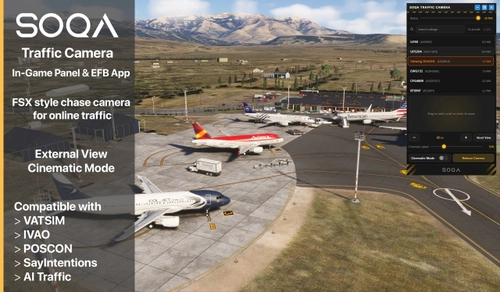
SOQA Traffic Camera - FSX-Style Chase Camera for Online Traffic
SOQA Traffic Camera restores FSX-style chase camera functionality for online and AI traffic in Microsoft Flight Simulator 2024. It displays a list of all nearby aircraft and allows users to instantly focus and control a chase camera on any selected target. Cinematic Mode offers smooth, dynamic camera movements for enhanced observation. The tool is available both as an in-game panel and EFB app, supporting popular online networks.
par soqasupport
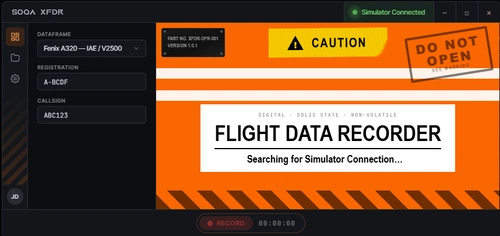
SOQA (Simulator Operations Quality Analysis) xFDR
SOQA xFDR is a desktop client that records detailed flight data from Microsoft Flight Simulator through SimConnect. It captures cockpit parameters in a compact custom file format and supports event detection and performance analysis across various aircraft add-ons. Flights can be uploaded to SOQA HQ for extensive post-flight review, offering features similar to airline flight data monitoring systems. Integration with Navigraph enables advanced mapping and flight plan comparisons for supported users.
par soqasupport
Connectez-vous pour participer à la discussion
Se connecterCommentaires68
We are a bit hesitant to create an external application since it requires a code certificate which is very costly. Without the code cert, few anti viruses will flag a spurious alert stating that the application has a virus. Hence the hesitation.
However, we will consider this feature for future releases. Thanks again!
Thank you.
Before this, i use for taxiing littleNavmap with VR-Plugin (but it needs to start littleNavmap before and is a little bit choppy etc).
Unbelievable that Plugin is only 1MB.
Thank You for this great addon!!!
(Is it possible, to save the settings in preferences, which are reloaded upon a restart?)
I have two suggestions, if possible.
One is to have the taxi points automatically populated based on ATC instructions.
The other is to make the app accessible via a web browser, so that it can be used on external devices, such as a tablet or smartphone.