
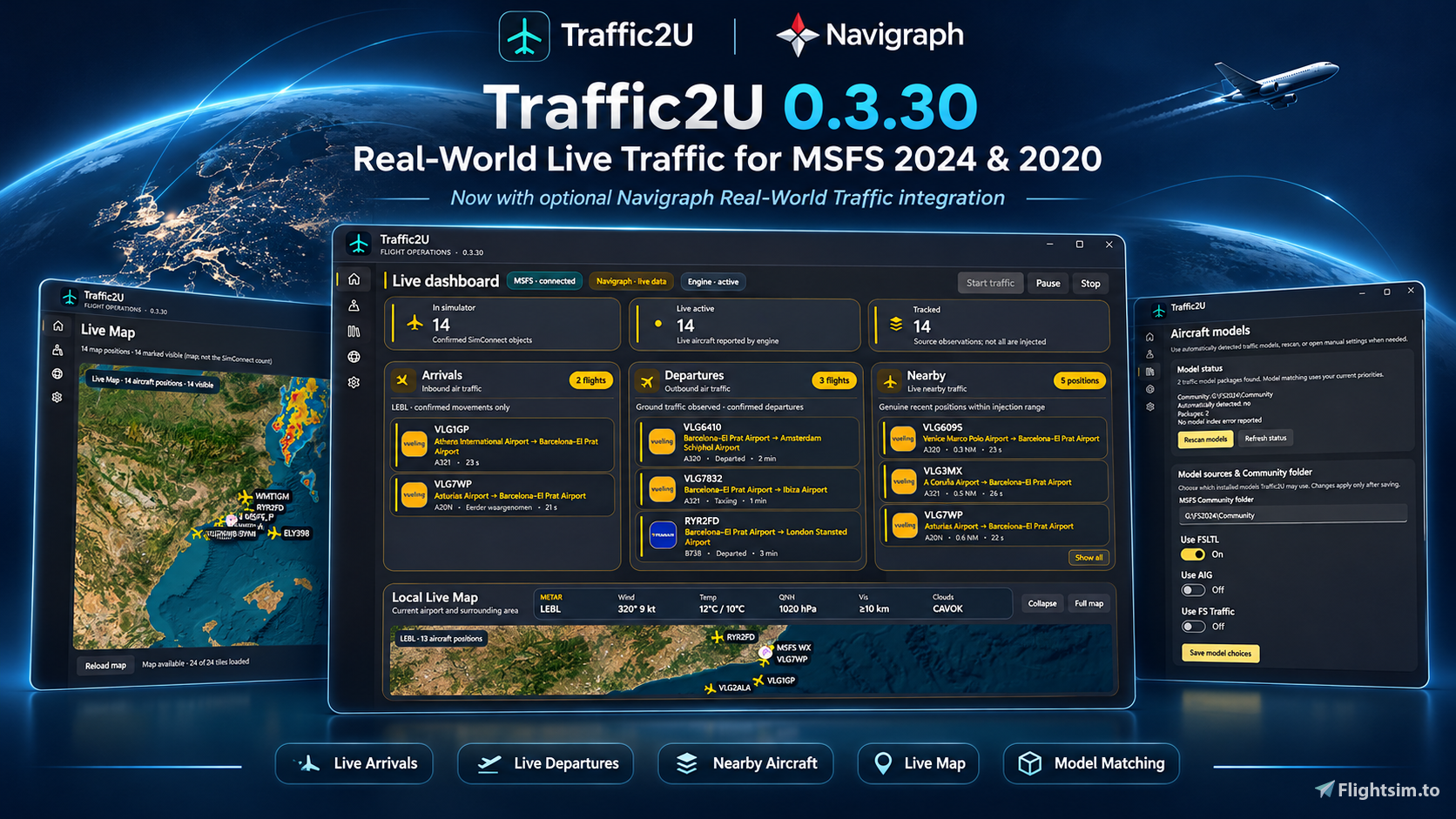
Description
Real-world traffic. Two data sources. One seamless experience.
Welcome to the next generation of Traffic2U, featuring a completely redesigned Windows application, integrated Navigraph Real-World Traffic support, and a more streamlined way to bring real-world aviation into Microsoft Flight Simulator.
Watch real aircraft arrive, depart, taxi and park at airports around the world, using live aviation tracking data.
Choose how you fly:
Free ADS-B Traffic – Enjoy real-world aircraft without a subscription, account or additional traffic service.
Navigraph Real-World Traffic – Unlock an alternative live traffic source powered by Flightradar24, available to users with an active Navigraph Unlimited subscription.
Traffic2U remains free to use. Navigraph is entirely optional.
What's New?
A Completely Redesigned Windows Experience
Traffic2U has been rebuilt around a modern Windows interface, designed to make live traffic management easier, clearer and more enjoyable.
The new application includes:
A redesigned dashboard with a modern Windows 11-inspired appearance.
Live arrivals, departures and nearby aircraft information.
Airline identification, flight details and route information where available.
Clear simulator connection and traffic source indicators.
Convenient Start, Pause and Stop controls.
Simplified settings with carefully selected defaults.
Support for multiple languages.
System tray functionality, allowing Traffic2U to stay out of the way while you fly.
Less configuration. More flying.
NEW – Navigraph Real-World Traffic Integration
Traffic2U now supports Navigraph Real-World Traffic, providing an additional source of real-world flight tracking data through Navigraph's integration with Flightradar24.
Users with an active Navigraph Unlimited subscription can connect their Navigraph account directly from Traffic2U.
Simply select Navigraph as your traffic source, follow the secure account authorization process and start enjoying live traffic.
The Navigraph option can provide improved traffic coverage in areas where freely available ADS-B tracking data is limited.
Important: A Navigraph Unlimited subscription is required only when selecting Navigraph as the traffic source. It is not required to use Traffic2U.
Free ADS-B Traffic Is Here to Stay
Prefer not to use a subscription? No problem.
Traffic2U continues to support free, publicly available ADS-B tracking sources.
There is no mandatory Navigraph account, no subscription requirement and no need to purchase additional traffic data.
The free ADS-B option remains a core part of Traffic2U.
You can switch between supported traffic sources directly from the application.
Main Features
Real-World Live Aircraft
Recreate real aircraft movements inside Microsoft Flight Simulator using actual aviation tracking information.
Two Traffic Sources
Choose between free ADS-B tracking and Navigraph Real-World Traffic, depending on your preferences and subscription availability.
Modern Live Dashboard
View aircraft information, nearby traffic, arrivals and departures from a clean, accessible interface.
Compatible AI Aircraft Models
Use supported FSLTL, Just Flight FS Traffic and AIG aircraft models and liveries to represent real-world traffic.
Aircraft Model Matching
Traffic2U attempts to match real-world aircraft with compatible installed models and airline liveries, with configurable matching preferences.
Smoother Aircraft Movement
Traffic management refinements aim to improve continuity during approaches, landings, takeoffs and ground operations.
Smart Parking and Ground Traffic
Support for parked aircraft, taxiing, pushbacks and airport ground activity, subject to tracking coverage and available simulation data.
Simple, Optimized Settings
Carefully chosen defaults reduce the need to configure technical parameters manually. Adjust essential options such as traffic radius and aircraft limits when needed.
Run Quietly in the Background
Minimize Traffic2U to the Windows taskbar or system tray while traffic injection continues. No permanently visible command prompt window is required.
How Does Traffic2U Work?
Traffic2U receives real-world aircraft position data from your selected traffic source and recreates the corresponding aircraft inside Microsoft Flight Simulator.
The underlying engine uses buffered position updates and interpolation to simulate aircraft movement between received tracking positions.
Aircraft are matched with compatible AI aircraft models installed on your system wherever possible.
Whether using free ADS-B data or Navigraph Real-World Traffic, the goal remains the same:
Bring the real aviation world into your simulator with as little complexity as possible.
Requirements
Microsoft Flight Simulator 2024 or 2020
Windows 10 or Windows 11
An active internet connection
Compatible AI aircraft models, such as FSLTL, Just Flight FS Traffic or AIG
Traffic Source Requirements
Traffic SourceSubscription RequiredStandard ADS-BNo – FreeNavigraph / Flightradar24Yes – Navigraph Unlimited
You do not need a Navigraph subscription to install, launch or use Traffic2U with the standard ADS-B source.
Important: Running multiple live traffic injectors simultaneously may result in duplicate aircraft.
Installation
Option A – Windows Installer (Recommended)
Download and extract the Traffic2U release archive.
Run Traffic2U_Setup.exe.
Follow the installation instructions.
Launch Traffic2U from its installed shortcut.
Select your preferred traffic source and start flying.
The installer is recommended for most users.
Option B – Portable Version
Download and extract the portable release archive.
Locate the folder containing Traffic2U.exe.
Move the entire folder to your preferred location, such as C:\Games\Traffic2U or D:\Apps\Traffic2U.
Launch Traffic2U.exe directly.
No traditional installation is required for the portable version.
Connecting Navigraph
If you have Navigraph Unlimited:
Open Traffic2U.
Select Navigraph as your traffic source.
Choose the option to connect your Navigraph account.
Complete the secure authorization process.
Start live traffic injection.
If you do not have Navigraph Unlimited, simply select Standard ADS-B instead.
Known Limitations
Traffic2U depends on external real-world aviation tracking data. Accuracy, coverage and update frequency can vary depending on the selected source and geographic location.
Ground movements, aircraft positions and flight phases may occasionally be approximate, particularly when tracking data is incomplete.
Navigraph can offer an alternative source with improved coverage in some areas, but cannot guarantee perfect aircraft positioning or uninterrupted traffic.
Aircraft models and liveries depend on the AI model libraries installed on your system. Exact aircraft and airline matches are not always available.
Injected aircraft are not integrated with the simulator's native ATC system.
Traffic2U continues to evolve, with ongoing improvements to usability, stability and traffic behaviour.
Credits & Acknowledgements
Original LiveTraffic MSFS Project
Traffic2U is built upon the original LiveTraffic MSFS project.
Special thanks to its original developer for creating the underlying traffic simulation engine and kindly granting permission to publish this modified version.
The original project's foundation and core traffic simulation technology remain an essential part of Traffic2U.
Traffic2U extends this work with a dedicated Windows application, additional traffic source integration, usability improvements and targeted traffic management refinements.
Original LiveTraffic MSFS project:
https://flightsim.to/addon/116297/livetraffic
Navigraph
Special thanks to Navigraph for their cooperation and support in making Navigraph Real-World Traffic integration possible within Traffic2U.
Navigraph Real-World Traffic provides access to Flightradar24-powered traffic data for eligible Navigraph Unlimited subscribers.
Navigraph: https://navigraph.com
Traffic2U – Real-world traffic, simplified.
Free ADS-B for everyone. Navigraph Real-World Traffic for Unlimited subscribers. Your simulator, your choice.
Traffic2U
✅ Free ADS-B traffic remains available without a subscription. ✅ Navigraph Real-World Traffic is optional for Navigraph Unlimited subscribers. (Injects Flightradar24-data). Two traffic sources. One seamless experience.


Avis des utilisateurs
3 avis
Historique des versions
Added dark and light theme.
Présent dans des collections(1)



Similaires
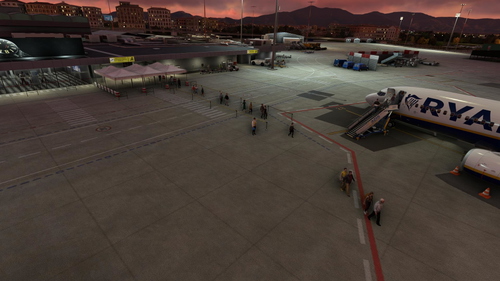
Salvuz Pisa International GSX Profile
Enhance ground operations at Salvuz Pisa International Airport with this GSX profile. Enjoy realistic Ryanair stand usage and walking passengers between gates and terminals. Simply add the ini file to your MSFS GSX folder for a seamless experience.
par Mylano
Glasgow Prestwick (EGPK) GSX Profile
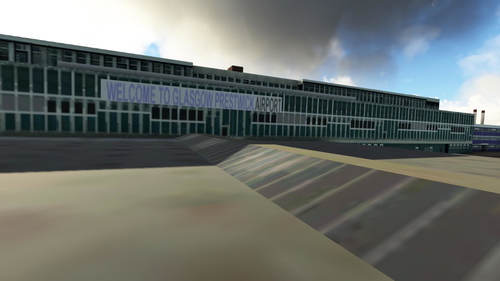
Enhance your ground handling experience at Glasgow Prestwick Airport with this GSX profile, designed for the freeware scenery by Scotflight. Created with most regular stands in mind, this profile may not be perfect but offers a customized touch for your MSFS experience. Simply place the ini file in your GSX MSFS folder and enjoy!
par Mylano
LECH Castellon (MM SIMULATIONS) GSX Profile
Enhance your ground handling experience at LECH Castellon with this GSX profile by MM Simulations. This profile includes stands used by Ryanair and Wizzair, with passengers boarding and deboarding by foot. Located near Valencia, Castellon is a popular airport for low-cost airlines. Simply extract the .ini file to your GSX MSFS folder for a seamless simulation experience.
par Mylano
Connectez-vous pour participer à la discussion
Se connecterCommentaires84
I would also like to clarify the main problem I am experiencing with Traffic2U.
I am using MSFS 2020 (Microsoft Store version), and I am unable to see actual AI aircraft traffic in the simulator.
In particular:
I do not see aircraft approaching or landing at Bastia airport.
I do not see aircraft taking off or moving on the ground.
With the WinUI3 interface, the application shows aircraft as active or in the simulator, but I cannot see them in the 3D simulator environment.
With the classic interface, I can see green aircraft markers on the map, but this does not translate into visible aircraft traffic in the simulator either.
My main goal is to have actual, visible AI traffic in MSFS 2020, including arrivals, departures and ground movements.
Could you please help me understand why this is not working and how to fix it?
Thank you.
Hello,
I am using Microsoft Flight Simulator 2020 (Microsoft Store version) with Traffic2U 0.3.32.
I have identified two different behaviours when launching the two executables included in the portable installation:
1. Traffic2U.exe (168 KB)
The aircraft injected by Traffic2U appear as green markers on the map.
My own aircraft does not appear on the runway as expected.
2. Traffic2U WinUI3.exe (301 KB)
My own aircraft appears correctly on the runway, marked in pink.
However, all tracked aircraft remain yellow.
The application reports aircraft as active and injected into the simulator, but I cannot identify any green markers.
Altitude information is also missing in this interface.
Both executables belong to the same Traffic2U 0.3.32 package. I have also tested the WinUI3 installation from the Windows installation directory, with the same behaviour.
My question is:
Are these two executables supposed to use different traffic injection engines or different display systems? Which executable should MSFS 2020 users actually launch to obtain correct AI aircraft injection, including arrivals, departures and ground traffic?
I would appreciate your advice on how to obtain consistent and correct behaviour.
Thank you for your work and assistance.
There are no Turkish Airlines (THY) aircraft parked at LTFM (Istanbul Airport). The airline distribution does not look realistic.
Some aircraft remain stationary for over 10 minutes in both the Live Map and MSFS 2024 (e.g. AEE998).
After landing, aircraft disappear during taxiing instead of continuing to their assigned gates.
Traffic2U detects only one traffic model package and displays "Automatically detected: no".
Model scanning frequently fails with the error: "HttpClient.Timeout of 3 seconds elapsing."
Even with "Use FSLTL" enabled, it is unclear whether FSLTL aircraft models are actually being used.
I hope these issues can be investigated and improved. Thank you!
Félicitations pour cette application qui met du trafic en temps réel dans MSFS2024.
Pourrait-il y avoir une version en Français ?
Is there any chance of adding system/dark mode to the Traffic2U.WinUI3
Also noticed at NZCH the ATR's that are taxiing and on the ramp have no landing carriage showing ...they are floating ...any ideas?
Cheers
German Translations are missing in the Modern UI.
Ce commentaire a été supprimé
I’m facing a small issue, though. I can see AI aircraft taking off on the map, but I can’t seem to spot any AI traffic on the ground in the simulator. I’m using MSFS 2024.
Could you please guide me on whether there’s a setting I might have missed or if there’s anything I need to configure? I’d really appreciate your help. Keep up the fantastic work! ✈️
Traffic2U does support ground traffic in MSFS 2024, including taxiing aircraft, departures, arrivals and parked aircraft.
There are a few things worth checking:
1. Ground Traffic settings: Make sure Parking Realism is enabled. You can also change the Parking Strategy from Evidence to Legacy if you'd like to see more parked aircraft at the airport.
2. Aircraft models: Make sure FSLTL, AIG or FS Traffic models are installed and correctly detected by Traffic2U.
3. Live traffic coverage: Traffic2U uses real ADS-B data, and ground coverage varies between airports. Some airports may have very limited ground position data.
4. Live Map: Aircraft appearing on the map aren't necessarily injected into MSFS. Please check whether the aircraft are marked as injected.
Could you tell me which airport (ICAO code) you're using and which version of Traffic2U you have installed?
That would help me determine whether this is a settings issue, limited ADS-B coverage or something that needs further investigation.
Thanks again for your support! 😊
404
File Not Found
2. The control buttons in the map are just grey squares.