
Description
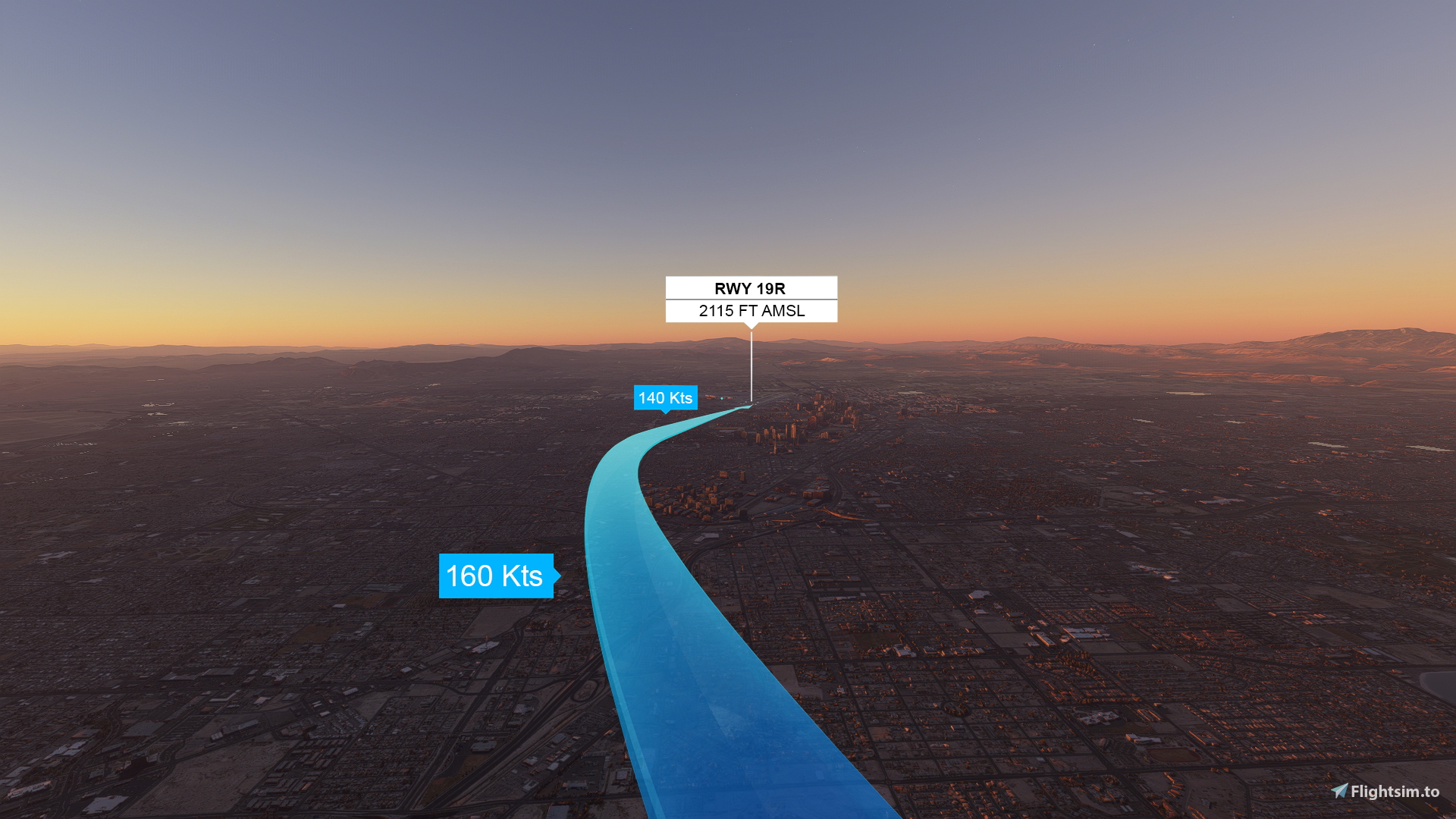
This sunrise landing challenge has you flying an Airbus A320neo into runway 19R at Las Vegas's McCarran International Airport. The approach pattern guides you southbound along Interstate-15, transitioning 10 degrees west for the final approach to runway 19R.
Installation:
- Unzip "McCarran Sunrise Landing 1.0.0.zip"
- Drag and Drop the "klas-sunriselanding-gmicc" folder into the community folder
- If you bought the game from the MS store, the address of the community folder is:
- C:\Users\USERNAMEAppData\Local\Packages\Microsoft.FlightSimulator_8wekyb3d8bbwe\LocalCache\Packages\Community (Replace "USERNAME" with your username)
- The Landing Challenge can be found in Activities --> Landing Challenges --> Famous
- There may be some bugs or glitches, feel free to let me know in the comments.
Thanks for downloading, hope you have fun landing in Las Vegas!
Dépendances
Location
Hold Ctrl to interact with the map
MSFS 2020MSFS 2024
Las Vegas McCarran Sunrise Landing (KLAS) A320/A32NX
This sunrise landing challenge has you flying an Airbus A320neo into runway 19R at Las Vegas's McCarran International Airport. The approach pattern guides you southbound along Interstate-15, transitioning 10 degrees west for the final approach to runway 19R.
Téléchargements2K
Version1.0.1
Taille du fichier2.43 MB
PubliéIl y a 5 ans
Mis à jourIl y a 3 ans

Avis des utilisateurs
3.8
4 avis
5
50%
4
25%
3
0%
2
0%
1
25%
Historique des versions
Added compatibility for sim update 11.
Connectez-vous pour participer à la discussion
Se connecterCommentaires(16)
over 1 year ago
almost 2 years ago
11 months ago
over 3 years ago
Thank you for your work. Loads of fun!
over 2 years ago
about 4 years ago
A question: Can you give me a tip how to make that beautiful blue flight line arrow?
Thanks,
Fer
over 5 years ago
over 5 years ago
over 5 years ago
over 5 years ago
over 5 years ago
https://app.mediafire.com/lh1t3jtzsdrj2
over 5 years ago
over 5 years ago
https://flightsim.to/file/3681/bushmissiongen
over 5 years ago
over 5 years ago
over 5 years ago
Look out in the future for on of the being posted, and you can follow me to get a notification of when a new landing challenge is released!