

Description
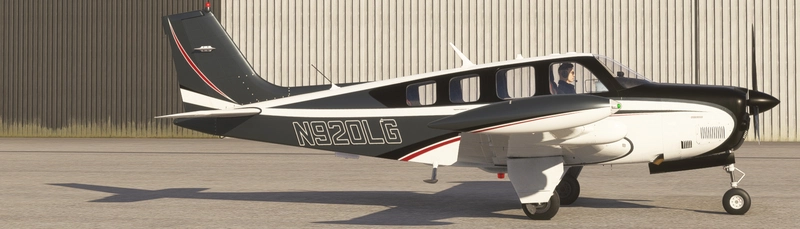
Just a different color in matte for the amazing GotGravel Vertigo.
Matte Blue and Grey Livery for Vertigo
Explore a new color variation for your GotGravel Vertigo with this Matte Blue and Grey livery add-on. Personalize your aircraft with a sleek and modern design.
Avis des utilisateurs
4 avis
Historique des versions
Works with Vertigo 2.0 (Also fixed engine gauges not showing).
Similaires
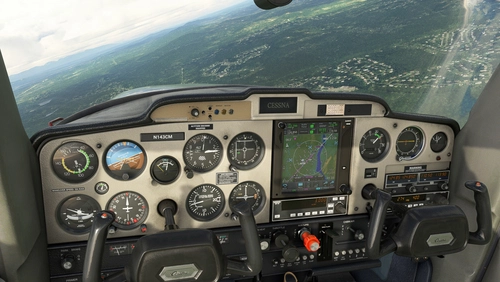
TDS GTN 750Xi Cockpit Integration / WBSim C152
Enhance your Cessna 152 experience with TDS GTN 750Xi Cockpit Integration, allowing you to use the tablet to access and select the GTN 750 option seamlessly. Requires C152 mod by JPLogistics and TDS GTNXi.
par ryanbatc
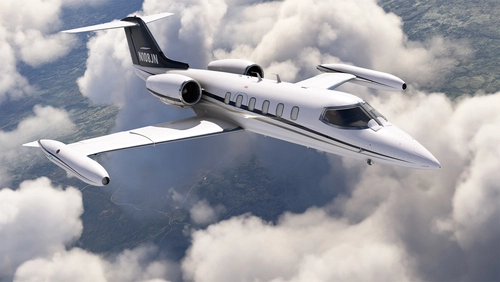
N108JN for FSW Learjet 35
Enhance your Learjet 35 experience with the N108JN add-on by ryanbatc, featuring stunning metallic properties and a beautiful interior by Archer. Updates continuously improve textures and fix minor issues for a more realistic flight sim experience. Simply extract the folder to your Community folder for seamless integration.
par ryanbatc
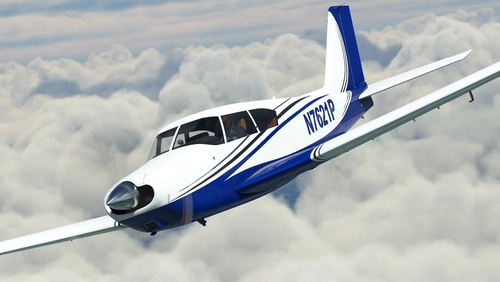
N7621P + Dynamic Livery + Interior for A2A Comanche
Experience a stunning rendition of N7621P PA24-250 Comanche for A2A in MSFS, including dynamic livery and custom interior. Updates include metallic shine, dynamic registration, and cockpit placard, enhancing your flight simulation experience. Special thanks to ryanbatc and Waffler11 for their contributions to this mod.
par ryanbatc
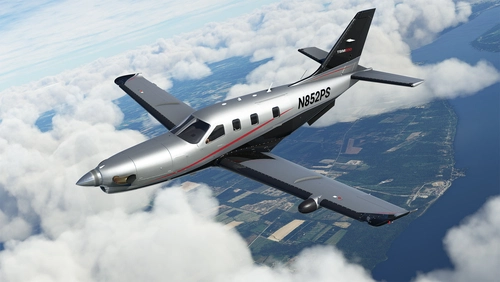
N852PS + Dynamic Registration and Interior for Black Square TBM 850
Enhance your Black Square TBM 850 with the N852PS livery featuring dynamic registration options and meticulously designed interior details. This livery, crafted with Adobe Photoshop and Substance Painter, replicates the real design and allows for easy customization of the tail number via in-sim changes or aircraft.cfg modifications. Add a touch of realism to your flights by placing the TBM_xxx files in your Community folder.
par ryanbatc
Connectez-vous pour participer à la discussion
Se connecterCommentaires(9)
over 4 years ago
Love this and the red liveries, but they mess with the G3X. Engine gauges are not showing. I have tried other liveries and the ones that come with the Vertigo and they don't affect the G3X engine gauges, the ones on the right side of the display. If you are still supporting these liveries, could you check?
over 4 years ago
I haven't looked at the Vertigo in quite some time. You might be able to look at a livery that works and compare it to this one.
over 3 years ago
If you're still using the sim I finally fixed this and grab the new Vertigo update first.
over 3 years ago
Excellent, thanks! Downloaded both of them.
over 5 years ago
I like it, when it get´s matte.
Not everything needs to be shiny...
😉
Just an suggestion, if you have some free time and would like to do some more: how about a version in matte black (blue gets black), another one in olive green (blue gets olive, that color from WW2 jeeps)? One version in matte bare metal (blue gets bare metal)?
over 5 years ago
over 5 years ago
over 5 years ago
over 5 years ago
Thanks :)