
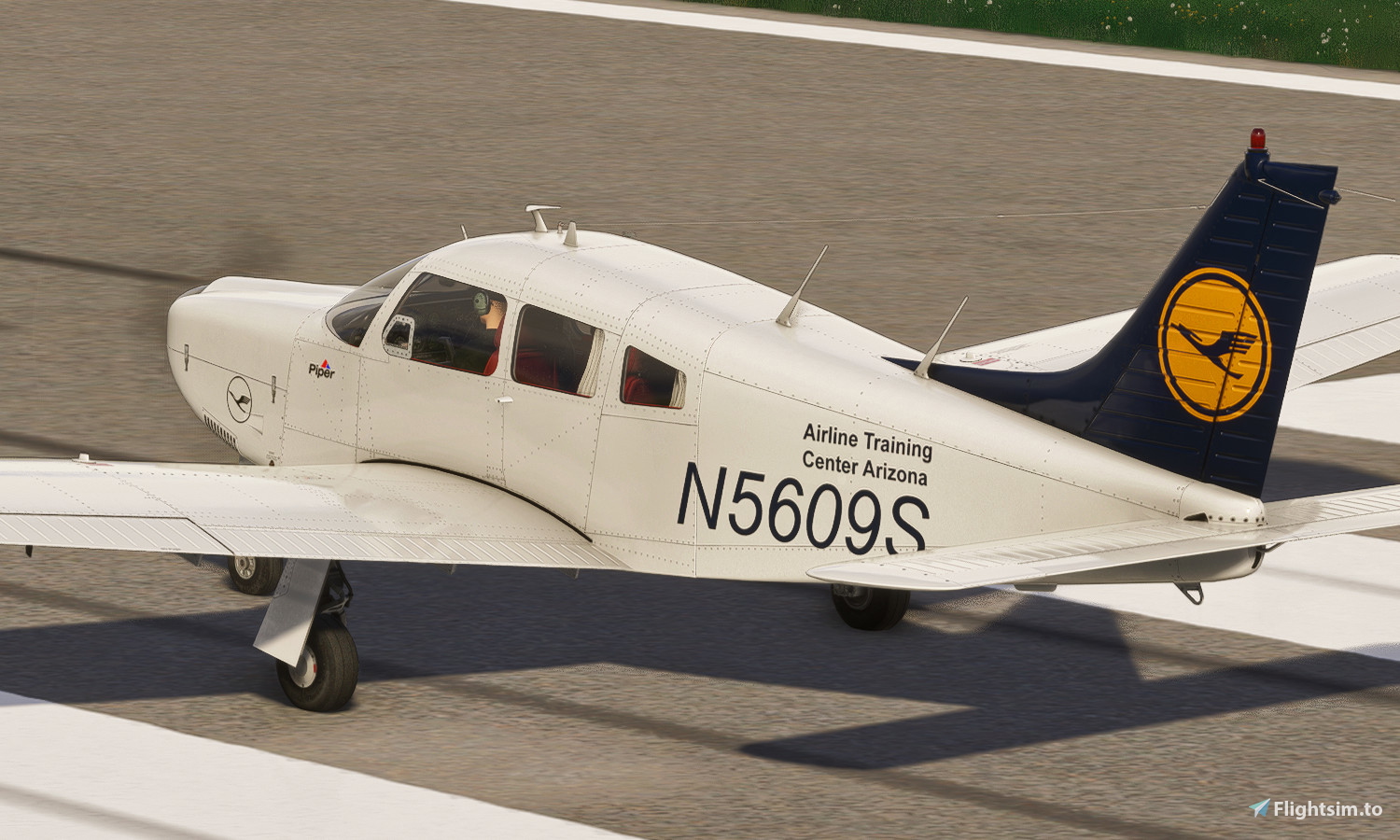
Description
Aircraft based in the Lufthansa Aviation Training USA
2021/08/01 - Updated aircraft.cfg
JustFlight PA28R Arrow III - Lufthansa Airline Training Center Arizona N5609S
Aircraft based in the Lufthansa Aviation Training in the US / Aircraft based in the Lufthansa Aviation Training in the US / Aircraft based in the Lufthansa Aviation Training in the US / Aircraft based in the Lufthansa Aviation Training in the US / US


Historique des versions
MSFS2020/MSF2024 update
Similaires

[A32NX] Lufthansa A320neo D-AINH 8k
Experience the Lufthansa A320neo D-AINH in stunning 8k resolution with this add-on. Includes first to fly version and a new livery option.
par OrientePS

Lufthansa Livery - Ultra Resolution
Experience the Lufthansa Livery in ultra resolution with this add-on. Version 2.1.0 includes 3 packages with 2 selectable liveries, including updated features like raccoon eyes and an EU flag. Compatible with FS2020 build 1.8.3, this mod offers improved PBR materials, redesigned tail details, and enhanced realism. Simply drag and drop the folders to your Community folder for installation.
par Operatorland468

Lufthansa A330-900 Neo - 8K
Experience the stunning 8K quality of the Lufthansa A330-900 Neo livery in Microsoft Flight Simulator. Join one of Europes largest airlines on your virtual flights with this meticulously detailed add-on. Follow simple installation steps and take to the skies with this homage to one of the founding members of Star Alliance. Embark on your flights with the iconic Lufthansa livery, created by aaMasih (Ali Sadeghi).
par aaMasih

Lufthansa [Pack 1] w/Cabin Fenixsim A320 V2 [8K+4K]
Experience the Lufthansa Pack 1 for the Fenix Simulations Airbus A320 V2 in 8K and 4K, featuring specific aircraft coloring, logos, and interiors. Choose from various Lufthansa registrations such as D-AIQS and D-AIZE, each with unique details. Enhance your flight sim with Lufthansas realistic cabin, cockpit decals, and wing coloring. Find more liveries in the connected package for a comprehensive Lufthansa experience.
par Atarium
Connectez-vous pour participer à la discussion
Se connecterCommentaires(5)
over 4 years ago
Now I guess there is no more reason not to buy the PA28.....
Thanks for making this.
over 4 years ago
Do you think you can make this livery for the Asobo Bonanza as well?
https://www.airliners.net/photo/Lufthansa-Flight-Training/Beech-F33A-Bonanza/1795318/L
almost 5 years ago
i installed Lyfthansa PA28 ARROW III and don't appear on the game why bro? help me, i bought the aircraft on the game for nothing
almost 5 years ago
Hi mate, this is how to install this livery:
1-Locate your Microsoft Flight Simulator installation folder. The folder file path is displayed when first opening the game via the Content Manager screen. In my case its under "D:\Users\***myname***\AppData\Local\MSFSPackages\Community" but it might in different path in your case, such as C: for example
2- Unzip the downloaded livery
3- Copy the folder (in this case the "JF_PA28III-LUFTHANSA") to the "Community" folder
4- Start the MSFS, check under the PA28III aircraft for this livery and have fun!
almost 5 years ago
don't appear!!