
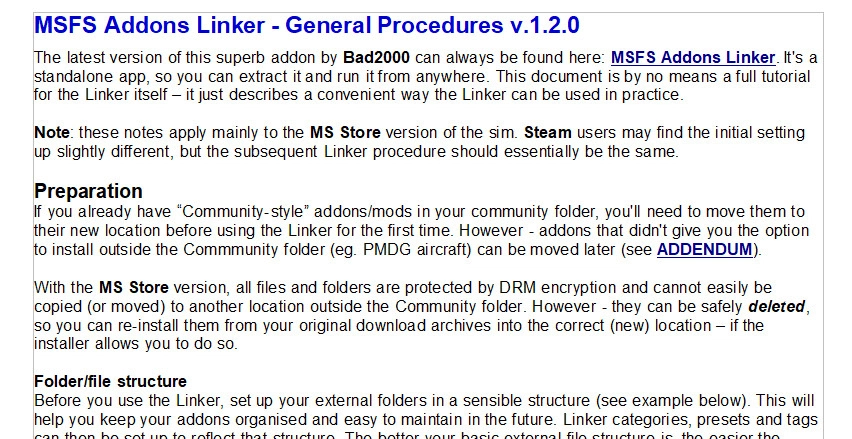
Description
Not a full Linker tutorial - just a way you can use it to keep your addons in some sort of order. Includes useful tips for moving existing addons that install to Community by default and debugging/troubleshooting.
All credit goes to Bad2000 for creating such an amazing tool!
MSFS Addons Linker
If you feel inclined to donate something, click on the "Buy me a Coffee" button ... or here: buymeacoffee.com/adamskinzA
Dépendances
MSFS Addons Linker - General Procedures
Not a full tutorial – just some convenient procedures for the Addons Linker when used in practice. Includes setting up sensible folder structures, useful tips for moving existing addons that install to the Community folder by default, troubleshooting and more.


Avis des utilisateurs
7 avis
Historique des versions
Added a section on debugging/troubleshooting problematic addons.
Similaires
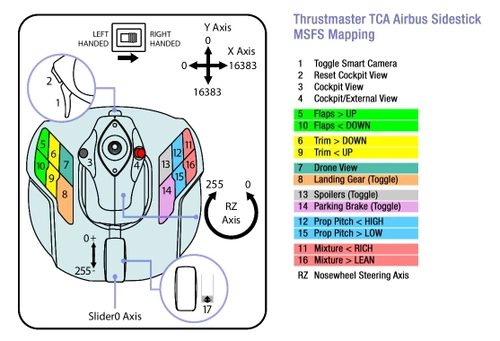
Thrustmaster TCA Airbus Sidestick (no quadrant) - MSFS Mappings
Enhance your Airbus flying experience with the Thrustmaster TCA Airbus Sidestick add-on for Microsoft Flight Simulator. This mod provides mappings tailored for propeller pitch and mixture controls, ensuring a more realistic and immersive flight simulation experience. Instructions and diagrams are included in the archive for easy setup.
par AdamskiNZ
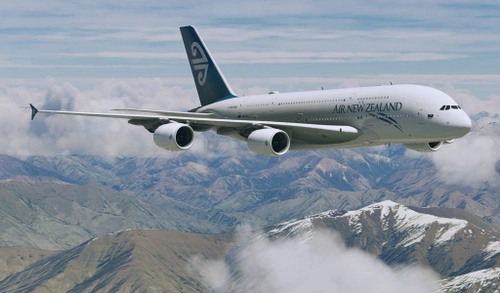
Flybywire A380X Air New Zealand (Pacific Wave) ZK-OJS : 8K/4K
A fictional livery for the Flybywire A380X, inspired by Air New Zealands "Pacific Wave" design from the 1990s - with colours that reflect New Zealand's natural beauty. The aircraft depicted in the is named "Kākāpō," a native bird of New Zealand. 8K and 4K versions available..
par AdamskiNZ
![[A32NX] FlyByWire A320neo RNZAF NZ7571 - fictional](https://cdn.flightsim.to/images/07/mjHacEQC.jpg?width=500)
[A32NX] FlyByWire A320neo RNZAF NZ7571 - fictional
FlyByWire A320neo RNZAF NZ7571 is a fictional livery inspired by the RNZAF Boeing B757 for the Asobo/FBW A320neo. Updates feature a 2k texture set for AI use, a fictional ANZ coffee cup, SELCAL code plate, and compatibility with FlyByWire mods and SU11.
par AdamskiNZ
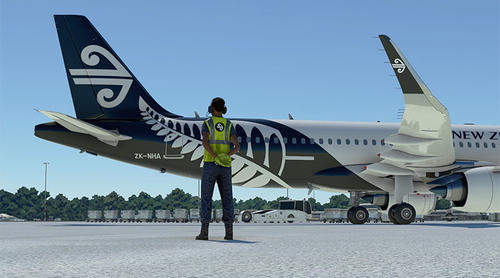
Air New Zealand Ground Crew Textures
Enhance the realism of your ground operations with these fictional Air New Zealand ground crew textures. Once installed, these ANZ versions will be visible at all airports in Microsoft Flight Simulator. Simply place the folder in your Community folder to enjoy this customization.
par AdamskiNZ
Connectez-vous pour participer à la discussion
Se connecterCommentaires(35)
5 months ago
about 1 year ago
over 1 year ago
over 2 years ago
about 1 year ago
11 months ago
11 months ago
almost 3 years ago
I recently got a new computer and did a fresh install of everything including the addons linker. I configured it for my computer and moved a couple aircraft to make sure it was working - which it was. The next time I booted the computer and tried to open the app, it would not open.
I got the message that the app was opening but it would not appear on my screen after that.
The icon would appear on the task bar as if it were open, however, when I would click on the icon, the icon would disappear.
Trying to open the app again, I would get a message that it was already running.
In the task manager, it would not appear in the apps section but it would appear in the background processes section with no activity.
Shutting it down from task manager and restarting resulted in the same outcome.
I have tried deleting and reinstalling but still have the same issue.
Any suggestions of other things I can try?
Thanks!
over 2 years ago
over 2 years ago
about 3 years ago
A quick question about 'image /thumbnails:'
What is the format it uses?
I tried to make (.jpg and .png) custom thumbnail .. but no success .
about 3 years ago
about 3 years ago
Is there an argument you can use so that the program is run as an administrator?
Thanks
about 3 years ago
over 3 years ago
Thanks!
over 3 years ago
For those that move a payware program out of the community folder, I do the same as PAU687. What is happening here is MSFS looks to the community folder and even with DRM software as long as the link is pointing to that folder it is happy. What I do as an extra step is to zip any payware that installs to the community folder, unzip it into my external folder (I call mine "Community-working" for distinction). After this I usually store the zip somewhere then delete it out of the MSFS community folder. The process of zipping first avoids file ownership issues that may happen if files are just moved with the "move" command.
about 3 years ago