
Description
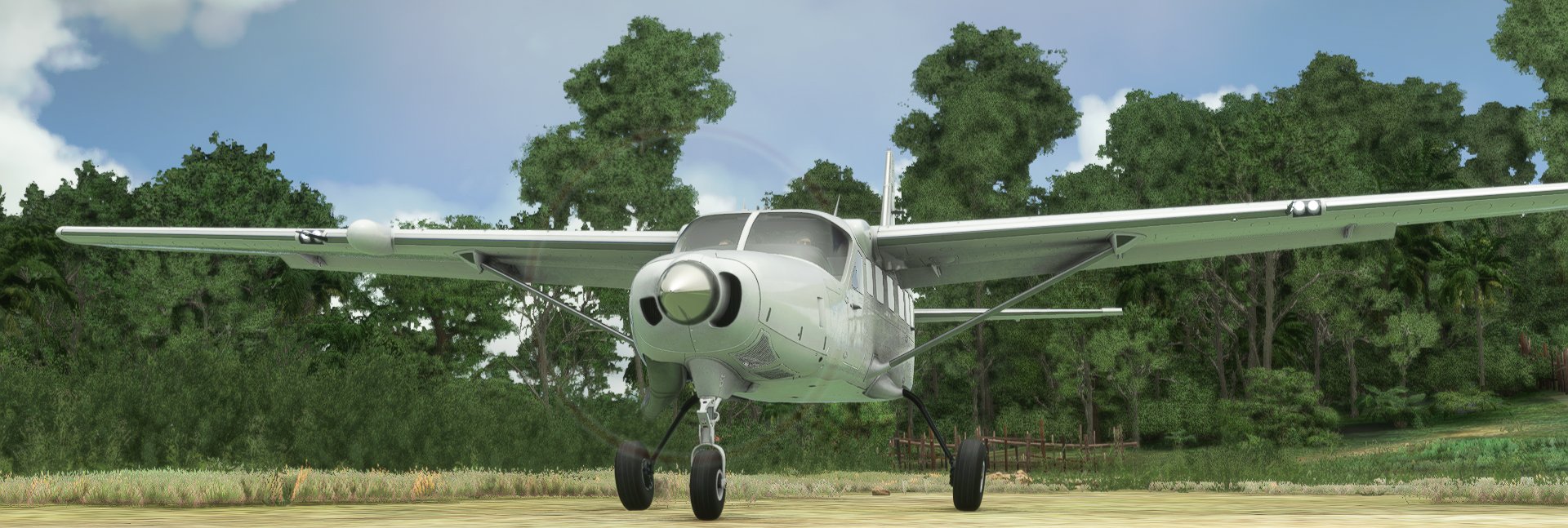
Cessna 208 B Grand Caravan EX, modified to remove the pod!
Version 1.21 for Sim Update 5An OPTIONAL download is now available with lightened prop textures. Place these in:
Community\Cessna 208 B Grand Caravan EX - No Pod - Parorng\SimObjects\Airplanes\parorng_C208-nopod\TEXTURE
You'll need to delete any old installation in Community and install BOTH downloads to use these prop textures. If you have 1.2 already, you'll only need the prop textures.
I've finally managed to get the modified default livery working again (but having issues with SU5 and the SDK - and I'm in the process of moving countries) - expect that to come with v1.3!
The mighty Caravan is in use around the world, and often the ones I see do not have the pod. This project started for me as a way to get my feet wet (hint hint) in 3d modelling and start creating some things for myself. Removing and rebuilding the floor of this aircraft took a lot of work! I have extended the nosewheel cowl to match the real aircraft, and remapped all textures to work with the changes.
This Asobo model has been completely reworked.- All animations have been redone (and adjusted in some cases)
- Pod removed
- Nosewheel cowl extended
- Textures remapped
- Registration moved to the most common area from what I have seen, with the regstration italics accurately added. 3 registration locations are now possible. Run the Variants script to choose which you like!
- The flight model is based on @Carbonprop's excellent performance mod, and edited to reflect the no-pod.
- New rivets to better show off your amazing liveries! Feel free to use this on the Asobo caravan too, just remmeber to backup any original 'Ribbon' texture file (I rename them .org normally)
- Check the changelog to see latest changes!
- The frost textures aren't playing nice just yet, so they're omitted. Also the windscreen frost isn't active currently.
- The Asobo modelled livery includes the pod (modelled), so for now I have removed the entire modelled livery.
- The Main gear struts and brakes for some reason don't have textures again (they're black!) They are good in Blender and the UV maps are aligned so I have no idea why. If anyone knows, send me a PM!
- Doors don't open still. I'll need to rework the entire cabin to allow that - currently way above my abilities and time constraints, but I'll keep at it. I'd love a roller door one day...
The livery converter is now packaged
Please read the converter documentation for details. No adjustments should be needed to current liveries to get them working. There is a slight issue with a few existing liveries on the new the nosewheel cowl extension (as the UV now covers a little more room). I'll consider rearranging the UVs for this part on update v1.2.
Registration Location Option:v1.2 includes THREE different locations available for the registration. Currently it will affect all liveries.
Under 'Variants' run the batch file to change your variant. You can also do this manually if you'd prefer.
Again, currently this will affect all aircraft. It is possible to change them around at any time. If the sim is running when you change it, to take effect, you'll need to resync your aircraft (via the New Project - Aircraft Editor), restart/reload the flight, or restart the entire sim.
It IS possible to have this set differently per livery. The designer, or yourself, will need to add the correct .gltf and .bin models to the livery and ensure they're referenced correctly in the layout.json (If you need any guidance, drop me a message here or on my discord below!)
Copilot Option:v1.2 includes the option to see your copilot! Run the Variants batch file to choose that option. By default it is on.
I played with adding a passenger as well, but they like their leg room and put their feet through the seat in front. So for now, no passengers.
Installation:As always, please place the 'Cessna 208 B Grand Caravan EX - No Pod - Parorng' folder into your community folder. I recommend removing the old one completely before doing this.
Working Title Instrumentation: ***IMPORTANT***If you are using the WorkingTitle G1000/GX MOD you must copy and overwrite the CommonPFD_MFD.js file from the WTPATCH directory to the following location in BOTH the G1000 and GX folders.
html_ui\WorkingTitle\Pages\VCockpit\Instruments\NavSystems\Shared
If you neglect to do this the aircraft annunciator system will NOT work.
REMEMBER the WT G1000 mod is not compatible with the G1000NXi in the store, so choose one and enjoy!
Future Plans:The float version is coming along nicely, but I've had to take some personal time as I'm moving countries for a bit to be with my family. I haven't seen them for 16 months now... A tropical beach should give me some motivation however!
I'd also love to do a skydiving and cargo version, as well as one with surveying equipment. I'd prefer to have a redone cabin for this, with all the seats removed. All I need is time, and motivation!
If you want to contact me, message me on flightsim.to, the MSFS forums, or at my discord. Grab your invite here:
Hope you Enjoy it!As always, if you like what you see and want to help out with development of this and other projects, feel free to donate!
www.buymeacoffee.com/Parorng
Parorng
Questions fréquemment posées
Cessna 208 B Grand Caravan EX - No Pod
A modified version of the Cessna 208 B Grand Caravan EX without the pod, featuring a completely reworked Asobo model with animations, extended nosewheel cowl, and remapped textures. This add-on includes multiple registration locations, performance tweaks, and a livery converter. Future plans include a float version, skydiving and cargo variants, and more customizations.

Avis des utilisateurs
38 avis
Historique des versions
As a separate optional upload, I've added revised and lightened prop textures. Please add these to your testure folder: Community\Cessna 208 B Grand Caravan EX - No Pod - Parorng\SimObjects\Airplanes\parorng_C208-nopod\TEXTURE Default livery coming on the next update, as well as dust etc, as soon as I can get this SDK working again with SU5!
Similaires
Robin DR250-160 Capitaine
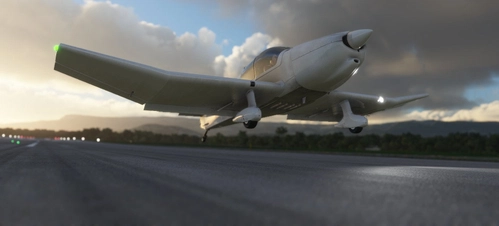
Fly the skies with the Robin DR250-160 Capitaine add-on, featuring a redesigned aircraft model with improved animations and weight adjustments. Experience the thrill of flying a tailwheel conversion, perfect for challenging terrains like the French Alps. Enhance your flights with working copilot functionality and compatibility with various liveries. Embark on high-altitude adventures at unique airstrips in France and Italy, optimized for this exhilarating aircraft.
par Parorng
Asobo to FlyByWire Livery Converter
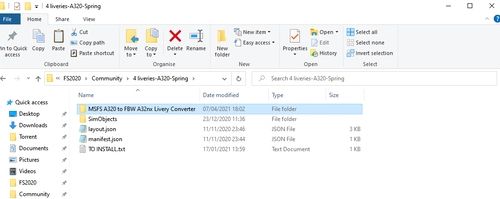
Convert your Asobo A320 liveries to FlyByWire A32nx with ease using this batch file converter. Simply place the folder into the livery you want to convert and run A32nx.bat. Follow the prompts to seamlessly migrate your livery, maintaining compatibility with both aircraft models. Available for smoother livery transitions, courtesy of Parorng.
par Parorng
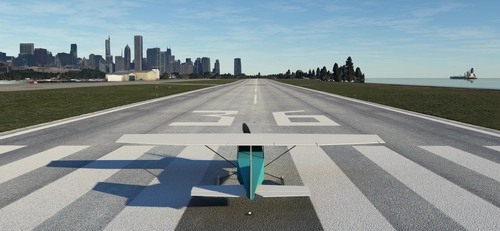
Cessna 182RG Flight Simulator 4.0 Style
Welcome back to the 1980's! To celebrate 40 years of Microsoft Flight Simulator, I decided to recreate the FS4 C182RG I grew up with. Flight Simulator 4.0 was what I started simming with. I spent thousands of hours flying around the US, and exploring the built in aircraft editor. When the expansions came I was quick to grab them, including Tahiti and Melbourne Australia. Back then the FS world was ONLY the US, so these were placed in a big blue square in the centre of the US map. I still have the original FS4 files, transferred faithfully from medium to medium over the decades. Unfortunately I do not have the expansions any more though, unless they're buried in a box somewhere. FS4 can be run on modern PCs using DosBox, and it does it surprisingly well. Enjoy this recreation of our history.
par Parorng
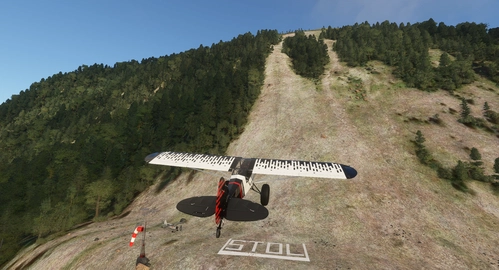
Rockfall LS60 Challenge Strip
Challenge yourself with the Rockfall LS60 Challenge Strip in Switzerland. Test your piloting skills by landing on risky slopes and rocky terrain with different aircraft. Can you conquer the flat threshold, extreme STOL area, and the slippery slope without damaging your aircraft? Experience the thrill of taking off from the top and navigating challenging turns. Are you up for the ultimate landing challenge in the beautiful Swiss landscape?
par Parorng
Connectez-vous pour participer à la discussion
Se connecterCommentaires(223)
2 months ago
It's worth noting there's a payware pod-less 208 by Black Square in the Marketplace, which probably has more liveries & generally more polished, but this is a nice alternative.
about 1 year ago
about 1 year ago
Unfortunately this one doesn't 'just work' in FS2024 which would need a LOT of effort to figure that all out.
over 1 year ago
about 2 years ago
Thanks!
about 2 years ago
The easiest way would be to find your aircraft.cfg file and change:
atc_id="N208NP" to
atc_id=" "
That should work with whichever variant you have installed.
over 2 years ago
over 2 years ago
over 2 years ago
over 2 years ago
over 2 years ago
over 2 years ago
I just ran it with an empty community folder and it still seems to be running well...
over 1 year ago
almost 3 years ago
I've downloaded your mod but I have a issue. When I chose c208b with no pod mod aircraft is fully no control. In cockpit I see 2 very bright white screens and all buttons is no control. Propeller looks like during flight and blurred. Ailerons, elevators and rudder is stuck in one position. At the end aircraft is fully control by AI and I can't change it.
Other planes in simulator have no problems even with downloaded liveries etc.
Anybody know how to fix it?
I'll very glad for that :)
almost 3 years ago
almost 3 years ago
about 3 years ago
about 2 years ago
about 3 years ago
about 3 years ago