
Description
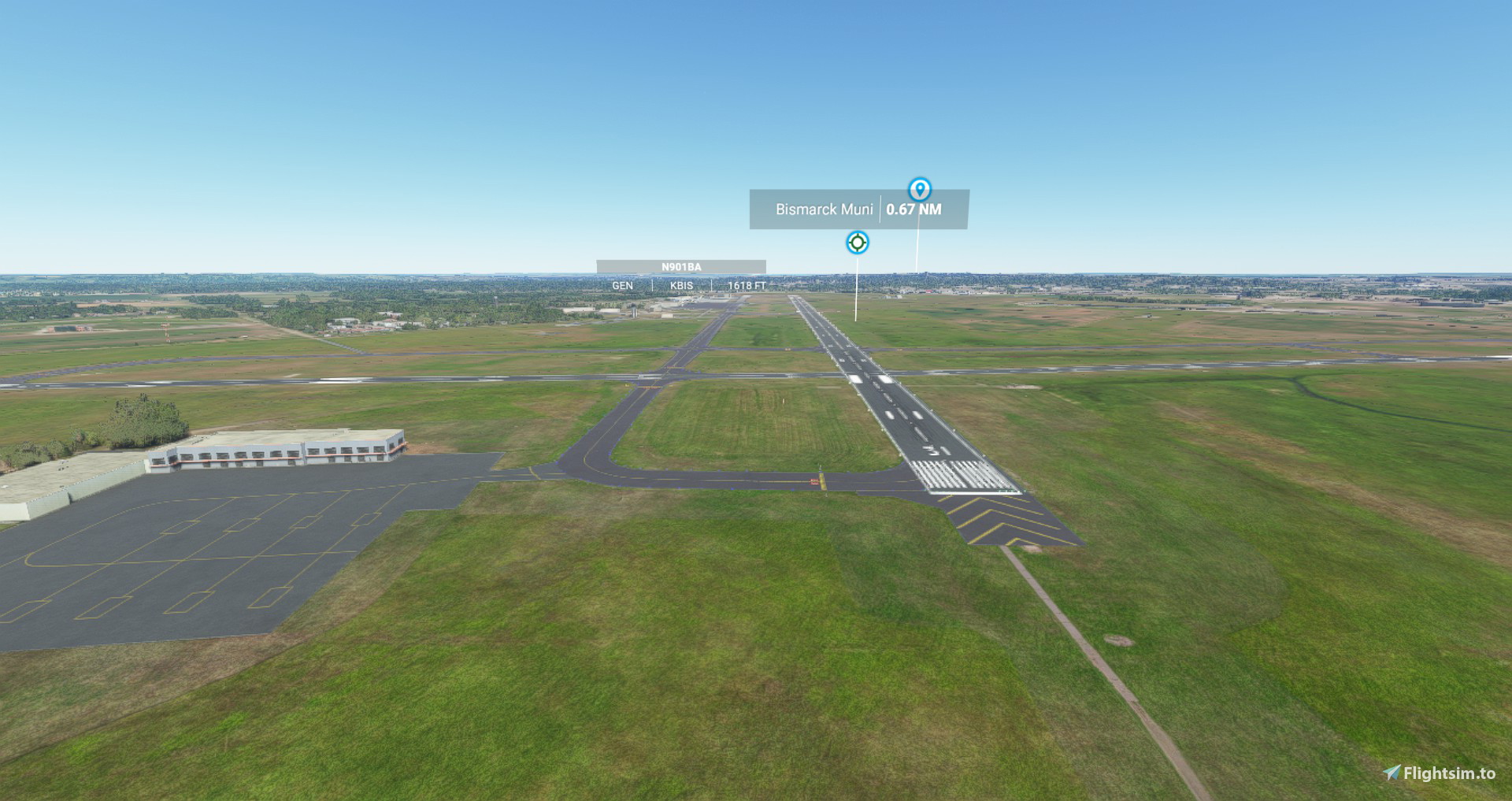
This is my fix to the Bismarck Internation Airport. Not completely realistic but I made it how our airport really is except for the light poles I used. I just wanted night lighting.
Jetways are fixed.
Parking spots repaired.
Night lighting added.
Runway 3 & 21 won't be used by ATC for Landing or Taking for Airliners.
Got rid the arrows on the runway so the numbers are at each end as it really is by Google Maps.
Got rid of the small planes being able to park behind the terminal as this doesn't happen at our airport.
Extract the .zip file and copy the folder to your community folder.
Location
KBIS Bismarck Airport
Enhance your Microsoft Flight Simulator experience with KBIS Bismarck Airport add-on. This fix includes realistic airport modifications such as fixed jetways, repaired parking spots, added night lighting, and adjusted runway usage for a more accurate simulation. Simply extract the files to your community folder for an improved airport layout.


Avis des utilisateurs
1 avis
Historique des versions
Completed started over with two design options.
Similaires
KSUX Sioux Gateway Airport
Enhance KSUX Sioux Gateway Airport with improved night lighting, taxi lines, and runway lights. Edited in Microsoft Design and Airport Design Editor for a more realistic flight experience.
par knightr1701
ZKPY Sunan Pyeongyang
Enhance ZKPY Sunan Pyeongyang Airport with this MSFS 2020 add-on that includes a fully detailed terminal, jetways, runway improvements, taxiways, parking, and night time lighting. Get a more realistic flying experience with these added features.
par knightr1701
Connectez-vous pour participer à la discussion
Se connecterCommentaires(9)
about 2 years ago
over 2 years ago
about 5 years ago
Thanks for this airport. Any chance to make Minot one?
about 5 years ago
A containing folder inside the zip would be swell.
about 5 years ago
It is amazing to me how people like to complain how someone else's work sucks. People love to put someone else down. In my opinion I say thanks to the person that performed this work. It is nice to have KBIS work better at the Terminal with the Jetways all facing the right direction and not have all the parking lines all over the place. It's nice to have night lighting. I don't expect perfection and I understand why they made certain changes. Microsoft's ATC sucks. If left to it's own control ATC doesn't give a crap which runway it assigns for take off and landing. From my observation from the photo's provided the person is using airliners and not general aviation and doesn't want ATC to direct them from the terminal to the runway that isn't used. If you don't like the person's mod then delete it and don't use it. I would highly recommend that if you don't like someone else's work that you do the work yourself. These people give up there time and money to make mod's. They are kind to share they creation's with others. They don't expect anything in return. Personally if I was a mod maker I would say screw it and not share my work it all people can do is complain about someone else. I say thank you for your hard work and God Bless you for sharing your mod's with others. I appreciate your work!
about 5 years ago
Not bad, but there are some things missing or incorrect. Runway 3/21 shouldn't be closed; it is rarely used by airlines but GA aircraft use it all the time. Runway 13 PAPI is located too far down the runway and the 31 PAPI is missing entirely. Also, if I recall correctly the Bismarck Aero Center hangar was actually modeled in the default MSFS scenery.
about 5 years ago
Amen brother
about 5 years ago
I fixed the PAPI issues. Runway 3/21 have been fixed so they aren't closed but they are not Primary & Secondary takeoffs or Landings for Airliners. To be honest I have never seen an airliner land on 3/21 while living here. I never removed the Bismarck Aero Center. I am using Airport Design Editor to modify the airport. The program is a 2D program only so there is no way to edit or modify 3D buildings. This program is still in Beta testing so mistakes can happen that aren't in my control. I don't do this for a living or program. I just wanted Bismarck airport to be better than what came default. I contacted Microsoft about KBIS when it was first released and they said, They would fix it when the first world update was released for the United States. They did not. So I finally got tired of it enough to try and fix it my self. I can't make it perfect of 100% aceturate to our airport. I looked at Google maps and the parking lines by the terminal are really there but made it so confusing when trying to park I removed them for my benefit. I do this for a hobby and was being nice to share. I will try to fix what I can. Thanks.
about 5 years ago
I fixed the PAPI issues. Runway 3/21 have been fixed so they aren't closed but they are not Primary & Secondary takeoffs or Landings for Airliners. To be honest I have never seen an airliner land on 3/21 while living here. I never removed the Bismarck Aero Center. I am using Airport Design Editor to modify the airport. The program is a 2D program only so there is no way to edit or modify 3D buildings. This program is still in Beta testing so mistakes can happen that aren't in my control. I don't do this for a living or program. I just wanted Bismarck airport to be better than what came default. I contacted Microsoft about KBIS when it was first released and they said, They would fix it when the first world update was released for the United States. They did not. So I finally got tired of it enough to try and fix it my self. I can't make it perfect of 100% aceturate to our airport. I looked at Google maps and the parking lines by the terminal are really there but made it so confusing when trying to park I removed them for my benefit. I do this for a hobby and was being nice to share. I will try to fix what I can. Thanks.