

Description
MSFS Carenado M20R Ovation StreamDeck XL Profile and Icons for LORBYs AxisAndOHs (AAO) and its StreamDeck Plugin.
Package Version 1.0 by Tranceshark
You need LORBYs AAO and its StreamDeck Plugin to run this StreamDeck profile!
Features:
All Mainpanel Aux Steam Gauges - Fully Animated as in the Cockpit
- Prop RPM
- Manifold Pressure
- Cylinder Head Temperature
- Exhaust Gas Temperature
- Oil Pressure
- Oil Temperature
- System Voltage
Digital Gauges for
- Fuel Flow
- Fuel Reserve (Total, L+R)
- Outside Air Temperature
- Total System Amps
Recreated Buttons & Switches for electrical systems and lights.
The GPS GNS530 button is created for my GNS530 StreamDeck profile.
The Autopilot AP KFC150 button is created for my AP KFC150 V2 StreamDeck profile.
Known restrictions:
- The steam gauge starting positions are not limited to the real world positions due to restrictions in animation - they work correctly under load
- Due to missing implementation, the buttons for High Boost, Stby VAC, Boost Pump and ELEV Trim are without function as of now.
You could of course just use the button Icons for your own needs.Strictly freeware, no other ways of distribution or sharing are allowed!
Initial Version 1.0
Carenado Mooney M20R profile for StreamDeck XL (for LORBY's AAO SD plugin)
Enhance your flight simulation experience with the Carenado Mooney M20R Ovation StreamDeck XL Profile. This package by Tranceshark includes animated mainpanel aux steam gauges, digital gauges for various systems, and recreated buttons and switches for electrical systems and lights. Please note some known restrictions regarding button functions. Download now to customize your cockpit controls with this freeware add-on.

Avis des utilisateurs
1 avis
Historique des versions
Aucun historique de version disponible.
Similaires
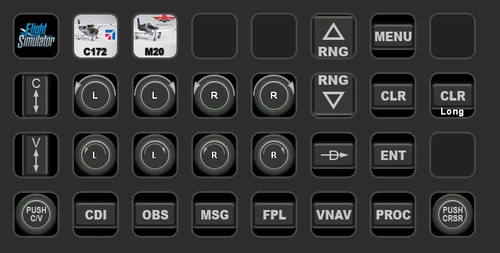
GNS530 profile for StreamDeck XL (for LORBY's AAO SD plugin)
A GNS530 StreamDeck XL profile and icons designed for LORBYs AxisAndOhs (AAO) plugin, requiring the StreamDeck Plugin. Features all GNS530 system buttons for enhanced functionality, specifically crafted for the Mooney M20R aircraft. Compatible with the PMS50-GNS530 enhancement package and Carenado M20R updates. Freeware package by Tranceshark with no distribution rights.
par Tranceshark
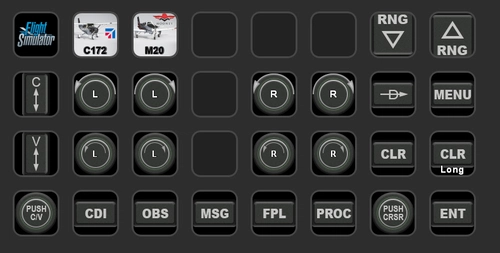
GNS430 profile for StreamDeck XL (for LORBY's AAO SD plugin)
Enhance your cockpit experience with the GNS430 StreamDeck XL Profile for LORBYs AAO SD plugin by Tranceshark. This package includes recreated and functional buttons for the GNS430 system. Please note that LORBYs AAO and its StreamDeck Plugin are required to run this profile. Find the GNS530 profile from the same creator for a complete set of cockpit controls.
par Tranceshark
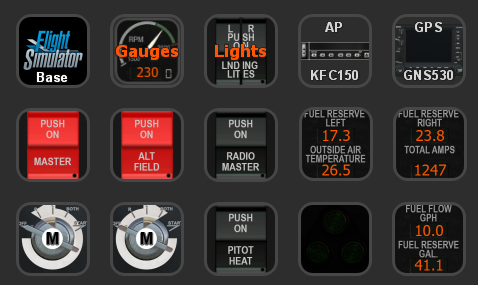
Carenado Mooney M20R profile for StreamDeck 15 Button (for LORBY's AAO SD plugin)
Enhance your Carenado Mooney M20R Ovation experience with this StreamDeck 15-button profile and icons for LORBYs AAO SD plugin by Tranceshark. Includes animated mainpanel aux steam gauges, digital gauges, recreated buttons for electrical systems and lights, and dedicated buttons for GNS530 and AP KFC150. Note known restrictions and enjoy full startup capability with just the buttons on the StreamDeck.
par Tranceshark
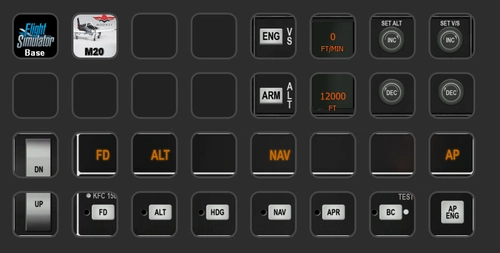
KFC150 Autopilot profile V2 for StreamDeck XL (for LORBY's AAO SD plugin)
Enhance your autopilot experience with the KFC150 Autopilot StreamDeck XL Profile V2, featuring a visual and functional recreation of the KFC150 AP system with all buttons functional. Includes M20Rs Climb Control system and compatible with any AP found in the sim. Please note known limitations with the Alt / V/S part of the M20R. Strictly freeware and designed for use with LORBYs AAO and StreamDeck Plugin.
par Tranceshark
Connectez-vous pour participer à la discussion
Se connecterCommentaires(6)
over 5 years ago
Great!
I'm very happy that I'm not the only one anymore which is making AAO SD profiles!
Your buttons and gauges look very, very good! Congrats
over 5 years ago
I love the look of the AAO profiles and I am trying my hardest to get them to work. I have a SD XL with Lorby AAO addon, when I try to use the profiles I cannot figure it out. do i have to map each key in the AAO app? Any help would be greatly appreciated. Your profiles are awesome
over 5 years ago
Thank you so much! Your great work was my inspiration for doing this. Actually my first idea was to credit you for exactly that in the file description - now I can just say "Thank you for your outstanding work, Sir!"
Appreciation from the Maestro himself. It can`t get any better.
over 5 years ago
@loumacher: Actually, if everything is installed correctly, if you have Lorby's A+O running (meaning actually open and running in the background - showing that it is connected to the simulator (best using the WEB API via port 9080 which is basically plug and play) - and A+O shows you which plane you are operating right now), all you have to do is open the respective profile on your SD - of course, the A+O plugin for SD has to be installed, as well.
If all that is true (A+O plugin installed, A+O running and connected to MSFS showing you the plane you are sitting in (in yellow writing in the top part of the A+O window), the buttons should work right away. No setup needed. The buttons are programmed to send EventIDs to and receive feedback from the simulator - or are programmed to use keyboard hotkeys which are then processed by MSFS. In principle like programming Joystick buttons. This programming is already stored in the Streamdeck profile that is shared, so just loading it up should enable all the buttons to work.
over 5 years ago
Wow its so nice. Pls its Possible you can give me a 15 Button Version. I need the Icon, Text Gauge and other. Its so cool. Pls send me a PN or Github, or Discord Name. My Discord Name is Rug4ever#2415
Many thx
over 5 years ago
Here you go...
I created a profile in the 15-button config. To make space, I grouped all the steamgauges and all the lights into folders, accessible from the top row and deleted the non-functional buttons like HighBoost.
https://flightsim.to/file/15365/carenado-mooney-m20r-profile-for-streamdeck-15-button-for-lorby-s-aao-sd-plugin
Enjoy!