
Description
What secret is hiding behind the Nazca and Palpa Lines, Peru ?
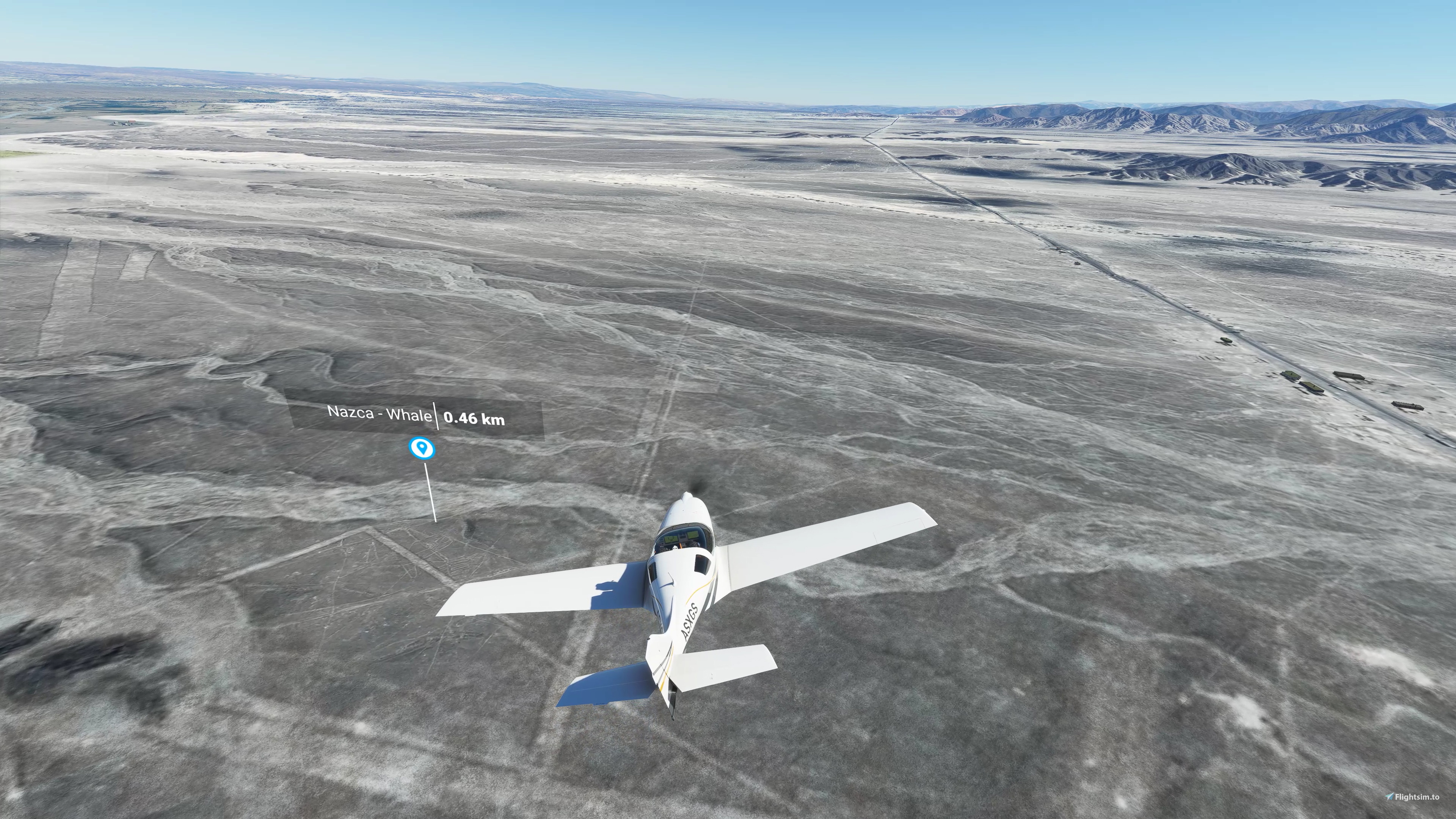
Maybe you can try to find it with a flight from Maria Reiche airport (SPZA), to watch the strange animals that the Nazca people drew between 500 BC and 500 AD.
Starting from SPZA, fly north (325°), until you get the 1st POI (the whale, about 5km north). Most geoglyphs are a more in the north (another 15km, follow the Panamerican Road).
New in version 3.0 :
Remixed for FS2020 / FS2024 compatibility : make sure, during the installation process, to select the proper files for your flightsim version (see installation instructions below).
The documentation includes :
- more information and external links about history of this area
- map of the geoglyphs
- flight plan files
Optional Libraries :
Download and install the “Dave’s 3D People Library” in your community folder.
(This library is not mandatory, the mod will work properly without it).
Installation :
Download all the .zip files (you should get 4 downloads.). Unzip the files.
Select Only_for_FS2020.zip or Only_for_FS2024.zip and unzip its content in the community folder depending on which flightsim version you use. (Note that the community folder path is different between FS2020 and FS2024)
Unzip all the other .zip and put the content in the community folder also.
In the end, you should get 8 folders to be copied to your community folder :
droide-nazca (specific to flighsim version)
droide-nazca-aerial1
droide-nazca-aerial2
droide-nazca-aerial3
droide-nazca-aerial4
droide-nazca-aerial5
droide-nazca-palpa
droide-nazca-poi
If you want to get rid of the POI markers, and find the animals on your own, just delete "droide-nazca-poi" folder.
Flight plan files are provided in the 4th download.
Flight plan files are to be used with FS2020 GPS or LittlenavMap
Location
Nazca Lines
Discover the mysteries of the Nazca and Palpa Lines in Peru with this add-on. Explore the strange animal geoglyphs dating back to 500 BC - 500 AD with a flight from Maria Reiche airport (SPZA). Version 2.0 now includes the Palpa area, featuring even more incredible geoglyphs on hilltops aged 1000 years older than the Nazca lines. The update also provides detailed documentation, including history, maps, and flight plans for an immersive experience.

Avis des utilisateurs
6 avis
Historique des versions
Fixed error in part 1of3 .zip file
Présent dans des collections(1)


Similaires
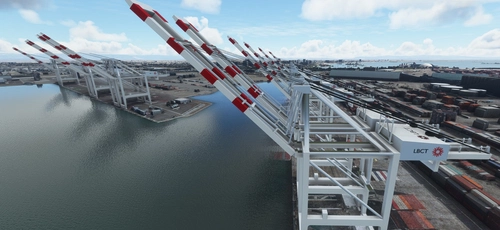
San Pedro Bay Port Facilities, Los Angeles & Long Beach CA USA (V3.0 MSFS2020) / (V1.3 MSFS2024)
This add-on provides detailed scenery enhancements for the San Pedro Bay port facilities in Los Angeles and Long Beach, California, specifically optimized for both MSFS2020 and MSFS2024. Version 3.0 for MSFS2020 features improved models, with significant updates including new cargo crane designs and streamlined asset management. The MSFS2024 version introduces additional upgrades and new details while ensuring compatibility with the latest simulator features.
par FreakyD
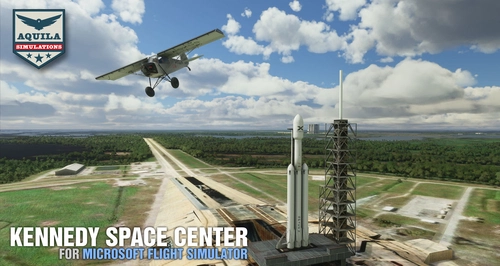
Kennedy Space Center
Explore the iconic Kennedy Space Center in Microsoft Flight Simulator with this detailed add-on, featuring key landmarks such as the VAB Building, Launch Control Building, and Launch Complexes 39A & 39B. Witness the impressive Falcon Heavy Rocket and SpaceX Rocket Assembly building as you embark on virtual space missions. Additional updates promise more buildings and assets to enhance your experience.
par Acktu
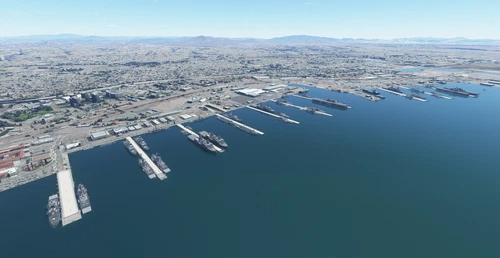
US Navy - San Diego V3.0.1
The US Navy - San Diego V3.0.1 add-on enhances the naval scenery around San Diego in Microsoft Flight Simulator. It includes a variety of updated ship models and improved textures, ensuring compatibility with both MSFS2020 and MSFS2024. Key features include detailed representations of the Rosecrans Submarine Base, multiple naval shipyards, and various classes of ships, including attack submarines and aircraft carriers. Recent updates have focused on model clean-up and the addition of interactive landing pads for helicopters.
par FreakyD
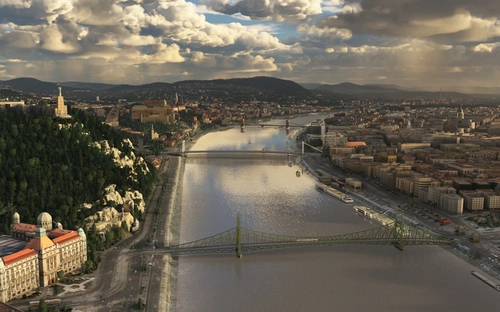
HungaryVFR FS2020
HungaryVFR is a package covering Hungary with airports and landmark sceneries, with its own library. The main goal is to bring as many airports and landmarks to Hungary as many we can, to have an authentic library for the are. The library can be used by other 3rd party scenery developers!
par ekre
Connectez-vous pour participer à la discussion
Se connecterCommentaires(32)
about 5 years ago
Must Have Add-On
9 months ago
I can't find any flight plan files.
Can you direct me to their location in your files?
9 months ago
over 1 year ago
over 1 year ago
almost 2 years ago
My father and stepmother will love this.
over 3 years ago
I used to smuggle in via google because the Bing data is really bad. Then i found your scene.
Just wanted to do another sightseeing flight, but with the last SU i get a CTD. :(
Hopefully Bing will get better data soon.
Bt, love your Telescops!
over 3 years ago
So sorry to hear your CTD issue.
I double checked, no issue on my side with latest updates.
I suggest :
try to delete all folders of try scenery and install again. Sometimes installation of SU updates may corrupt Community folderstry to minimize how much sceneries are enabled using MSFSaddonlinker. Personnally, i prefer to locate sceneries in a separate disk (not Community folder) and activate only the sceneries i need for a specific flightover 3 years ago
I use the linker too, To much Adons in the meantime (more than 2Tb) ^^ will check it next week again..
almost 5 years ago
I love this mod, but I don't install the black and white aerials, even though they are higher resolution than the default. Deserts have wonderfully nuanced colors, but I found that with installing just "droide-nazca-poi" and "droid-nazca" I could have the best of both worlds. Your small, crisp b/w views of the iconic figures overlay the default landscape beautifully, and make it a lot easier to spot them.
At the moment the smaller figures have your great enhanced "ghost" images, and I hope you add the mid sized ones to the package, then it would be just about perfect. Also love the documentation (PDF), SPZA airport and other structures, and flight plans; highly recommended!
almost 5 years ago
Agreed, Google aerial images (provided) have higher resolution, but less colors than original FS2020 images. The problem with original FS2020 is that some geogliphs are not visible
almost 5 years ago
The default terrain is definitely grainy, that's why your mod is so great! I just hope you add crisply detailed "ghost" images for the mid sized figures for that very reason, they are devilishly make out now. But for me at least, making a huge chunk of colorful desert black and white is too jarring an effect.
But I'm totally cool with your mod; please don't take anything I've said as criticism. Because of you I have a great little airport to depart from, that cool viewing platform along the highway, and magnificent, historic figures from the past that can now be located and appreciated. Many thanks for all your hard work (not to mention all those wonderful observatories).
almost 5 years ago
Hi, is it possible to release only the POI markers? There is a mod that allows ggle sat data streaming now.
almost 5 years ago
Good point. The package include several folders. You can keep Nazca folder and POI folder, and remove the rest if you are using Google imagery addon.
But the aerials i am providing have been color-retouched, and manually improved on some geoglyphs.
about 5 years ago
Must Have Add-On
about 5 years ago
Lift off from the SPZA airport and flying to the N over the scenery, i don't see any POI's of the interesting places.. very strange - why??
about 5 years ago
about 5 years ago
A question: It sufficent to downlaod and install the file1 with hat the new version? The other two are unchanged?
The POI-markers are very helpfull, thanks a lot...
about 5 years ago
No, you have to download and install it all new
about 5 years ago
OK, thanks for the fast answer and the work...