

Description
Discover Germany - Part 4
Southern Germany and the Alps
After the last tour "Discover Germany - Part 3" we last flew over Lake Constance and landed in Friedrichshafen. Now it shall go up to the Zugspitze through the German Alps, Germany's highest mountain and then a bit disorderly, criss-crossing the southern German states, a little bit along the Upper Swabian Baroque Road, to the coal mines in the Saarland and back east to the Vogtland.
Also this part can only be a selection of places, because you will fly past many important places, which maybe should be mentioned. I hope you enjoy discovering this part of Germany for yourself as well.
In the individual trips all sights of the World Update 6 for Germany are approached.
Installation:
Unpack the included folder from the package into the community folder. Restart the simulator.
Specification:
- The route leads with 18 legs over 991 NM.
- You fly with a Cessna Skyhawk G1000. The aircraft is interchangeable with some manual work, see exchange file. Alternatively, there is also the MissionChanger from BuffyGC.
- The package is multilingual in the languages: English US, Spanish, French, Italian, Polish, Portuguese BR, Portugese, Russian, Dutch, Finnish, Norwegian and Swedish. The basic language is German. The other languages are machine translated, so there may be errors in the translation. If you have a better translation, please send it to me.
- A GPS course is available that can be obtained. (see https://koschis-web.de/en-us/help-support#gps)
In addition, each waypoint is provided with a clearly visible marker. This can be switched on in the support options / navigation aids. - Weather is freely selectable. Live weather is preset.
- ATC is usable.
- The refueling button is only visible at airports with a refueling station.
Have fun flying and discovering, Koschi
Created with BushTripInjector by BuffyGC.
Recommended add-ons:
Schwaebisch Hall Aerial No. 4 (EDTY) by DeltaTango
Kochertalbruecke by DeltaTango
Funkturm Dettenhausen (LIMA) + Asemwald by Steffsim
Germany Hambach Castle by MLORD
Schwaebisch Hall Aerial No.1 (EDTY) by DeltaTango
Schwaebisch Hall Aerial No.2 (EDTY) by DeltaTango
Bamberg,Germany by marktaylor
Garmisch-Partenkirchen, Germany - Photogrammetry by Troglodytus
Ingolstadt,Germany nr Munich by marktaylor
Old Town "Altstadt" Heidelberg by multispeed
Regensburg,Bavaria,Germany by marktaylor
Stuttgart - Part I by RosiG2
Stuttgart - Part II by RosiG2
Stuttgart - Part III by RosiG2
Stuttgart - Part IV by RosiG2
Tübingen center and Castle by legofun1974 and Archer374
Ulm - Germany by kelarius
[EDDN] Airport Nürnberg Albrecht-Dürer by Flugsohn
Entdecke Deutschland – Teil 4
Süddeutschland und die Alpen
Nach der letzten Tour „Entdecke Deutschland – Teil 3“ haben wir zuletzt den Bodensee überflogen und sind in Friedrichshafen gelandet. Nun soll es bis zur Zugspitze durch die deutschen Alpen gehen, Deutschlands höchsten Berg und dann etwas ungeordnet, kreuz und quer durch die südlichen Bundesländer, ein kleines Stück entlang der oberschwäbischen Barockstraße, zu den Zechen im Saarland und wieder nach Osten bis ins Vogtland.
Auch dieser Teil kann nur eine Auswahl von Orten sein, weil du an vielen wichtigen Orten, die vielleicht noch erwähnt werden sollten, vorbeifliegst. Ich hoffe du hast Spaß daran auch diesen Teil Deutschlands für dich zu entdecken.
In den einzelnen Trips werden alle Sehenswürdigkeiten des World Update 6 für Deutschland angeflogen.
Installation:
Entpacke den enthaltenen Ordner aus dem Paket in den Community-Ordner. Starte den Simulator neu.
Spezifikation:
- Die Route führt mit 18 Legs über 991 NM.
- Du fliegst mit einer Cessna Skyhawk G1000. Das Flugzeug ist mit etwas Handarbeit austauschbar, siehe Exchange-Datei. Alternativ gibt es dazu auch den MissionChanger von BuffyGC.
- Das Paket ist multilingual in den Sprachen: Englisch US, Spanisch, Französisch, Italienisch, Polnisch, Portugiesisch BR, Russisch, Niederländisch, Finnisch, Norwegisch und Schwedisch. Die grundlegende Sprache ist Deutsch. Die anderen Sprachen sind maschinell übersetzt, darum können Fehler in der Übersetzung enthalten sein. Wer eine bessere Übersetzung hat, kann sie mir bitte schicken.
- Ein GPS-Kurs ist vorhanden, der erhalten werden kann. (siehe https://koschis-web.de/de/help#gps)
Zusätzlich ist jeder Wegpunkt mit einer gut sichtbaren Markierung versehen. Diese kann in den Unterstützungsoptionen / Navigationhilfen eingeschaltet werden. - Das Wetter ist frei wählbar. Live-Wetter ist voreingestellt.
- ATC ist nutzbar.
- Der Tanken-Button ist nur auf Flughäfen mit Tankstelle sichtbar.
Viel Spaß beim Fliegen und Entdecken, Koschi
Notes and known issues for the MSFS 2024
Not all bush trips features are yet available in MSFS 2024. You can tell because MS/ASOBO has not yet published any of these missions in MSFS 2024 that were otherwise included in MSFS 2020. This is my first attempt to make these popular missions accessible to users again. However, they are subject to some problems and limitations.
- Before starting the engine, you must exit the aircraft and remove the covers and chocks.
- After starting the engine, you should turn on the fuel pump. Otherwise, the engine may stop working after takeoff. The fuel pump can be turned off again during the flight.
- The departure and destination airports in the flight plan are ignored. For take-off, you can temporarily use the EFB as a guide. As soon as you have reached the first waypoint, the autopilot will follow the GPS course. The same applies to the destination airport, or you can use the DirectTo function on the G 1000.
- Refueling is not possible – neither in the EFB nor at a gas station. Use the “Repair and refuel” function for this and assign a button or button combination to this function.
- There is no Navlog with descriptions. For this purpose, the package includes flight books in German, English and French. The PDF file can be displayed and read on another device during the flight.
Hinweise und bekannte Probleme für den MSFS 2024
Im MSFS 2024 stehen bisher noch nicht alle Funktionen für Wildnisflüge zur Verfügung. Du kannst es daran erkennen, dass MS/ASOBO bisher keine dieser Missionen im MSFS 2024 veröffentlicht hat, die sonst im MSFS 2020 enthalten waren. Dies ist ein erster Versuch von mir, diese beliebten Missionen wieder für die Nutzer zugänglich zu machen. Allerdings sind sie mit einigen Problemen und Einschränkungen behaftet.
- Bevor du den Motor startest, musst du aus dem Flugzeug aussteigen und die Abdeckungen und Bremsklötze entfernen.
- Nach dem Motorstart solltest du die Kraftstoffpumpe einschalten. Es kommt vor, dass der Motor sonst nach dem Start seinen Dienst versagt. Während des Reisefluges kann die Kraftstoffpumpe wieder ausgeschaltet werden.
- Start- und Zielflughafen im Flugplan werden ignoriert. Für den Start kannst du dich vorübergehend am EFB orientieren. Sobald du den ersten Wegpunkt erreicht hast, folgt der Autopilot dem GPS-Kurs. Für den Zielflughafen gilt das Gleiche oder nutze die Funktion DirectTo am G 1000.
- Ein Nachtanken ist nicht möglich - weder im EFB noch an einer Tankstelle. Nutze dafür die Funktion "Reparieren und Tanken" und weise dieser Funktion eine Taste oder Tastenkombination zu.
- Es gibt kein Navlog mit Beschreibungen. Für diesem Zeck befinden sich im Paket Flugbücher in deutscher, englischer und französischer Sprache. Die PDF-Datei kann während des Fluges auf einem anderen Gerät angezeigt und gelesen werden.
Questions fréquemment posées
Discover Germany - Part 4
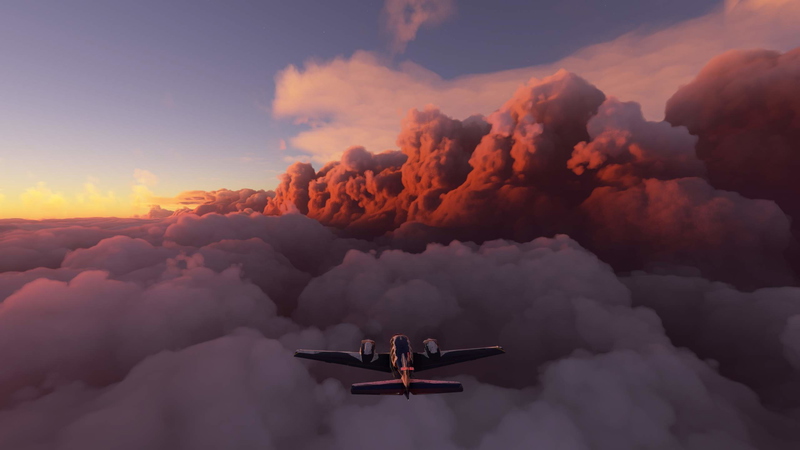
Explore Southern Germany and the Alps in "Discover Germany - Part 4". Embark on an adventurous 991 NM journey from Lake Constance to Zugspitze, criss-crossing through picturesque landscapes and significant landmarks. Fly with a Cessna Skyhawk G1000, enjoy multilingual support, and discover all the sights of World Update 6 for Germany. Install the package in the community folder, start your simulator, and experience a truly immersive flying experience.
Soutiens

Avis des utilisateurs
3 avis
Historique des versions
Each leg begins at a different time of day. At the start of each leg, the aircraft is no longer on the runway, but in a parking position. Texts revised and errors corrected. Translations corrected. # # # # # Jede Etappe beginnt zu einer anderen Tageszeit. Das Flugzeug steht am Beginn jeder Etappe nicht mehr auf der Startbahn, sondern auf einer Parkposition. Texte überarbeitet und Fehler korrigiert. Übersetzungen korrigiert. >-------------------------------------------< Version 3 was created on a trial basis for the MSFS 2024 and is available for download as a second file. Officially, the MSFS 2024 does not yet support bush trips. Therefore, there are still some limitations. These are listed below in the description. # # # # # Die Version 3 wurde versuchsweise für den MSFS 2024 erstellt und steht als Zweitdatei zum Download zur Verfügung. Offiziell werden Wildnisflüge noch nicht vom MSFS 2024 unterstützt. Daher gibt es noch einige Einschränkungen. Diese sind weiter unten in der Beschreibung aufgeführt.
Similaires

Discover Germany - Part 1
Explore Germanys rich history and diverse landscapes with this Bush-Trip add-on. Discover iconic destinations such as Berlin, the Baltic Sea, North Sea, and Elbe River, covering 938 NM with 20 legs. Enjoy flying with a Cessna Skyhawk G1000 and multilingual support for a truly immersive experience. Install, start your engine, and embark on an unforgettable adventure in the skies.
par Koschi

Discover Germany - Part 2
Explore Germany from the Elbe to the Rhine in this flight simulation add-on. Follow a 863 NM route with 15 legs, flying a Cessna Skyhawk G1000. Available in multiple languages, with detailed landmarks and customizable weather settings. Installation is easy - just unpack and enjoy discovering Germany for yourself.
par Koschi

Discover Germany - Part 3
Embark on a journey through historical sites along the Rhine River in "Discover Germany - Part 3," covering 531 NM from Emmerich airfield to Lake Constance. Explore areas settled by the Romans and experience all the sights of World Update 6. Fly in a Cessna Skyhawk G1000 with multilingual support and customizable weather options. Join the adventure and discover Germany for yourself.
par Koschi

Discover Germany - Part 5
Embark on a scenic journey through Central Germany, following the river Main and ultimately reaching Berlin in "Discover Germany - Part 5." This add-on features a 705 NM route with 12 legs, multilingual support, and the option to fly a Cessna Skyhawk G1000. Experience diverse landscapes and landmarks while exploring this captivating region.
par Koschi
Connectez-vous pour participer à la discussion
Se connecterCommentaires(13)
10 months ago
10 months ago
Ich habe schon lange keine BTs mehr erstellt, weil viele auf den FS 24 umgestiegen sind und sie dort nur mit Einschränkungen funktionieren. Du hast mir Mut gemacht, evtl. ein neues Projekt in Angriff zu nehemn, das schon lange auf Eis liegt. Danke.
over 1 year ago
over 1 year ago
almost 3 years ago
Thank you for this wonderful flight over my homeland.
almost 3 years ago
almost 5 years ago
Hello Koschi
I flew every Part of your Discovery Germany in 1 continuous session (cause of the continue after exit problem) - great job so far (part 5 is next)
I watched parallel the saving of the .flt file in the Autosave-Backup-folder and backuped after every leg all of the saved files in the root savefolder of the Trip.
If i realized the missing of the [Assistance]-part in the saved Auto-Backup - i knew the Bushtrip is no Bushtrip anymore - i quit the SIM and copy over the saved Leg-saves and try again - this works very fine for me.
almost 5 years ago
Hello Koschi
I am fan of bush trip and yours are very interesting
Yes I did part 1, 2, 3 and part 4 to Stuttgart without problem, I take off from Stuttgart but the end of the leg was not validated.
As you explain, this morning I started an other bush trip at the begining, the Namibia, leg by leg. But I found the same problem when I wanted to continue, the next leg does not validated.
So I don't know anymore, I spent a lot of time. Disapointed...
Chris
almost 5 years ago
Sorry, it doesn't really work. It runs without problems as long as you do not return to the main menu. As soon as you return to the main menu or exit the simulator, the error is back. This is clearly a bug from MS/ASOBO.
almost 5 years ago
Hello Koschi
yes, enough to pull your hair out... the best thing to do is to put the bush trips on standby and wait for SU7, SU8 or SU9....
almost 5 years ago
Please open a ticket with Zendesk. The more do the better, otherwise you might wait until SU10 or even longer.
Greetings, Koschi
almost 5 years ago
Very Thanks for these German visits... I did part 1, 2 and 3.
Today I was at Stuttgart with the part 4 but it's impossible to valid the leg at landing since MSFS SU6.
It's the same problem with other bush trips...
Waiting for an eventual fixe from Asobo ... when ? I dont know...
Chris from France
almost 5 years ago
Hello xiand,
You write that the problem occurred in Stuttgart. I assume you started the trip before SU6. With SU6 there were changes in the structure. Please move the files of the trip from the folder
.\Microsoft.FlightSimulator_8wekyb3d8bbwe\LocalState\MISSIONS\ACTIVITIES\
and start the trip from the beginning, using the relocate function if necessary.
I just tested: For me all landings work when I start from the beginning, but not when I want to continue playing a trip that was saved before SU6. I hope you are successful.
Greetings, Koschi