

Description
This profile has been discontinued as I am unable to provide any future fixes or updates.
This SPAD.neXt profile is designed for Logitech/Saitek panels, including multi, switch, and radio panels, to make them compatible with the Fly-By-Wire team's Airbus A320neo. If you come across any bugs, mistakes, or have suggestions, please don't hesitate to reach out to me!
This profile requires a SimConnect connection and LVAR Bridge installed
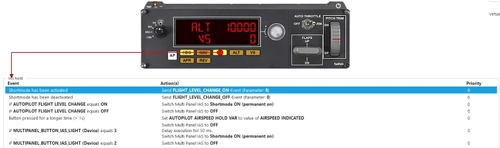
It is essential to set a multi panel pollrate to 0. You can change it in settings > devices > multipanel (image)
Installation:
Put "A32NX Logitech Panels (current version) by Pollot.xml" into your SPAD.neXt profiles folder.
[Default location: C:\Users\[your name]\Documents\SPAD.neXt\profiles]
Description of profile functions (also located in the .zip file):
A32NX Logitech Panels SPAD.neXt Profile - version 1.3.1/ created by Pollot (don't copy my work without consent)
Changelog:
1.1:
- Fixed ND range not working after FBW version 7.3
- Fixed panel lights switch
- Improvements for landing and taxi lights
1.2:
- Fixed landing lights
1.2.1:
- Fixed landing gear
1.2.2:
- Added faster increments/decrements for radio panel (holding transfer button will toggle it)
1.3:
- FCU variables type changed
1.3.1:
- Fixed switch and radio panel
- Added Honeycomb Alpha support
Known issues:
- Fuel pumps position variables don't work
/////////////////////////////////////////////////////////
Switch Panel:
Master Battery [BAT] - Turns both batteries ON/OFF
Master Alternator [ALT] - Turns APU master switch ON and after 3 seconds starts the APU / Turns APU master switch OFF
Avionics Master - Turns all ADIRUs to the NAV position / Turns all ADIRUs to the OFF position
Fuel Pump - Turns all fuel pumps ON/OFF
De-Ice - Turns both engines de-ice ON/OFF
Pitot Heat - Turns wing anti-ice ON/OFF
Close Cowl - Turns dome light BRIGHT/OFF
Panel Lights - Turns panel lights 60%/OFF
Beacon Lights - Turns beacon lights ON/OFF
Navigation Lights [NAV] - Turns navigation lights ON/OFF
Strobe Lights - Turns strobe lights ON/AUTO (after spawning in, it's in OFF position - keep that in mind)
Taxi Lights - Turns runway turnoff and nose taxi Lights ON/OFF
Landing Lights - Turns landing lights ON/OFF (Also, sets nose light to Takeoff position if it was set to taxi before)
Magnetos - Increases/decreases ND range
Gear Lights:
Green - Fully extended
Yellow - Fully extended, but with airspeed equal to, or greater than 200 knots
Red - Not fully extended
Off - Retracted
Landing Gear Lever - Controls landing gear lever position
/////////////////////////////////////////////////////////
Multi Panel: function after "/" is activated when you press and hold a button for longer than one second
Alt tab:
- Displays selected altitude and selected vertical speed
- Knob changes selected altitude by 100ft / 1000ft
VS tab:
- Displays selected altitude and selected vertical speed
- Knob changes selected vertical speed by 100ft / 500ft
IAS tab:
- Displays selected autothrottle speed
- Knob changes selected speed by 1kt / 10kt
HDG tab:
- Displays selected heading
- Knob changes selected heading by 1° / 10°
COURSE tab:
- Displays selected course (for NAV1)
Autopilot [AP] - Turns left autopilot ON/OFF
Heading [HDG] - Turns heading mode ON/OFF
Navigation [NAV] - Turns navigation mode [LNAV] ON/OFF / Turns LOC mode ON/OFF
Indicated Airspeed [IAS] - Turns managed speed mode ON/OFF / Changes units to MACH/Knots
Altitude [ALT] - Turns managed altitude mode [VNAV] ON/OFF / Turns OP CLB/DES [FLC] ON/OFF
Vertical Speed [VS] - Turns vertical speed mode ON/OFF / Vertical speed level off
Approach [APR] - Turns approach mode ON/OFF
Reverse Course [REV] - Changes altitude increment switch position to 1000ft / 100ft and enables faster frequency changes on the radio panel
Auto Throttle - Turns autothrottle ON/OFF
Flaps - Flaps up/down by a 1 notch / Flaps full up/full down
Pitch Trim - Changes selected vertical speed
/////////////////////////////////////////////////////////
Radio Panel:
The inner knob changes COM1/2 frequency by 0.005 MHz and the outer by 1 MHz
The inner knob changes ADF1/2 frequency by 1 MHz and the outer by 10 MHz
With REV ON inner knob changes COM1/2 frequency by 0.025 MHz and the outer still by 1 MHz
With REV ON inner knob changes ADF1/2 frequency by 10 MHz and the outer by 100 Mhz
Navigation frequency doesn't change in the MCDU, you can use it as a DME tho
ADF tab shows ADF1 and ADF2 at the same time (ADF1 on the left and ADF2 on the right), there isn't any standby ADF frequency. You can change between both of them using the transfer button (a change which one you want to change)
DME shows a distance from NAV1 on the left side and the NAV2 on the right side
In the XPDR tab, you can change your QNH using the outer knob, and squawk using the inner (press the transfer button to change between squawk numbers)
Holding the transfer button in the XPDR tab for longer than one second will set QNH to a standard value
/////////////////////////////////////////////////////////
That's all, fly safe!
FBW A32NX Logitech Panels SPAD.neXt Profile
Enhance your FBW A32NX experience with this discontinued Logitech Panels SPAD.neXt profile. Designed for Logitech/Saitek panels, this profile offers compatibility with the Airbus A320neo. It requires a SimConnect connection and LVAR Bridge for optimal performance. Installation is simple – just place the file in your SPAD.neXt profiles folder. Fly safe with improved functionalities and added Honeycomb Alpha support.


Avis des utilisateurs
17 avis
Historique des versions
- Fixed switch and radio panel - Added Honeycomb Alpha support
Similaires
Fenix A320 Logitech Panels SPAD.neXt profile
Enhance your Fenix A320 experience with this SPAD.neXt profile designed for Logitech/Saitek panels, including multi, switch, and radio panels. Ensure SimConnect connection and LVAR Bridge are installed for full compatibility. Install the profile, make adjustments, and fly safe while enjoying various panel functionalities.
par Pollot
PMDG B737 Logitech Panels SPAD.neXt Profile
This SPAD.neXt profile by Pollot is tailored for Logitech/Saitek panels, enhancing compatibility with the PMDG Boeing 737. The profile necessitates SimConnect connection, LVAR Bridge installation, and PMDG SDK activation. Included are detailed instructions for installation and profile functions such as multi, switch, and radio panel capabilities for an optimized flight simulation experience.
par Pollot
CRJ Logitech Panels SPAD.neXt Profile
Enhance your Logitech/Saitek panel experience with this SPAD.neXt profile designed for the Aerosoft CRJ. Install SimConnect connection and LVAR Bridge for full functionality. Enjoy smoother operation with lower multi panel tuner pollrate settings. Explore various panel functions and improvements in the detailed profile documentation.
par Pollot
TBM930 Logitech Panels SPAD.neXt Profile
Enhance your TBM930 cockpit experience with this SPAD.neXt profile designed for Logitech/Saitek panels, offering seamless compatibility and functionality adjustments. The profile includes detailed functions for Switch Panel, Multi Panel (with REV enabled), and Radio Panel, optimizing your flight controls for a smoother simulation. Installation is simple - just place the provided file in your SPAD.neXt profiles folder to unlock the full potential of your Logitech/Saitek panels with the TBM930 aircraft.
par Pollot
Connectez-vous pour participer à la discussion
Se connecterCommentaires(121)
over 1 year ago
about 3 years ago
about 3 years ago
over 3 years ago
Hello , thank you for your great job, when can we expect an update , some things like NAV lights , Gear landing, is not working with the newest update.
thank you for you great job!
over 3 years ago
same problem with me after new update
over 3 years ago
Taken for a short spin. Seems to be doing the job. Thank you.
over 3 years ago
I've installed this. Going to try it soon. I just want something that will make the Logitech multipanel work with the A320.Be a bit of a waste If I can only use the panel with Boeings.
over 3 years ago
Today there was an update on LVAR bridge on spad.next. I'm having an alert with fbw320. "A32NX ALERT: navigation radio tuning is not possible while the FMGC controls the radios: - tune via MCDU RADIO NAV page, or - press the NAV button on the RMP to enable manual tuning" This alert appeared when I manualy changed the COM frequency on my staitek device.
Love your profile
over 3 years ago
Great profile! Landing gear does not go up with logitech switch panel....only gear down function works as for now. Is this a known problem? Also NAV button does not work.
over 3 years ago
the same problem with me!
almost 4 years ago
My inputs make chacnges of 5 instead of 1. This is using NAV frequencies, HDG IAS...
Is there a way to correct this? By side this, this profile works great!!! thank you very much
almost 4 years ago
Make sure that the Reverse Course (REV) button is not blinking (press and hold it for more than one second).
almost 4 years ago
Is there a way to just use the Multi-Panel and Radio Panel components? I don't have the Switch Panel as I have all of those switches and functions covered with the Alpha and Bravo. Also, since I have two Radio Panels, do you think it's possible that someone not only has only done the Multi-Panel & Radio without putting in the switch panel and also has 2 radios programmed into the profile? Or is that a pipe-dream?
almost 4 years ago
Of course, you can use my profile for Multi and Radio panels only. Regarding the second Radio Panel - it should work out of the box. If it won't, you can just copy the configuration of the first one.
almost 4 years ago
The nav light button is broken after SU11 I suppose. Even the taxi light switch behaves differently when turning it on/off
almost 4 years ago
I'll look into it, as well as other SU11 breaking changes.
almost 4 years ago
Many thx for your hard work, its possible to fix Nav lights issues ?
almost 4 years ago
Yeah, I'll try to do something about this issue.
almost 4 years ago
Hello!
Great profile! Would it be possible to have the Magnetos - Increases/decreases ND range on the co-pilot side on the FBW A32NX?
almost 4 years ago
Of course, it is. I will implement this in the next patch (not soon), but until then, you can try to change the variables used by magneto yourself.