
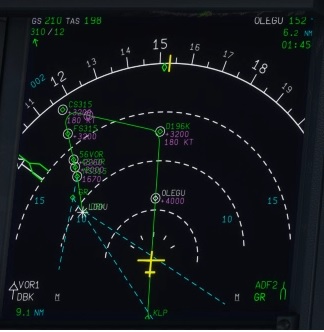
Description
For those who bought Dubrovnik airport scenery from MXi Design, you figured out that the runway definition is wrong. It should be 11/29 but this is still 12/30. This create conflicts with navaids that are not selectionable in MSFS or any plane FMS anymore.
This little hotfix modify the runway:
- To 11/29 as in real life.
- Approach light to the ground to be visible
- Papi runway 29 modified to 3.2 degrees as specified on charts
IMPORTANT: In your content manager file you should have MXi Design airport followed by this hotfix, both above fs-base-nav and/or navigraph-navdata.
Location
LDDU runway/navdata hotfix for MXI Design scenery
Fix the runway and navdata issues with this hotfix for LDDU, correcting the runway to 11/29 as in real life. Ensure visibility by adjusting the approach light and modifying Papi runway 29 to 3.2 degrees as per charts. Compatibility recommendation included within the description.


Avis des utilisateurs
2 avis
Historique des versions
Aucun historique de version disponible.
Similaires
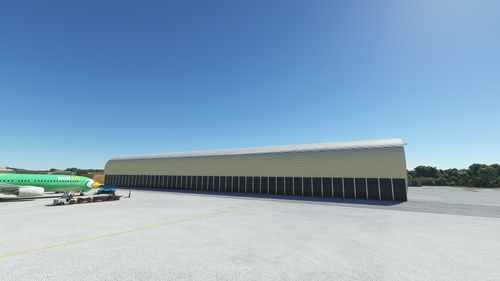
LDDU - Dubrovnik Airport
LDDU is Dubrovnik Internation Airport. It has beautiful approach into runway 11. It has much traffic in summer. It is located in Čilipi 22km under Dubrovnik. It is beautiful airport and design is like LDZA Zagreb Airport. It is third biggest airport in Croatia.
par edvingr
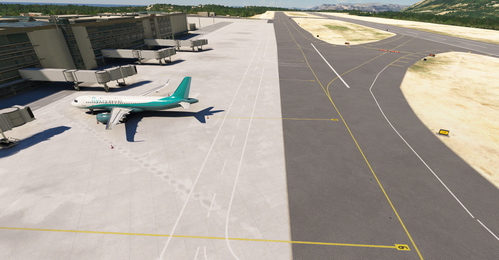
LDDU Dubrovnik Airport rev.1
This add-on provides an updated version of LDDU Dubrovnik Airport for Microsoft Flight Simulator 2020. It includes corrected parking places and taxi signs, the addition of four jetways, and adjusted ground textures, all aimed at enhancing online flying. The modifications focus on ground elements rather than building or overall scenery improvements. The installation involves placing the folder into the Community library or using the Addon Linker tool for organization.
par sueede
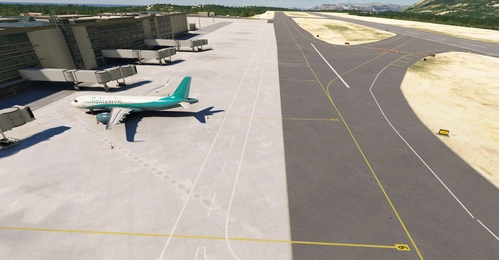
LDDU Dubrovnik airport update
This add-on updates LDDU Dubrovnik Airport in MSFS 2020, focusing on improvements to ground elements. It includes added and corrected parking spaces, accurately numbered taxi signs, and the installation of four jetways. Ground textures have also been refined for enhanced realism, designed specifically for online flying without modifications to existing buildings or other scenery.
par Tommy Engman
LDDU Dubrovnik FSLTL Static Aircraft
This add-on enhances Dubrovnik Rudjer Boskovic Airport (LDDU) by utilizing FSLTL static aircraft models, creating a more vibrant atmosphere without the need for the FSLTL Injector. It requires the FSLTL Base models to function and does not impact frame rates as it comprises only static objects. Please note that some gates may be rendered unusable due to the placement of these aircraft.
par bilou935
Connectez-vous pour participer à la discussion
Se connecterCommentaires(16)
about 3 years ago
about 3 years ago
We want this mod to be loaded after the airport is loaded, so put 'zz' in front of the file name
Then the folder name looks like 'zz-bbrothers-airport-lddu-rwydef'
about 3 years ago
Does not work at all. Even rearranged in the content manager dozens of times in different ways.
about 3 years ago
The package is working for all other people. Maybe something went wrong when you tried. the content manager is a bit tricky as if you have Navigraph, you need to put the navigraph-navdata-base as 1, dubrovnik airport as 2, my package as 3 and navigraph-navdata as 4 (or higher if you have other needs). If no navigraph, Dubrovnik airport as 1 and my package as 2. Do not forget to restart the sim after each change to check if it works as changes as taken in account only after sim restart. Still working for me and other guys here, so I hope you can manage to make it work...
about 3 years ago
Just rename the folder so that the first letter is after m - any letter (n, o, p...) etc. will work. By removing the content.xml loading in MSFS, community folders are loaded alphabetically, so with the need for this addon to be loaded after mxi folder, you take any letter after m...
At least it works for me that way.
over 3 years ago
hello, i think i'm writing a stupid question but is driving me crazy, what is the content manager file? i cannot find it
over 3 years ago
Hello, in MSFS genral options, you go to experimental options and you can open the package manager. A list will be displayed and you have to put my package after the dubrovnik airport using the down arrow.
over 4 years ago
Excuse me, I wonder if you can do the same to SPJC payware scenery. Runways definitions are also wrong (15/33), it should be 16/34. Thanks in advance
over 4 years ago
Hi I am able to do so only for airports I bought, because I need the airport files to get runways code and modify it, and also test it. Hope the developer will update it or maybe someone who bought the airport and do it. If I update from default runways (base MSFS data) you will lose the airport runway textures, and maybe get some glitches as I cannot test with the third party scenery.
over 4 years ago
Hi. Would you help me if I donate you the price of the scenery plus 10 USD. Please let me know. Thank you in advance
over 4 years ago
I sent you a private message to find a solution as sometimes bgl files cannot be converted and it would be a waste of money. I need to check first about this.
almost 5 years ago
Thank you so much for this, it makes this scenery usuable again. Although, its criminal it hasn't been fixed by the shysters who made it. I haven't bought another one of their sceneries since
almost 5 years ago
Yeah I think many third party creators just sell their sceneries and do not even update anything. This update is also very easy to do (just a number to change and two little options...). By the way, I am not able to change holdshort markings on taxiways still mentioning runway 12/30 but this is just a visual issue. Hope they will fix their scenery by the way.
almost 5 years ago
Thats no worries, just nice to have the nava data back. Don't suppose you can remove all the statics?
almost 5 years ago
Unfortunately, I am not sure if this is possible to remove static aircrafts added in a scenery. Did not find the option for that.
almost 5 years ago
Thank you so much1