

Description
NOT YET COMPATIBLE WITH F-35 VERSION 1.2.7. MOD UPDATE IS COMING SOON. IN THE MEANTIME, DISABLE YOUR MOD IF YOU UPDATED THE BASE AIRCRAFT. THANKS.
In January 2022, this add-on was born with a really simple idea: "getting rid of the GPWS warning. And, if possible, make it as a toggle!". I've done that. my first mod ever for MSFS. And from here, moved to other systems (canopy auto closing when accelerating, speed breaks auto deploying on landing, a few more ICAWS messages, etc.)
We are finally at version 1.x of this MOD. This means, all the features I could have wanted to add are finally there! Even a few that sounded so out of reach not so long ago.
Today you know this mods for its main features:
- Aerobatic smoke working in multi players.
- Flares (only work local), with stock management.
- Better lightings (landing lights, cabin light).
- And still the messages, indications, systems and automations that make your pilot life easier... the complete list is just below.
Please note that:
- You require the F-35 payware plane by IndiaFoxtEcho in order to use this mod.
Thanks also to Anarkand who helps me by testing my major updates before I publish them here.
Important: After any update from IndiaFoxtEcho, make sure you remove this mod from your community folder until I release a version compatible.
MOD active versions:
- Version 1.5.5 > F-35 version 1.2.6
Binds :
- Shoot flares - if MASTER ARM is ON, you are flying and you have flares available on board: TOGGLE RECOGNITION LIGHTS
- Aerobatic smoke - ON/OFF: TOGGLE BEACON LIGHTS
Here are the features to this date (latest version):
- Custom MOD page on MFDs to toggle ON/OFF the systems below:
- Auto Landing Lights: Turn on landing lights when you extend gear.
- Auto Retract Hook (A and C only): Retracts hook if you extend it on the ground and/or after successful landing.
- Aerobatic Smoke (Red/Green/Blue/White/Purple/Orange/Aqua) : in multiplayer, other pilots show with the same colors as you).
- Flares: You have 6 flares at the beginning of the flight. If you use them all, you need to land, set the parking brake and only then you will be able to reload.
- Speed brakes ICAWS indication (normal + caution if RPM too high)
- Hook deployed ICAWS message (normal + caution if on the ground [and Auto Retract Hook is disabled])
- Launch bar automatically retracts after take-off (F-35 C only).
- Total remaining fuel percentage display on FUEL pages and TOP MFD.
- Landing light has a bright spot at its source now.
- Console light tinted green or red instead of white/yellowish and depending on MASTER ARM status.
- New effects: heat blur.
- Canopy texture cleaned(less scratches and dirt, even if there is still a fair amount left).
Known bugs:
- If you use "L" to toggle all lights ON/OFF, you will also trigger the aerobatic smoke.
- Static F-35 on aprons have flare shooting constantly.
Get in touch:
If you have any idea or want to participate to this mod, you can join the Flying Fries community on Discord: https://discord.gg/VNdrSgTWYZ.
F-35 Improvement Mod
Enhance your F-35 experience with this comprehensive mod featuring aerobatic smoke, flares, improved lighting, and various system enhancements. Requires the F-35 payware aircraft by IndiaFoxtEcho. Stay updated for compatibility with the latest F-35 version and join the Flying Fries community for feedback and collaboration.
Téléchargements suspendus
Le créateur a temporairement suspendu les téléchargements pour cet add-on. Veuillez réessayer plus tard.


Avis des utilisateurs
52 avis
Historique des versions
- Compatible with IFE F-35 v 1.2.6. - Removed Afterburner Glow effect (the default one is pretty good, now).
Similaires
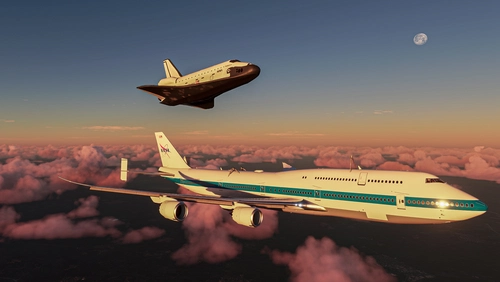
Boeing 747 SCA
Experience the rare Boeing 747 SCA in Microsoft Flight Simulator with this detailed add-on. Includes the Endeavour Shuttle Orbiter attachment, modern livery, additional vertical tail ailerons, tuned engines, and more. Explore the unique detach console and Shuttle Payload Manager EFB for a fully immersive simulation. Enhance your simulation experience with this meticulously crafted aircraft mod.
par LordFrites
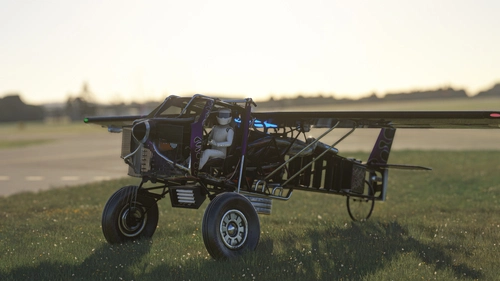
The Scrapyard Monster
The Scrapyard Monster is a fictional aircraft inspired by the powerful Cosworth RA engine, offering extreme STOL and aerobatic capabilities. With highly detailed 4K textures and custom sound pack, it features dual VOR navigation, autopilot, and various effects like engine smokes and contrails. Choose between the Bush Monster or the Sea Monster variant for a unique flying experience.
par Flying Fries
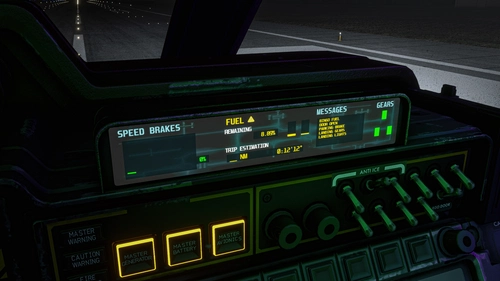
Pelican Improvement Mod
I've never played Halo. Let's start with this statement! Nevertheless, I think the lore of this universe is really rich and the Pelican Asobo provided is simple enough to let us dream and create our own adventures around it. So get ready for a fun mod!
par LordFrites
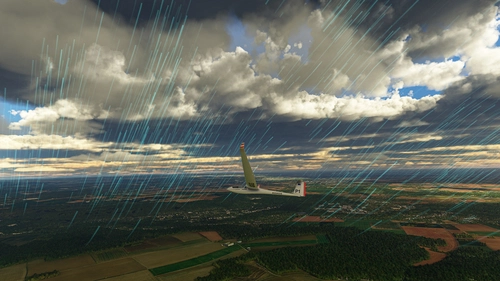
FSB - Weather Pack
A few custom weather presets made for FSB Flight Groups, by myself and other virtual wingmen! These presets aim for epicness, contemplation and sometimes challenges. This pack is going to be updated on regular basis, with only great and very specific presets.
par LordFrites
Connectez-vous pour participer à la discussion
Se connecterCommentaires(374)
almost 3 years ago
almost 3 years ago
BTW, I haven't updated this mod in a while, it's not supposed to work with the two or three last updates from IFE. I really advise you not you use the mod right now.
almost 3 years ago
almost 3 years ago
But for now, this mod is not up to date, so you shouldn't use it if you have the latest F-35. (always check the first line of the description). As soon as I find some time, I'll update it!
almost 3 years ago
about 3 years ago
about 3 years ago
over 3 years ago
Is there an faq or manual for the mod ?
over 3 years ago
We could really use a mod to allow different HMD colors or text size. I find the altitude and airspeed readouts are often unreadable.
over 3 years ago
Yeah, I've seen the discussion on IFE's Discord :) I can definitely understand that it's not always readable (the screenshot used as an example is a perfect one). But I'm not sure color would change anything... I'll try to develop my answer:
HUDs display work as an additive process: Whether you add green, red, blue, or any other color to an almost white background... You'll get a white-ish result and your text will be lost (you can do the test in Photoshop/Gimp or other software).
And if, by any chance, it's not the luminance but the tint of the HUD's text that's a problem (I assure you, it's always luminance, but let's pretend)... Then, another tint would make low contrasts and bad readibility on other places.
That's why nametags have a black/dark background. And even if you can customize the color of the nametags with some add-ons, the important thing is the contrast between the text and what's behind. And to ensure a good contrast, you must control the background.
So I'm not saying "the plane must be 100% realistic, huds are green, etc." it has never been my point. And I could even develop why HUDs are green (short answer: green is the brightest color, so if offers the most contrasts on most situations) And I relate with the issue regarding reading hud (for any fighter jet BTW) on bright condition. But I think, in these case, the best solution is to select the "HUD" page on one of your MFDs so you have all the information there. And this time it's bright green over black background, so the contrast and readability are perfect.
over 3 years ago
adjusting this file did make a color change in the off-boresight HMD, but not the main one. Zooming in makes a big difference and may be the best I can do.
MSFS2020\Community\indiafoxtecho-f35\html_ui\Pages\VCockpit\Instruments\F35_HUD\Shared\HMD\F35_HMD.cssover 3 years ago
Glad to see that you are still updating this high quality improvement mod. I have been unable to play MSFS since I twisted my leg QAQ Now I cannot wait to fly!
over 3 years ago
Ouch... sorry for your leg! Hopefully it will untwist soon ;) Take care!
over 3 years ago
😘
over 3 years ago
hey i downloaded the mod and installed it, but when i got in the plane the screens were all black... what do i do?
over 3 years ago
Hi Adrian. Unfortunately you're not the first to share this. I would suggest you check your versions (latest IndiaFoxtEcho's aircraft + latest mod version).
It can also be a conflict with another add-on, but I really can't say which since I never had this issue with this aircraft.
So the troubleshooting is on your side: Check your versions, disable all your other mods/freeware/payware and from there, if it's all working well, re-enable them until you get the black screens again and you can find what add-on triggered it. Good luck.
over 3 years ago
having this issue too, have you figured this out?
over 3 years ago
best mod for f35
thank you
over 3 years ago
Thanks! And to be fair, it's also one of the payware with the most frequent and significant updates... So IndiaFoxtEcho are really doing a great job with this aircraft, for more than one year already!
I'm happy I chose to work on this one 😊👍