
Description
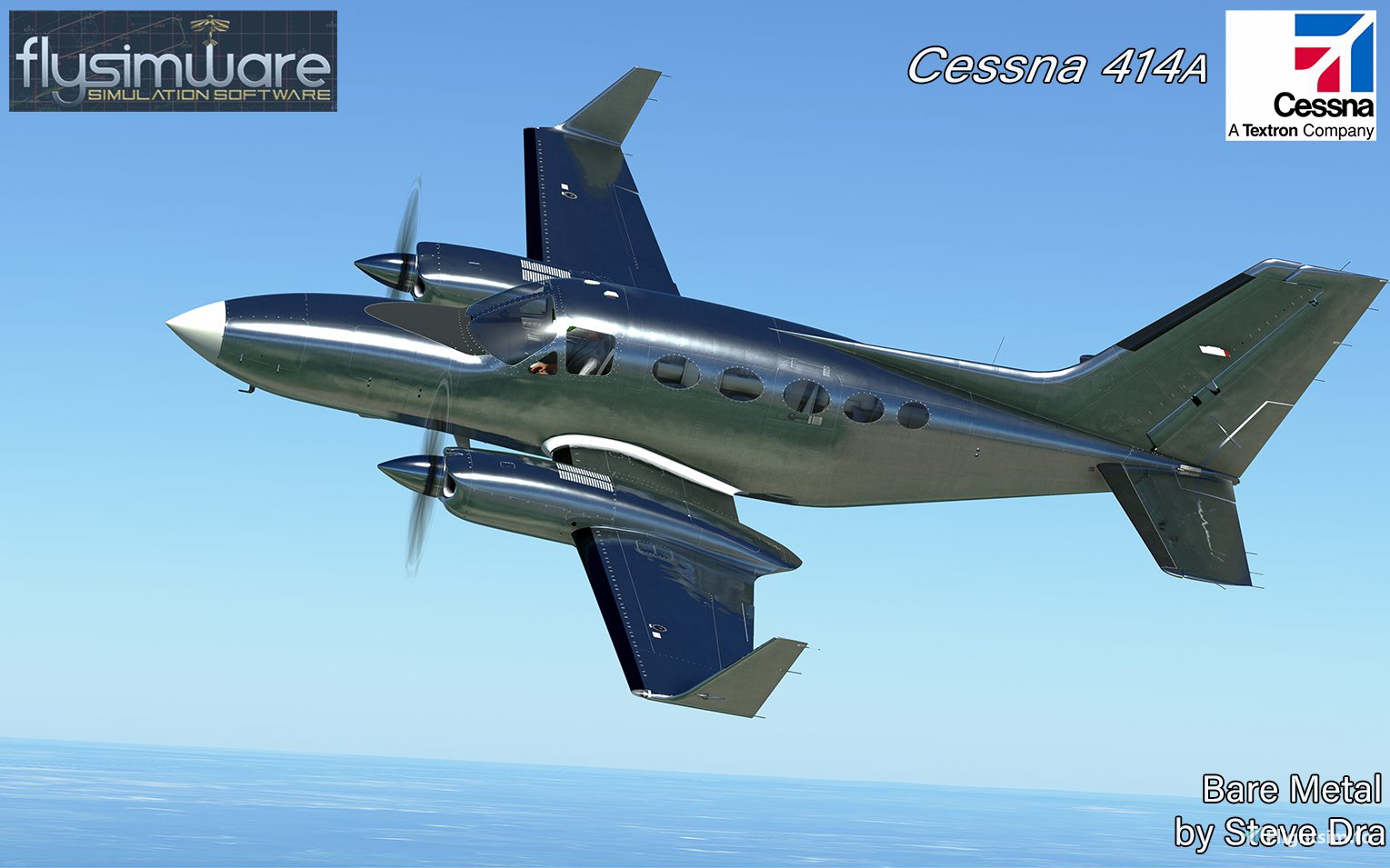
These are custom bare metal textures for the new Flysimware 414 payware package.
You MUST own the Payware Flysimware 414 to use these textures!
I wanted to create a set of texures that showed off PBR effects in regards to mare metal within MSFS.
I think they look stunning when the sun hits the aircraft's surface just right...I did a lot of adjustments to get it to look this way (you are basically painting 2 whole sets of textures...the albedos and COMPs)
I plane to release a paint job using these bare metal testures soon.
To install, just drag and drop the contents of the zipped file into your Community folder as usual.
NOTE to SImmers: This package is larger than normal repaints as it has all the reflective (COMP) files included to display the reflective surfaces.
NOTE to painters:
You may freely use these textures to enhance your paints of this wonderful bird. However I will not offer any support on how to use/manipulate them to create your paints. A good working knowledge of painting and MSFS file structure in addition to JSON editing are essential if you plan to use these textures properly. All I ask is you include me in your credits as is normal courtesy for the freeware painting community. ;)
I cannot support any issues when using these textures other than actual texture problems. Any other issues related to the Flysimware® 414 should be directed at their support site. I've tested them and they seem to work and display fine in MSFS. I have the TDS GTNx and have no issues with either package. I've shared these textures with the community and hope you enjoy them, as is.
My thanks and all credit for the base textures go to Flysimware®
Flysimware Cessna 414A Bare metal textures
Custom bare metal textures for the Flysimware Cessna 414A payware package, showcasing stunning PBR effects when hit by sunlight. Includes albedo and COMP files for reflective surfaces, with a forthcoming paint job. For simmers, a larger package; for painters, textures available for enhancing paints with proper knowledge required. Author credits appreciated.
Avis des utilisateurs
2 avis
Historique des versions
Aucun historique de version disponible.
Similaires

PMDG 737-800 TUI UK (G-TAWV - 2019)
This PMDG 737-800 TUI UK (G-TAWV - 2019) livery for MSFS2020 is a meticulously crafted addition for your simulator. Utilizing the PMDG Operations Center, this livery installation ensures a seamless experience with detailed instructions provided. Enhance your virtual airline with this true-to-life representation, following each step for a hassle-free setup process.
par SteveDra
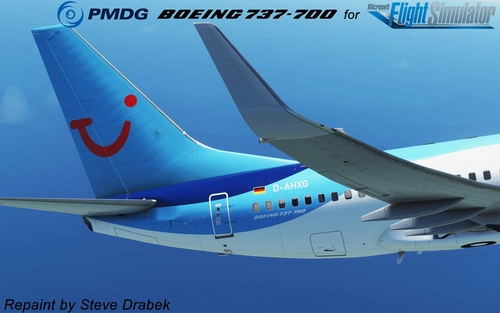
PMDG 737-700 TUI (D-AHXG - 2015)
Custom livery for the PMDG 737-700 TUI (D-AHXG - 2015) aircraft in MSFS2020. Follow detailed instructions to easily install/uninstall/update liveries using the PMDG Operations Center. This paint package ensures proper integration into the MSFS folder structure and automatic updates with the OC. Special thanks to PMDG and the beta test crew for their collaboration in creating this realistic livery.
par SteveDra

PMDG 737-800 FlyDubai (A6-FEY - 2015)
Experience the PMDG 737-800 FlyDubai (A6-FEY - 2015) livery in Microsoft Flight Simulator, complete with custom interior and texture tweaks. Follow detailed instructions to install this special livery using the PMDG Operations Center for a seamless experience. Special thanks to the contributors and beta test crew involved in bringing this fantastic plane to the community.
par SteveDra

PMDG 737-600 Lufthansa (D-ABIS - 2014)
PMDG 737-600 Lufthansa (D-ABIS - 2014) for MSFS2020. An intricately detailed livery requiring installation via the PMDG Operations Center. Follow step-by-step instructions provided to seamlessly integrate this paint into your sim experience. Credits to PMDG and dedicated beta test team for their contributions to this aircraft.
par SteveDra
Connectez-vous pour participer à la discussion
Se connecterCommentaires18
It's beautiful once you sort it out.
December, 2022. aircraft v3.4.3 and SU11 beta.
This livery will never show up because the original "aircraft.cfg" and "texture.CFG" files contains errors and / or outdated information.
After some documenting, studying, research, trial and error with a lot of hair pulling, i have made a fix! It is now properly showing up and working.
You will have to manually edit both aircraft.cfg and texture.CFG files; -they are located inside the "flysimware-414-Bare_Metal" folder:
1) aircraft.cfg edit the file with notepad, select and delete all, then paste these entries and then save it:
[VERSION]
major = 1
minor = 0
[VARIATION]
base_container = "..\flysimware_Cessna_414AW"
[FLTSIM.0]
Title="Cessna 414A bare_metal GNS530"
Model=""
Panel=""
Sound=""
Texture="bare_metal"
KB_Checklists=""
KB_Reference=""
description=""
wip_indicator=0
ui_manufacturer="Flysimware"
ui_type="C414AW Chancellor"
ui_variation="bare_metal GNS530"
ui_typerole="Twin Engine Prop"
ui_createdby="Steve Dra"
ui_thumbnailfile=""
ui_certified_ceiling=30000
ui_max_range=1046
ui_autonomy=6
ui_fuel_burn_rate=17
atc_id="N0000"
icao_airline=""
atc_id_enable=1
atc_airline=""
atc_flight_number="N0000"
atc_heavy=0
atc_id_color="0x00000000"
atc_id_font=""
isAirTraffic=0
isUserSelectable=1
isFlyable=1
canBeUsedByAITraffic=1
Effects=""
atc_parking_types="RAMP"
atc_parking_codes=""
[FLTSIM.1]
Title="Cessna 414A bare_metal GTN750"
Model="\..\..\flysimware_Cessna_414AW\model.GTN750"
Panel="\..\..\flysimware_Cessna_414AW\panel.GTN750"
Sound="\..\..\flysimware_Cessna_414AW\sound"
Texture="bare_metal"
KB_Checklists=""
KB_Reference=""
description=""
wip_indicator=0
ui_manufacturer="Flysimware"
ui_type="C414AW Chancellor"
ui_variation="bare_metal GTN750"
ui_typerole="Twin Engine Prop"
ui_createdby="Steve Dra"
ui_thumbnailfile=""
ui_certified_ceiling=30000
ui_max_range=1046
ui_autonomy=6
ui_fuel_burn_rate=17
atc_id="N0000"
icao_airline=""
atc_id_enable=1
atc_airline=""
atc_flight_number="N0000"
atc_heavy=0
atc_id_color="0x00000000"
atc_id_font=""
isAirTraffic=0
isUserSelectable=1
isFlyable=1
canBeUsedByAITraffic=1
Effects=""
atc_parking_types="RAMP"
atc_parking_codes=""
[FLTSIM.2]
Title="Cessna 414A bare_metal GTN750XI"
Model="\..\..\flysimware_Cessna_414AW\model.GTN750XI"
Panel="\..\..\flysimware_Cessna_414AW\panel.GTN750XI"
Sound="\..\..\flysimware_Cessna_414AW\sound"
Texture="bare_metal"
KB_Checklists=""
KB_Reference=""
description=""
wip_indicator=0
ui_manufacturer="Flysimware"
ui_type="C414AW Chancellor"
ui_variation="bare_metal GTN750XI"
ui_typerole="Twin Engine Prop"
ui_createdby="Steve Dra"
ui_thumbnailfile=""
ui_certified_ceiling=30000
ui_max_range=1046
ui_autonomy=6
ui_fuel_burn_rate=17
atc_id="N0000"
icao_airline=""
atc_id_enable=1
atc_airline=""
atc_flight_number="N0000"
atc_heavy=0
atc_id_color="0x00000000"
atc_id_font=""
isAirTraffic=0
isUserSelectable=1
isFlyable=1
canBeUsedByAITraffic=1
Effects=""
atc_parking_types="RAMP"
atc_parking_codes=""
[FLTSIM.3]
Title="Cessna 414A bare_metal GTN750+WT"
Model="\..\..\flysimware_Cessna_414AW\model.GTN750"
Panel="\..\..\flysimware_Cessna_414AW\panel.GTN750_WT"
Sound="\..\..\flysimware_Cessna_414AW\sound"
Texture="bare_metal"
KB_Checklists=""
KB_Reference=""
description=""
wip_indicator=0
ui_manufacturer="Flysimware"
ui_type="C414AW Chancellor"
ui_variation="bare_metal GNS530"
ui_typerole="Twin Engine Prop"
ui_createdby="Steve Dra"
ui_thumbnailfile=""
ui_certified_ceiling=30000
ui_max_range=1046
ui_autonomy=6
ui_fuel_burn_rate=17
atc_id="N0000"
icao_airline=""
atc_id_enable=1
atc_airline=""
atc_flight_number="N0000"
atc_heavy=0
atc_id_color="0x00000000"
atc_id_font=""
isAirTraffic=0
isUserSelectable=1
isFlyable=1
canBeUsedByAITraffic=1
Effects=""
atc_parking_types="RAMP"
atc_parking_codes=""
***************************************************
2) texture.CFG edit the file with notepad, select and delete all, then paste these entries and then save it:
[fltsim]
fallback.1=..\..\flysimware_Cessna_414AW\texture
fallback.2=..\..\flysimware_Cessna_414AW\texture.base
Thanks!
The dude should really do this, it takes 10 seconds then re-upload.
Hello, the metallic livery does not show among the other liveries. Was it done for the beta version? Thanks
It was done for the beta version and I have not had the time to revisit it with the latest 414 release.
I'm beta testing both the PMDG aircraft and the iFly 737 Max (for P3d) in addition to painting, so sadly I dont have a lot of free time. If I get that time I will do my best to get this and my other 414 uploads undated.
If another painter who's current with the 414 wants to convert these textures let me know....I'll be happy to share the maps I built them on.
The new paint kit for the Cessna 414AW Chancellor is now on the site. This fixed the issues reported. Please ping me if you see anything wrong with this version. https://flysimware.com/website2019/paintkits/
Thanks. Will get back to the 414 when I'm finished beta testing the PMDG 737. We have the 800 and 900 left after the 600 release hopefully this week.
Flysimware Cessna 414AW Final Beta 2.6.1 Paintkit was fixed and updated today to work with the new animated boots and the final version. https://flysimware.com/website2019/paintkits/
Flysimware
Sounds great. Was not going to update the textures until I knew it was in its final version.
I'll update the textures when I have some time (life of a busy painter, LOL)
Beta 2.5.0 is out & used new paint kit.
The new PAINT_KIT_Cessna_414AW_Chancellor zip is available on the Flysimware's repaint page. Note that only the tail and wings got updated as the boot decals got removed. These boot decals are now in the main texture folder and not needed for the paint kits. So just copy your livery and replace it in the layer for livery's as you only have to update the 3 textures and no editing needed. C414A_ext_03_albd, C414A_ext_05_albd, C414A_ext_07_albd
Love this look!
I second the idea of either making the white plastic parts "custom metal" :) or if leaving them plastic, how about hitting them with a nice glossy black. I think that would actually look pretty nice with the metal on the rest of the plane.
But regardless, this is fantastic! Thanks for sharing!
I hear ya guys and will make her "all metal" when I get some breathing room. The NDA was just lifted for the PMDG 737, and I'm on the beta team (but couldn't tell anyone), and have been super busy with her as you can imagine. When it settles down a bit I'll grab the orbital polisher and buff out all those white parts. :)
This looks great. I have several bare metal liveries. This will be a great addition. Is there a reason you kept the areas where the wings connect to the fuselage white?
Thanks. If I'm not mistaken, that is a plastic fillet and not made of metal.
I'm not sure though, if you or anyone else knows its actually metal let me know and I'll hit it with a buffer! :)
Ah ok. That's also the reason you kept the nose white. Thought it was a design choice.
Well even if those parts are not metal I'd personally prefer the whole plane in that metal look even though it's not completely realistic. On the other hand you could fake the metal visually as well in real life, so it wouldn't be unrealistic.
It would be tough for me to paint plastic as bare metal...just can't leap that far from reality.
However, I may paint it black or dark gray as I admit it does seem to stand out.
Hopefully someone will chime in and tell us definitively it its metal or plastic and I'll take appropriate action.
The nose is actually fiberglass (Again, making an assumption until I hear different from a confirmed resource) as their could be a weather radar behind it. It's off-white when you see in the right lighting conditions. Probably need to make that a bit darker.
This "paint" was really just for fun and to save other painters the trouble of trying to figure out how to "paint" metal as its a very difficult process. They can use my textures if they want to paint any metallic liveries.
Thanks :-)