
Description
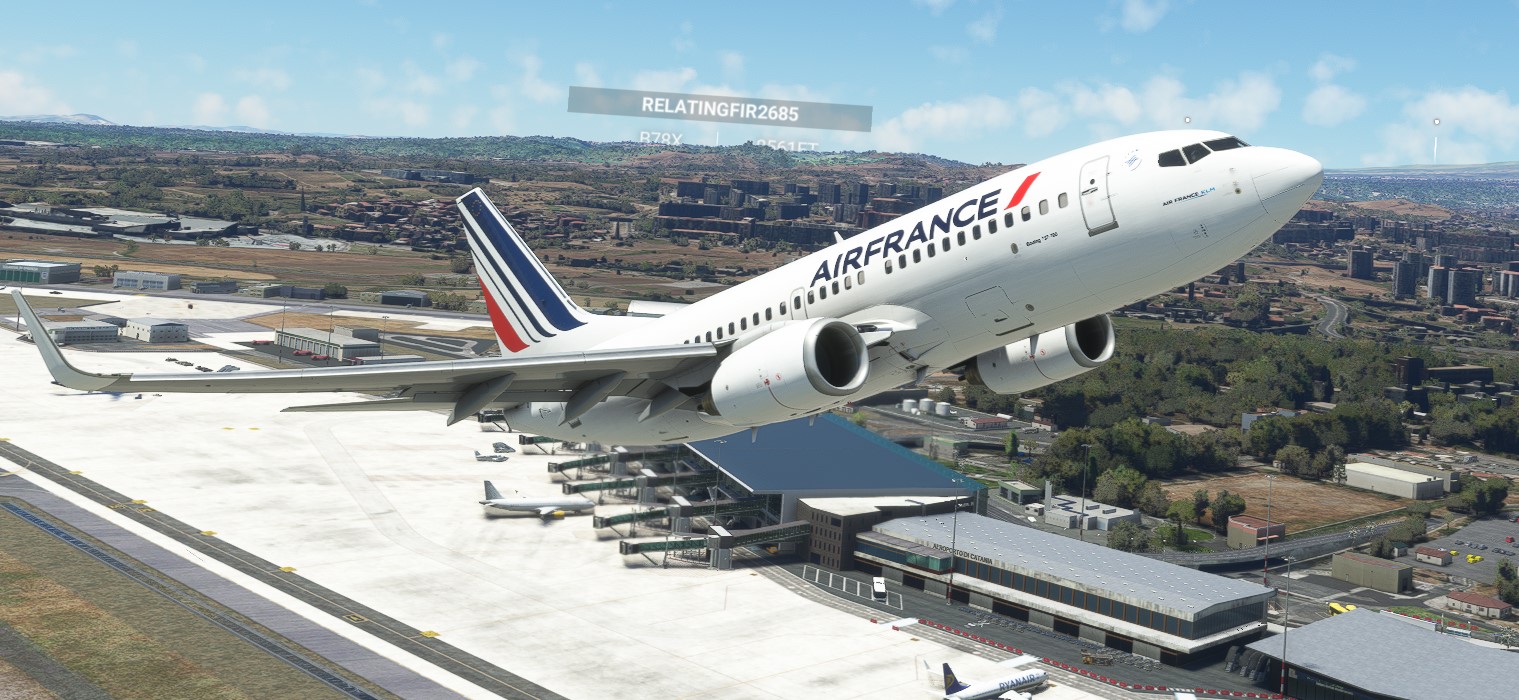
AirFrance Livery for the PMDG 737 from MSFS2020.
PMDG products use The PMDG Operations Center (OC2).
1. Extract the PTP file from the downloaded zip file.
2. Place it anywhere your PC (typically the downloads folder).
DO NOT place it in the MSFS folder structure, including the Community folder
3. Open the PMDG Operations Center and Follow these steps :
1. Click the Aircraft and Liveries menu & Choose Livery Utilities
2. Select the Simulator,Select the Product,Select the Variant
3. Click Install from PTP file
4. After the Open window opens, navigate to the folder where you saved/extracted the PTP file for select it
5. Click Open and you are done
PMDG 737-700 AirFrance
"Add the iconic AirFrance livery to your PMDG 737-700 in MSFS2020 with this easy-to-follow installation guide. Utilize the PMDG Operations Center to enhance your flight simulation experience with this classic airline design."

Soutiens

Avis des utilisateurs
1 avis
Historique des versions
Added missing engines stickers
Connectez-vous pour participer à la discussion
Se connecterCommentaires(7)