

Description
Built in 1973 as a 1974 Cessna 310Q. Serial number 310Q-0920. The earliest regristration found was C-FGWE with Air Spray in May of 1981. This little bird joined Buffalo Airways in March of 2013 with the same registration. The 310 series was introduced in 1953 and since then over 5,700 have been sold. The last model was the model 310R, introduced in 1975 with production ending in 1980.
Simply download the .zip file, extract the enclosed files. Paste the CAR_MILVIZ-C310Q_C-FGWE folder into your community folder.
Enjoy.
October 26, 2022 Update: Corrected one stripe that wasn't aligned correctlly.
MilViz C310Q Buffalo Airways C-FGWE
Cessna 310Q owned by Buffalo Airways. The real plane is equipped with an FLIR thermal imaging camera. Built in 1973 as a 1974 Cessna 310Q. Serial umber 310Q-0920. The earliest regristration found was C-FGWE with Air Spray in May of 1981. This little bird joined Buffalo Airways in March of 2013 with the same registration. The 310 series was introduced in 1953 and since then over 5,700 have been sold. The last model was the model 310R, introduced in 1975 with production ending in 1980.


Avis des utilisateurs
2 avis
Historique des versions
Updated stripe and confirmed SU10 compatible
Similaires
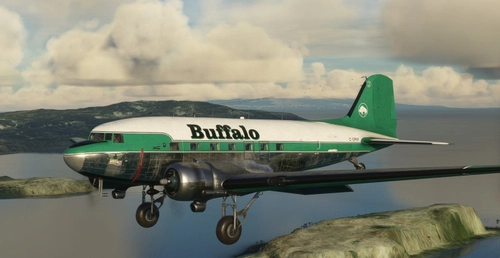
Douglas DC-3 in Buffalo Airways C-GPNR Livery - Includes GPS Version!!
Douglas DC-3 in Buffalo Airways C-GPNR colours. Built in 1942, by Douglas at Oklahoma City, Oklahoma, USA, this aircraft was taken on charge with the United States Army Air Force as 42-93423 on 17 May 1944, and then transfered to the Royal Canadian Air Force as KG602 on 25 May,[1] and designated a Dakota III. It was subsequently assigned to the Canadian Armed Forces as 12932, becoming a CC-129. On 8 December 1994 it was acquired by Buffalo Airways Ltd, Hay River, NT as C-GPNR, with the civil registration not being officially assigned until 23 May 1996.
par Canuckshaw
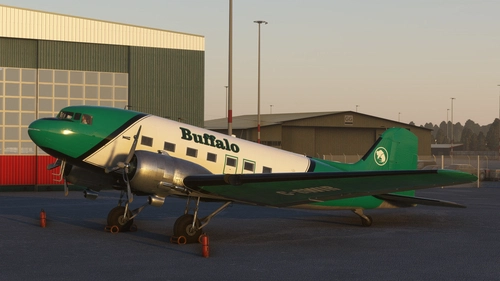
Buffalo Airways C-GWIR DC-3 With included cockpit textures and airspeed knots gauge GPS/Classic
C-GWIR DC3 Buffalo Airways with Retrofit cockpit and custom IRL cockpit textures and Knots gauge instead of M.P.H which knots is being currently used. Also better for VATSIM use. This also includes better metalic PBR. The knots gauge has been tested and functions correctly and gives out the correct Knots reading.
par AATS - AdamsAppleTechSupport & Vanfipe ( Fuselage and tail fin with permission to use by Vanfipe )
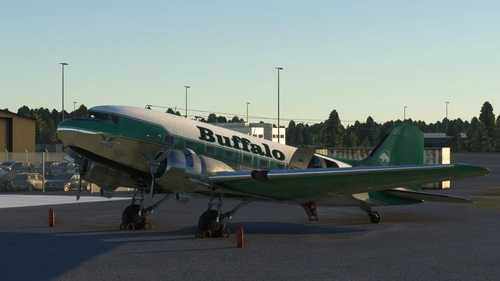
Buffalo Airways C-GPNR DC-3 With IRL cockpit textures and IRL airspeed knot gauge instead of M.P.H
C-GPNR one of Buffalo Airways DC3 originally a C47 converted for passenger use and is used often on a flight called the sked between Yellowknife and Hayriver and many other passenger routes operated by Buffalo airways. This livery is currently in Pax GPS config however will include a non GPS Pax variant when I have more time away from college. Otherwise enjoy this beautiful bird with 99% accuracy and custom PBR and custom cockpit textures to match the IRL aircraft as close as possible.
par AATS - AdamsAppleTechSupport & Canuckshaw - ( fuselage and tail fin by Canuckshaw however modified correctly by AATS - AdamsAppleTechSupport )
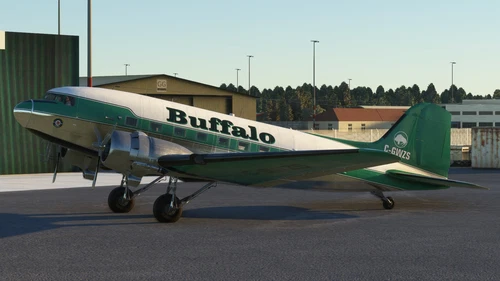
Buffalo Airways C-GWZS DC-3 With included IRL cockpit textures and IRL airspeed knots gauge
C-GWZS DC-3 Owned by Buffalo Airways as Passanger configuration, this aircraft was flown by the lead singer of Iron Maden. This includes is a cockpit texture set that accurately represents the IRL aircraft from images available. This includes is a cockpit texture set that accurately represents the IRL aircraft from images available.
par AATS - AdamsAppleTechSupport
Connectez-vous pour participer à la discussion
Se connecterCommentaires(5)
12 months ago
about 3 years ago
Update please.
about 3 years ago
My only suggestion is to make sure you have the correct file added to your community folder. When I download files from Flightsim.to I download them into my downloads folder. Then, I extract them using WinRAR into the downloads folder. The folder that is extracted may be the same name as the file that needs to be pasted into the community folder, but in fact, I open that folder to get to the file that needs to be pasted into the community folder. You may be downloading files in the same way and possibly pasted the folder that holds the file. The easy way to confirm is to go to the folder in your community folder and double click to open it. If it contains a single file, then what I've just stated is correct and you can then use ctrl-x to cut the file and then paste that into your community folder. Remember to delete the now empty folder that had housed the livery file.
Hope that helps.
over 4 years ago
Very nicely done Mr Canuckshaw! Going to have lot's of fun with this up there in beautiful Canada!
over 4 years ago
Thank you for the kind words. Have fun with this beautiful model. One of the best planes available in MSFS.