
Description
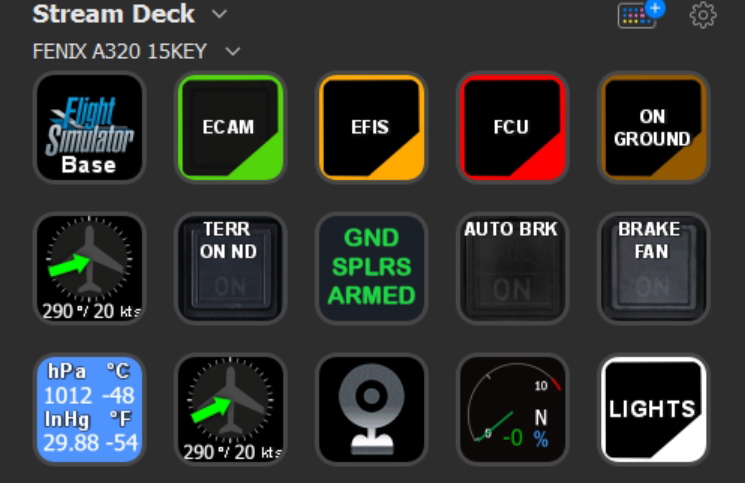
FENIX A320 StreamDeck 15key Profile
You need LORBYs AAO and its StreamDeck Plugin to run this StreamDeck profile.
The profile was created by Guenseli I just re-ordered it for the benefit of the members who have the 15 button version of Stream Deck.
Inside the folder you will find profile for installation and their scripts for AxisAndOhs:
1. The Guenseli edit profile for the 15-button version -FENIX A320 15KEY
2. AxisAndOhsScripts_FENIX_A3XX.XML
3. FENIX A3XX_icon
Many thanks to the developers for the work they did and of course for the permission to edit and share it.
When you import SD profiles, make sure to delete the old ones, otherwise you'll get profile copies.
Make sure to always have the latest AAO and AAO StreamDeck plugin versions!
Installation:
Install the SD profile by double clicking at FENIX A320 15KEY.streamDeckProfile
Import the AAO script AxisAndOhsScripts_FENIX_A3XX.XML according to the AAO manual
It is a lot of work to do these icons and gather the variables. If you like it, please consider a little donation to Guenseli , thx!
my discord:
FENIX A320 15KEY Profile
FENIX A320 StreamDeck 15key Profile for LORBYs AxisAndOHs (AAO) and its SD Plugin. You need LORBYs AAO and its StreamDeck Plugin to run this StreamDeck profile. The profile was created by Guenseli I just re-ordered it for the benefit of the members who have the 15 button version of Stream Deck.


Avis des utilisateurs
4 avis
Historique des versions
added BrakeFan "hot" status added ECAM added ATC and TCAS added crew oxy added anti ice *adding the autobrake Guenseli- finally was able to adding the autobrake. I wanted to make a toggle button an the script behind was not easy as it is not simply toggle through LO to MAX as LO and MED are onyl available in air, whereas MAX is only availabe on ground. Here it is working, sometimes you have to press several times maybe. Please report if sth is not working.
Similaires
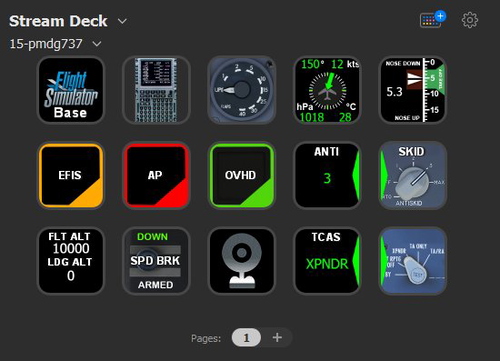
PMDG 737 + fms Stream Deck 15key Profile
PMDG 737 StreamDeck 15key Profile for LORBYs AxisAndOHs (AAO) and its SD Plugin. You need LORBYs AAO and its StreamDeck Plugin to run this StreamDeck profile. The profile was created by Guenseli I just re-ordered it for the benefit of the members who have the 15 button version of Stream Deck.
par ANISHAM
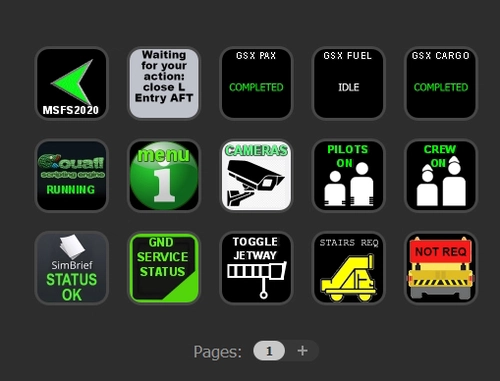
GSX PRO StreamDeck 15KEY Profile & AAO Scripts
GSX PRO StreamDeck 15KEY Profile & AAO Scripts- The profile was created by Guenseli I just re-ordered it for the benefit of the members who have the 15 button version of Stream Deck. I also added from Chris_PU_A320 profile after adjusting it to the 15-button version.
par anisham
Connectez-vous pour participer à la discussion
Se connecterCommentaires(12)
over 3 years ago
Hello, I have downloaded the file however it only contains a Rar file FENIX A320 15KEy_ZYftc. No other instructions I have tried everything and have the required sortware.
almost 4 years ago
have downloaded the latest versions of
Stream Deck App
Flight Tracker Plugin
and Axis and Ohs and imported the Scripts into it
But still just see QUESTION MARKS with text and nothing works
what do I do wrong???
almost 2 years ago
about 4 years ago
i hace problems with the hPa and other aircraft events that dont appears in streamdeck , im talking of the pictures and information values ! how can i fix that?
about 4 years ago
great work. love it. one thing i saw. maybe please check this. there are two apu bleed switches in your streamdeck profile. i think we need one Start APU switch instead of two apu bleed switches. :)
about 4 years ago
I noticed the same. Would be great if you could add the APU start switch !
about 4 years ago
Works great!
over 4 years ago
For me works almos all, except EXT lights. Anyone with this problem?
over 4 years ago
For me it's the same like chemanuel.
Now it works,i have to set another Port for the WebApi in AAOOs
over 4 years ago
Great! I got the software, installed streamdesk, installed the plugin and imported the file and I see nothing. in Streamdesk I see the profile but with icons with question marks like for me to program. What am I doing wrong?
over 4 years ago
try to install this plugin
and then restart.
https://github.com/nguyenquyhy/Flight-Tracker-StreamDeck
https://axisandohs.weebly.com/downloads.html
over 4 years ago
The benefits of 15keys users are very easy to use, Thank you for your sharing.