Description
Hi there,
Here's a little mod that changes the interior of the DA40NG to black and grey. This mod was inspired by a similar mod for the DA62:
https://flightsim.to/file/2245/diamond-aircraft-da62-black-interior
In addition to the changes in colour I also altered the seat leather and interior shell to make them less shiny. And I improved the Diamond logo and lettering on the seats.
Installation:
Just drag and drop into your Community folder
Have fun
Archer374
Commentaires(6)
Connectez-vous pour participer à la discussion
Se connecterover 3 years ago
or you just put a "z" in front of my mod's folder. Then it will be loaded after the NGX mod.
over 3 years ago
Thank you for your prompt reply.
I tried that with the z at the beginning of the filename, but for some reason it doesn't work...
Maybe the reason for this is another mod I have installed,
if i find it out i'll let you know.
It also works with my emergency solution, and it looks really great.
over 3 years ago
Strange. Normally it should work. Works here without a problem without any changes.
Since the DA40NX mod doesn't create a new plane, the only thing that could be a problem is another livery also having changes in the interieur texture files. So if you load my mod last (they are loaded alphabetically), it should override all changes made the others mods loaded before.
about 4 years ago
for me it didn't worked with the Da40NGx mod so I had renamed the folder with some XXX_ in front of the name to ensure loading it last.
about 4 years ago
Thank you for that!
I had renamed the folder of the NGX mod and forgot to take into account that most other people wouldn't.
So I changed the folder name of my mod. This way my mod should be loaded AFTER the NGX mod and it should work now.
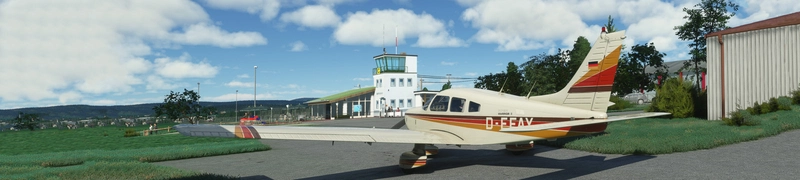
Asobo Diamond DA40NG / NGX / TDI - Dark Interior with with black and grey seats
Transform the interior of your Diamond DA40NG with this mod, featuring black and grey seats for a sleek look. Inspired by a similar mod for the DA62, this addon also enhances the seat leather and interior shell for a more realistic experience. Simply drag and drop into your Community folder to enjoy the improvements by Archer374.
Avis des utilisateurs
1 avis
More Information
Historique des versions
changed the interior shell to a darker grey
Similaires

Flysimware Cessna C414 Chancellor - Grey Interior + Different Panels
Upgrade your Cessna C414 Chancellor with a sleek grey interior featuring darker seats. Customize your experience with three different panel options. Simply drag and drop the mods into your Community folder for easy installation. Experience a modern twist on your cockpit with Flysimwares latest mod.
par Archer374

JustFlight Piper PA28R Arrow III - Clean Grey Interior
Enhance your Piper PA28R Arrow III experience with this mod offering a clean grey interior option. Customize your tablet color and instrument panel with ease to suit your preferences. Simple installation process by dropping the mod folder into your Community folder. Enjoy a fresh look for your virtual cockpit with this modification from Archer374.
par Archer374 - Idea for the panel: icemany

Mach Loop - Low Flying Area 7 (RAF/USAF), Wales, Snowdonia, UK (Flight Plans)
Experience the thrill of flying through the infamous Mach Loop in Wales with these meticulously crafted flight plans. Witness RAF Typhoons, Tornados, C130s, USAF F15s, and Ospreys as they soar through the valleys of Snowdonia below you. Choose between two routes, starting from RAF Valley, for an unforgettable low flying adventure.
par Dave Symanow

WBSim / Asobo Cessna C152 - Dark Cockpit Panel
Enhance your Cessna 152 experience with a dark cockpit panel modification created by Archer374. This add-on changes the cockpit panel to a sleek dark grey, along with minor tweaks to the seats for a more authentic feel. Compatible with both stock Asobo C152 and JP Logistics C152 mod. Simply drag and drop into your Community folder to install.
par Archer374


over 3 years ago
Looks really great.
If you want to use it with the "DA40-NGX Improvement Mod", you need to manually move and replace the texture files into the NGX texture folder.