
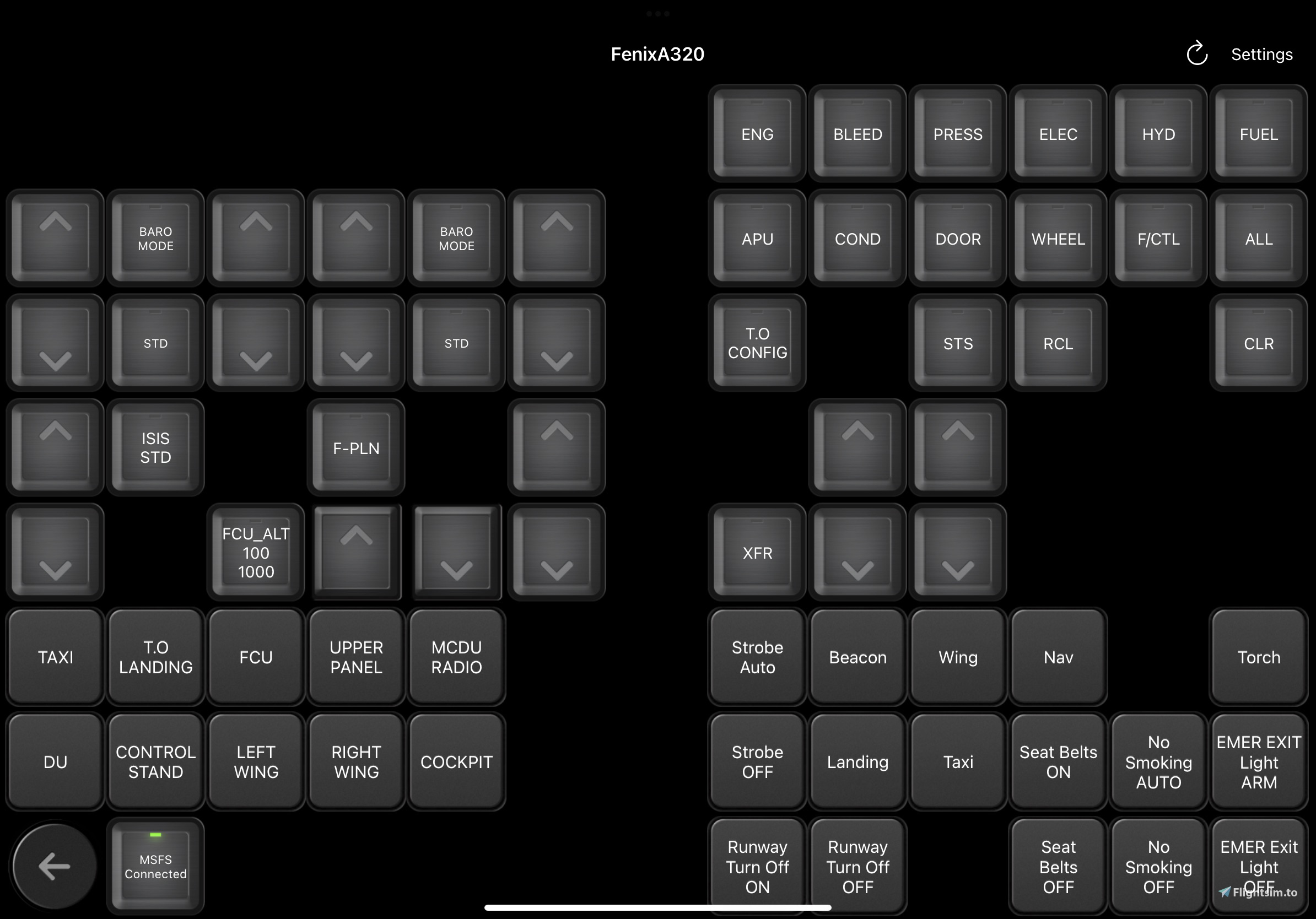
Description
Added the Fenix A320 normal checklist.
Welcome
I finally found a application similar with STREAM DECK. But this MSFS plugin in Touch Portal only have input function for FenixA320, so I made some inputs what mouse hard to click.
Hope someday the author will update this plugin that can read the data in MSFS, maybe I will update this more functional.
Hopefully this let you flight more convenient.
How can I use it?
Step 1, install Touch Portal on your PC and Mobile devices. (https://www.touch-portal.com/ ) Important: YOU MUST HAVE PURCHASED the Pro Upgrade on your mobile devices.
Step 2, install the MSFS/SimConnect Touch Portal Plugin (https://github.com/mpaperno/MSFSTouchPortalPlugin/) in the Touch Portal PC application. Get more detail in the project's github.
Step 3, using Touch Portal With MobiFlight, Details in https://github.com/mpaperno/MSFSTouchPortalPlugin/wiki/Using-With-MobiFlight.
Step 4, import my Touch Portal page, Enjoy IT. (recommed set my page as default page.)
Touch Portal Page for Fenix A320
I finally found a application similar with STREAM DECK. But this MSFS plugin in Touch Portal only have input function for FenixA320, so I made some inputs what mouse hard to click. Hope someday the author will update this plugin that can read the data in MSFS, maybe I will update this more functional. Hopefully this let you flight more convenient.


Avis des utilisateurs
1 avis
Historique des versions
Add FenixA320 Normal Checklist page.
Connectez-vous pour participer à la discussion
Se connecterCommentaires(10)
about 1 year ago
about 4 years ago
I really dont know how to use thi MobiFlight, any tips?
about 4 years ago
Merci pour votre aide
about 4 years ago
As there is some empty space on the right hand side in the control panel. APU / APU Bleed controls would be great :-)
over 4 years ago
Not all the buttons are working. For those of us that are not familiar with Mobiflight do you need to do anything after installing. More detailed instructions would be helpful
over 4 years ago
Great Job - this is amazing! Thanks for sharing!
over 4 years ago
So, never used MobiFlight; is there any configuration required after installation, or does your plugin just work straight away?
over 4 years ago
Do the Custom Camera views work if MSFS is not the "focus"?
over 4 years ago
no,the custom camera use default ALT + 'num 0-9'
over 4 years ago
OK thanks for replying. I'm trying to find something that will let me switch camera views even when MSFS is not the focused application.