

Description
A simple scenery mod to help with the visual alignment of Triple screens for MSFS in SU10 beta.
Load your plane into icao TRIP and use Parking spot #1
This will put you inside an enclosed 'hanger' made from 2 x 2m colour cubes which you can use to help visually align the side monitors.
To calculate Fov use Parking spot #2
The main Fov markers are spaced 5 metres apart alternating green and red and the distance from the parking spot #2 to the main Fov markers is exactly 100 metres. The short row of red markers are positioned exactly over the spawn point for the parking spot so use slew (y) to re-position the cockpit directly over the centre post.
A direct FoV read out circle is now surrounding Parking spot #3. The spacing between posts is one degree with a green post every 5 degrees and a double height green post every 15 degrees. Again use slew (y) to centre the cockpit over the centre post. The stack of horizontal circle surrounding the plane are spaced at 5 metres
Parking spot #4 now has a spherical projection dome over it with a zenith and nadir. The grid spaced is at 5 degrees horizontally and vertically
v2.0 FoV markers added
v3.0 Circular FoV markers added
v4.0 Spherical project dome added over parking spot #4
Triple Screen Calibration Utility
A helpful scenery mod designed for MSFS users utilizing Triple screens in SU10 beta, offering visual alignment assistance in a dedicated hanger environment. Features include Fov calculation markers, Fov readout circle, and a spherical projection dome for calibration purposes. Recent updates include additional FoV markers and circular FoV markers for enhanced precision.

Soutiens

Avis des utilisateurs
4 avis
Historique des versions
minor update to parking spot #3 to include some large numbers at 0, 30, 45, 60 and 90 degrees
Similaires
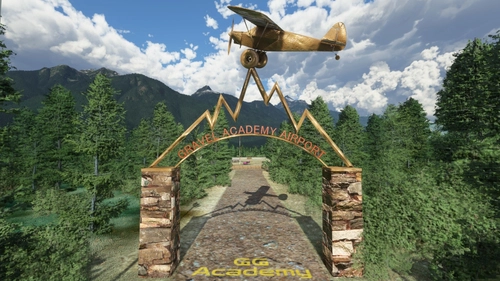
The Gotgravel STOL Academy at Squamish, BC (CYSE)
Explore the back country of British Columbia with the GotGravel Academy at Squamish Airport (CYSE). This add-on offers 40 off-airport landing strips and two dedicated STOL strips for competitive events and practice. Immerse yourself in the art of STOL flying and enjoy custom pylon racing circuits alongside the Squamish river. Join the GotGravel discord for support and make sure to have the recommended libraries installed for the best experience.
par Photosbykev
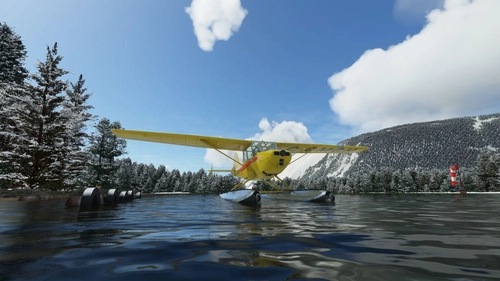
Kodiak island seaplane bases (Megapack)
Discover a comprehensive collection of seaplane bases and short airstrips in the picturesque Kodiak Island, Alaska. This megapack includes updated versions of various sceneries for an enhanced flight experience, featuring water bases, grass strips, and challenging landing opportunities. Experience the beauty of Afognak Island, Olga Bay, and more, with added improvements and effects for a realistic simulation.
par Photosbykev
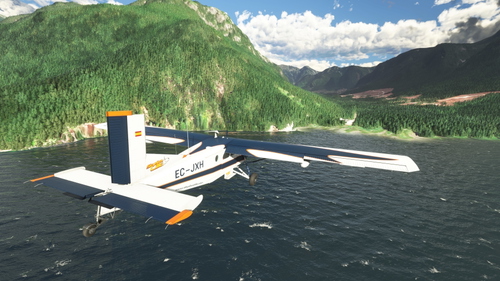
Quatam River logging camp (CQRA)
Experience the Quatam River logging camp in British Columbia with a beautifully crafted 1800 dirt strip for a scenic approach over the water. This add-on includes a dock, pier, and STOL competition setup with cones for practicing short landings. Dive into the immersive details with custom models, animations, and effects library included in the download.
par Photosbykev
Llanbedr Airport (EGOD) 'The Gateway to the Mach Loop'
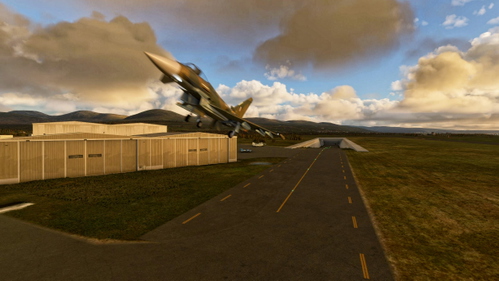
Explore Llanbedr Airport (EGOD), known as The Gateway to the Mach Loop in North Wales, UK. This scenic airfield is a hub for VIP landings, aerospace testing, training, and events, with a flying school offering lessons and aerobatic experiences. It features a unique underground shelter for military response, FAA identifier EGOD, and specific parking for military jets and GA planes. Be cautious of military activity in the area and enjoy access to coastal float planes for dolphin sightings.
par Photosbykev
Connectez-vous pour participer à la discussion
Se connecterCommentaires(21)
about 1 month ago
8 months ago
Looks like SU5 Beta introduced a fix for 2020 sceneries as it pertains to the "Apply Flattening" attribute, which may solve the problem without further update from kev. I need to test it.
- Fixed backward compatibility issue for the airport “apply flatten”. MSFS (2020) packages no longer take into runways to compute the terraforming aera
9 months ago
11 months ago
about 1 year ago
almost 3 years ago
I did in 5 minutes what I've been doing for hours with no success!!!
over 3 years ago
Thanks this helped a lot
almost 4 years ago
Super firstclass - Idea. Thanks a lot for this Tool. Helped me much to improve my 3-Schreens calibration.
Anyhow, it is not SU11 confom at the moment. Could you maybe find the time to recompile it with the SU11 - SDK and then re-upload it? I have many CTD-problems with older - not SU11 compliant - uploads, and so meanwhile I isolate all of them in Quarrantain - backup, that are not SU11-compliant, until their Authors cecomplie them for SU11 compliance.
Hard work since November also for me. I already downloaded more than 1000 Scenerys, Aircrafts etc. within the last 2 years before SU11. Now all of them are de-installed and stored into my Backup. Meanwhile I have again more than 300 fresh (SU11 compliant) updated downloads installed and so now my CTD rate is massive reduced. Much better to enjoy the FS now, but also frustrating to have this work and now to leftout many already beloved older downloads.
Best regards from Germany and always Happy Landings
almost 4 years ago
It will work happily with SU11. Just because Flightsim.to has a stupid SU11 tag that I haven't updated doesn't mean a thing. Kev
over 3 years ago
Yes Kev, the SU11 tag helps only partial and SU11 -related problems (CTD, hanging MSFS..) often occur only, if combinations of addons are used. At the end Asobo and the Developers had not enough time to ensure sufficient compliance and Error robustness was often partial left out by pressure from Management Appointments and Budgets. I'm sure, this will impact on addon-deverlopers work and Customer's product robustness for a long while. From the other side: In summer of 2020 it was a much bigger issue, then nowerdays. So many thanks again and always Happy landings, Captain Moonlight (aka Heinz-Werner from Germany)
almost 4 years ago
Any tutorials etc for this? Trying to set up, but not totally sure what I am looking for to get things right.
about 4 years ago
thank you mas bro, trying it out hopefully i understand the instruction
about 4 years ago
Just gave it a whirl in single monitor mode for fun. Impressive indeed! I'll dust off my other two monitors when SU10 lands. Many thanks!
about 4 years ago
great stuff!
about 4 years ago
So ... will SU10 *properly* support triple monitors? I've been waiting for this for *ages*!! Thanks for the utility - can't wait to try it out!
about 4 years ago
Proper support is a stretch for now. It's going to still be experimental in SU10. The key limitation is that you have to have a fixed view as far as I understand, unless this tool makes it so that you don't? Not positive.
about 4 years ago
This mod is totally passive, it just assists you with screen alignment
about 4 years ago
Where do you find the options for adjusting the windows?
about 4 years ago
under experimental in SU10 beta
about 4 years ago
Thank you