

Description
Fellow simmers,
Here is my Livery of the PMDG 737 for MSFS2020.
The PMDG line of products use their custom utility called The PMDG Operations Center (OC2).
To maintain your entire PMDG fleet of aircraft (The DC-6 as well you own it), also provides you with a very easy way to install/uninstall/update your liveries. Please follow the detailed instructions below to install this paint. It may look like a lot of steps, but I made sure every step was covered from download to install.
NOTE: I will not offer this as a “Drag and Drop” livery as this method, while operational, does not ensure everything is created properly in the complex MSFS folder structure. When painters use the OC to package their paint, the installer takes care of all the items needed (json updates, aircraft .cfg edits, etc) automatically.
Also…should updates to the aircraft become available, the OC ensures all items are updated properly.
Here are the instructions:
1. Extract the PTP file from the downloaded zip file.
2. Place it anywhere your PC (typically the downloads folder).
DO NOT place it in the MSFS folder structure, including the Community folder (The OC2 will properly extract it there and update the Layout.json file automatically)
3. Press the Windows key on your keyboard
4. Type PMDG
5. Select the PMDG Operations Center and open as an Administrator
6. Follow these steps when Ops Center is open.
1. Click the Aircraft and Liveries menu
Choose Livery Utilities
2. Select the Simulator,Select the Product,Select the Variant
3. Click Install from PTP file
7. After the Open window opens, navigate to the folder you saved/extracted the PTP file to
8. Click Open.
9. Done
If you have any issues with the installation of the livery through the OC2, please contact PMDG Support at https://support.precisionmanuals.com/Main/
You an also go to their forums as many members can help with issues and the support team monitors there as well.
A special thanks goes to PMDG and the beta test crew I had the privilege to work with during the development of this fantastic plane.
Credits: All base textures included in my paints are included by permission from PMDG, as with any livery created by 3rd party painters. I would especially thank the PMDG Paint crew for the fantastic textures they gave us to work with, you guys are awesome!
PMDG 737-600 KLM (PH-BGZ - 2011)
A custom livery of the PMDG 737 for MSFS2020 featuring KLM (PH-BGZ - 2011). Utilize the PMDG Operations Center for easy installation, updates, and maintenance. Detailed instructions provided for a smooth installation process. Credits to PMDG for textures and support during development.

Historique des versions
Aucun historique de version disponible.
Similaires
![✈️ PMDG 737-600 | KLM | PH-BDC [4K]](https://cdn.flightsim.to/images/23/pmdg-737-600-klm-ph-bdc-4k-hLjb3.jpg?width=500)
✈️ PMDG 737-600 | KLM | PH-BDC [4K]
Fly in style with the PMDG 737-600 KLM livery featuring PH-BDC in stunning 4K resolution. Dive into the rich history of KLM, the worlds oldest operating airline until its merger with Air France in 2004. Follow easy installation instructions to add this livery to your Microsoft Flight Simulator collection and enjoy the iconic KLM experience in the virtual skies.
par Rick.D

PMDG 737-600 w/ cabin KLM - 2000s design (PH-BXP)
Customize your PMDG 737-600 with this nostalgic KLM - 2000s design (PH-BXP) repaint. Includes a fictional livery inspired by the former 737-900 design and a unique tablet background. Easily install via PMDG Operations Center for a seamless setup process. Enjoy this free-to-use livery and consider supporting the creator for more options.
par alxcpt
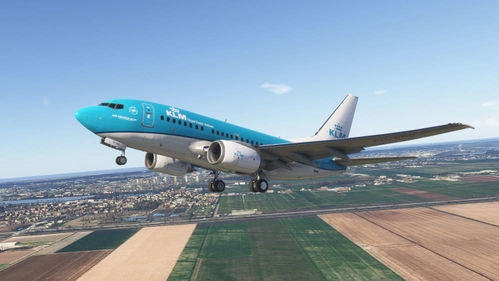
PMDG B737-600 | KLM PH-BDC | MSFS 2024 | Requested
This add-on provides the KLM PH-BDC livery for the PMDG B737-600 in Microsoft Flight Simulator 2024. It is compatible with the PMDG Operations Center 3 for straightforward installation. The livery aims to accurately represent the real-world KLM aircraft. Suitable for those seeking to expand their livery options for the B737-600.
par normandyq8
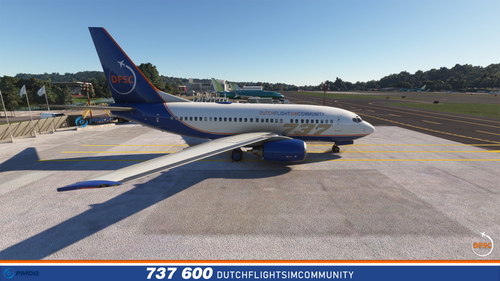
DFSC – Boeing 737-600 (PMDG)
This livery is offered by the Dutch FlightSim Community (DFSC) and is designed for the PMDG Boeing 737-600 in Microsoft Flight Simulator.
par Redpanther
Connectez-vous pour participer à la discussion
Se connecterCommentaires(3)
about 3 years ago
about 4 years ago
muito complicado. seria mais fácil arrastar e soltar na pasta comunity não gostei
about 4 years ago
Las libreas de arrastrar y soltar se romperán cuando PMDG actualice la aeronave o el centro de operaciones.
No es difícil utilizar el método adecuado para instalar estas libreas.