
Description
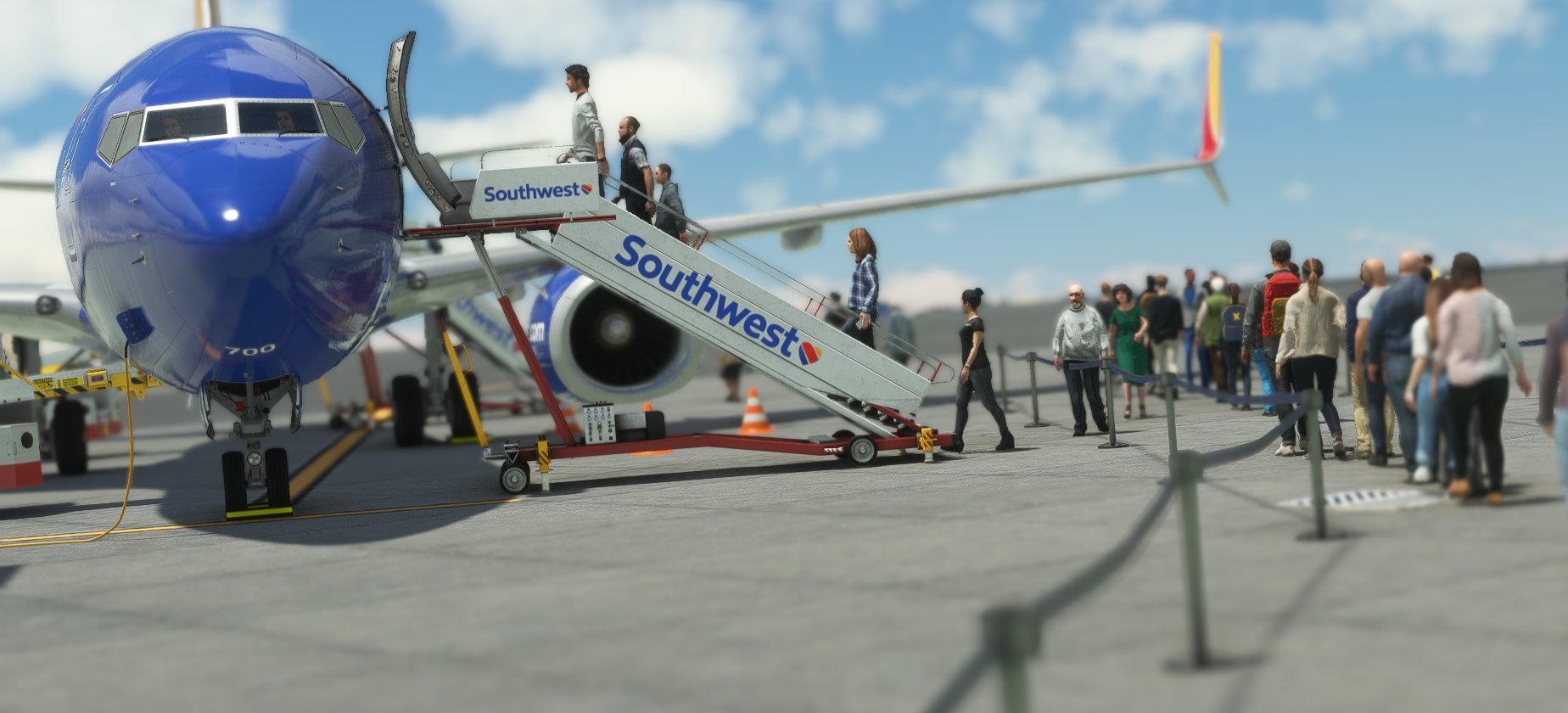
Enjoy a completed GSX preset for the Kona Airport, all the gates are completed. This profile includes walking paths, custom vehicle location, and correct marshaling into the gates, busses has been disabled for all gate, since it is in walking distance to all gates.
To install, extract the zip file, and move the ini file inside to the following:
\Username\Your Username\AppData\Roaming\virtuali\GSX\MSFS
A QUICKER WAY FOR WINDOWS USERS:
PRESS THE WINDOWS KEY + R KEY AT THE SAME TIME, TYPE %APPDATA%, THEN SCROLL DOWN TO "virtualli, then scroll to GSX, click, then go to MSFS, drag the INI file in it.
________________________
@seehed on Youtube
Support our work on Pateron
Join our awesome great discord server
Detailed GSX Profile - PHKO Kona Intl Airport
Enjoy a full GSX preset for the Kona Airport, all the gates are completed. This profile includes walking paths, custom vehicle location, and correct marshaling into the gates, busses has been disabled for all gates.


Avis des utilisateurs
1 avis
Historique des versions
- Support for Default PHKO from MSFS
Similaires
PMDG 737-800 Custom Views
PMDG 737-800 best Camera View Addon, 8 wing views, and 2 cockpit views. Enjoy a pain-free experience of switching between cameras on the settings, instead, just hit ALT+(number), and you will be guarinteed to enjoy all camera views! Pain-free instalation included, no need hassle to change the files. Just drag & drop!
par SeehedYT
FBW A380 Custom Wing Views
This add-on provides custom wing views for the FlyByWire A380 in Microsoft Flight Simulator. It features a variety of alternate camera angles, including views from the front, middle, and rear of the wings. Installation instructions are included for easy setup within the simulators file structure. These wing view cameras enhance the visual experience while piloting the A380.
par SeehedYT
Connectez-vous pour participer à la discussion
Se connecterCommentaires(2)
about 1 year ago
about 4 years ago
THank you!