
Description
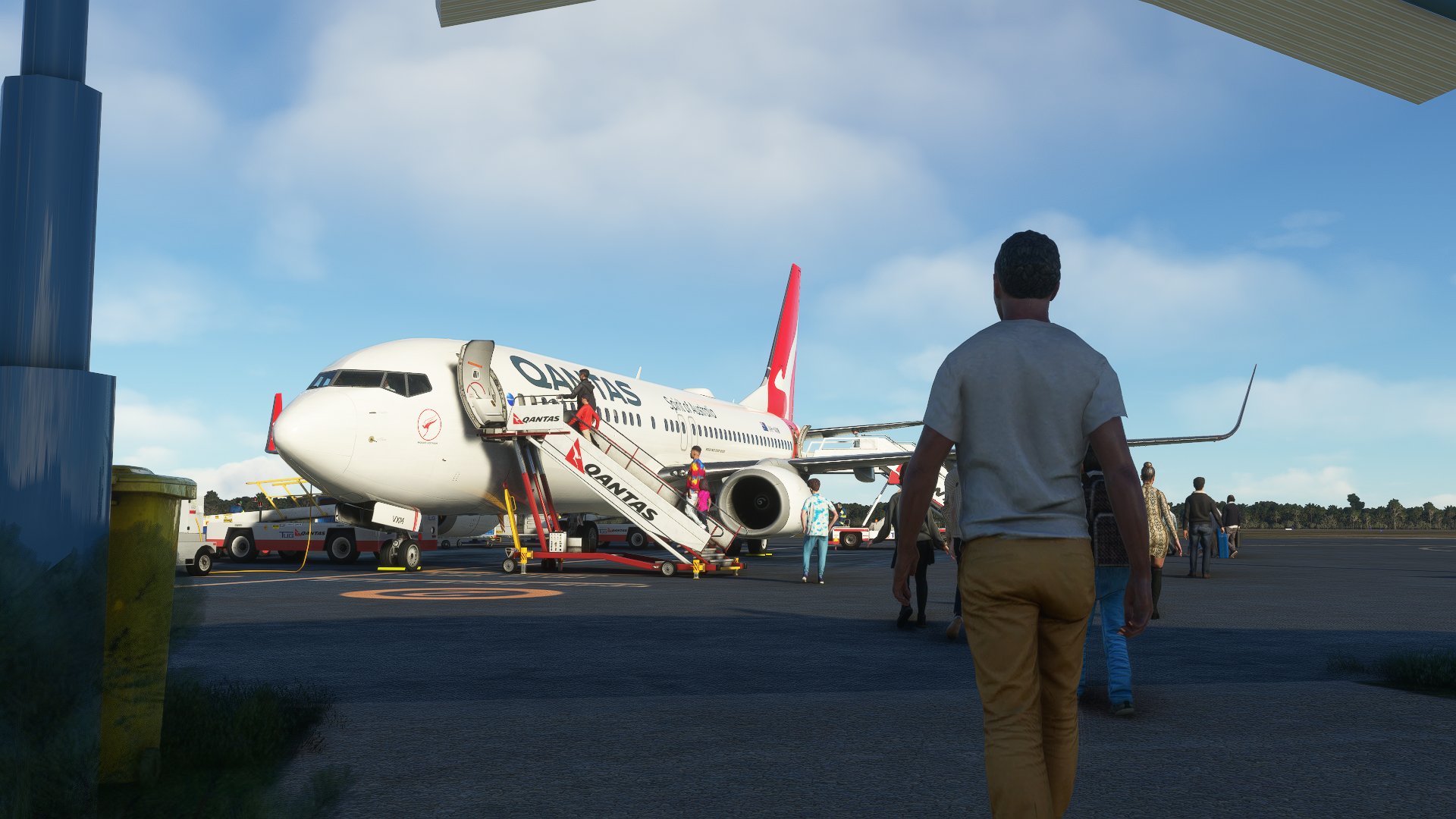
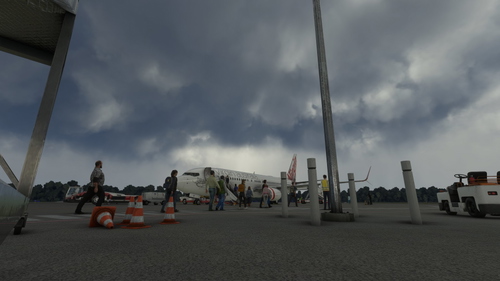
This profile includes all gates at YCFS Coffs Harbour
It Includes:
- Marshals at all gates
- Proper ground handling and catering for QANTAS
- Custom placements at all gates
- Custom paths for all gates
Gates: 1, 2, 4 and 5
To Install: Unzip the folder and place the .ini file within %appdata%\Roaming\Virtuali\GSX\MSFS
This profile was made using the PMDG 737-800
If you have any suggestions or corrections don't hesitate to let me know and I will get to it as soon as I can.
GSX Profile - YCFS Coffs Harbour by Impulse Simulations
Enhance your ground experience at YCFS Coffs Harbour with this GSX Profile by Impulse Simulations. The profile features marshals at all gates, proper ground handling for QANTAS, custom placements, and paths for gates 1, 2, 4, and 5. Simply unzip and install the .ini file to enjoy these enhancements in Microsoft Flight Simulator.


Avis des utilisateurs
3 avis
Historique des versions
-Fixed profile (new gate names in GSX) -Added new arrival path for passengers
Similaires
GSX Profile - YSSY Sydney by FlyTampa (Domestic and International)
This profile includes all gates and cargo ramps at YSSY Sydney Kingsford Smith Intl (except REX Saab gates). It includes rear boarding for Virgin Australia and Jetstar domestic terminals, custom placements and custom pushback for all gates. If you have any suggestions or corrections don't hesitate to let me know and I will get to it as soon as I can.
par Magpie
GSX Profile - YBBN Brisbane by Orbx (Domestic Only)
Enhance your ground handling experience at YBBN Brisbane Intl with this GSX Profile focusing on domestic gates. Features include VDGS, proper catering for major airlines, and custom pushback at all gates. Note that Virgin Australia offers boarding from the rear and adjustments may be needed to enable this feature. Install instructions included.
par Magpie
GSX Profile - YPAD Adelaide by ImpulseSimulations (Domestic and International 12-29 including Cargo)
Enhance your airport experience at YPAD Adelaide with this GSX Profile by ImpulseSimulations, featuring custom ground handling for QANTAS, Virgin Australia, and Jetstar. Explore proper gate layouts, walking paths, and cargo ramps for a realistic simulation. Simply unzip the folder and place the .ini file to start enjoying the detailed enhancements.
par Magpie
GSX Profile - YBNA Ballina by AUscene (Domestic 3 and 4)
Enhance your virtual airport experience with this GSX Profile for YBNA Ballina. This add-on focuses on domestic gates 3 and 4, providing marshals, ground handling, catering, and custom placements for Virgin Australia and Jetstar. Install easily by placing the .ini file in the designated folder for a realistic airport simulation.
par Magpie
Connectez-vous pour participer à la discussion
Se connecterCommentaires(6)
about 2 months ago
about 2 months ago
about 1 month ago
almost 3 years ago
The only issue I found is that when I'm parked at any of the custom positions by the terminal, every spot is within the "Parking" section and not the "Gate" section of the GSX Main Menu. I can select to park at one of your custom positions in the "Parking" section without any problem, but whenever I try to activate services, GSX automatically assumes I'm parked at a spot in the "Gate" section as they're both in close proximity of each other. As a result, I'm unable to use your customized services and passenger waypoints since I'm unable to access them in the "Parking" section.
Sorry if this sounds confusing at all. I added a couple of screenshots which can be accessed via these Google Drive links if they'd be of any help:
https://drive.google.com/file/d/18pM_TL3D_l8l1BaWNEveJhp561Pbsyl6/view?usp=sharing
https://drive.google.com/file/d/1cph1KETdqsm1vLyeb9j0JhQlimT5vb2H/view?usp=sharing
Update: I changed the .ini file to where it says [gate] instead of [parking] for spots 1, 2, 4, and 5, which fixed the issue.
over 3 years ago
Awesome to have the profile here but the walk in arrivals go through a clear door marked "no entry" used for departures. It would be great to have this corrected.
over 3 years ago
Unfortunately the way profiles work, there is only 1 path the passengers take so either way they will eventually be walking the wrong way.