
Description
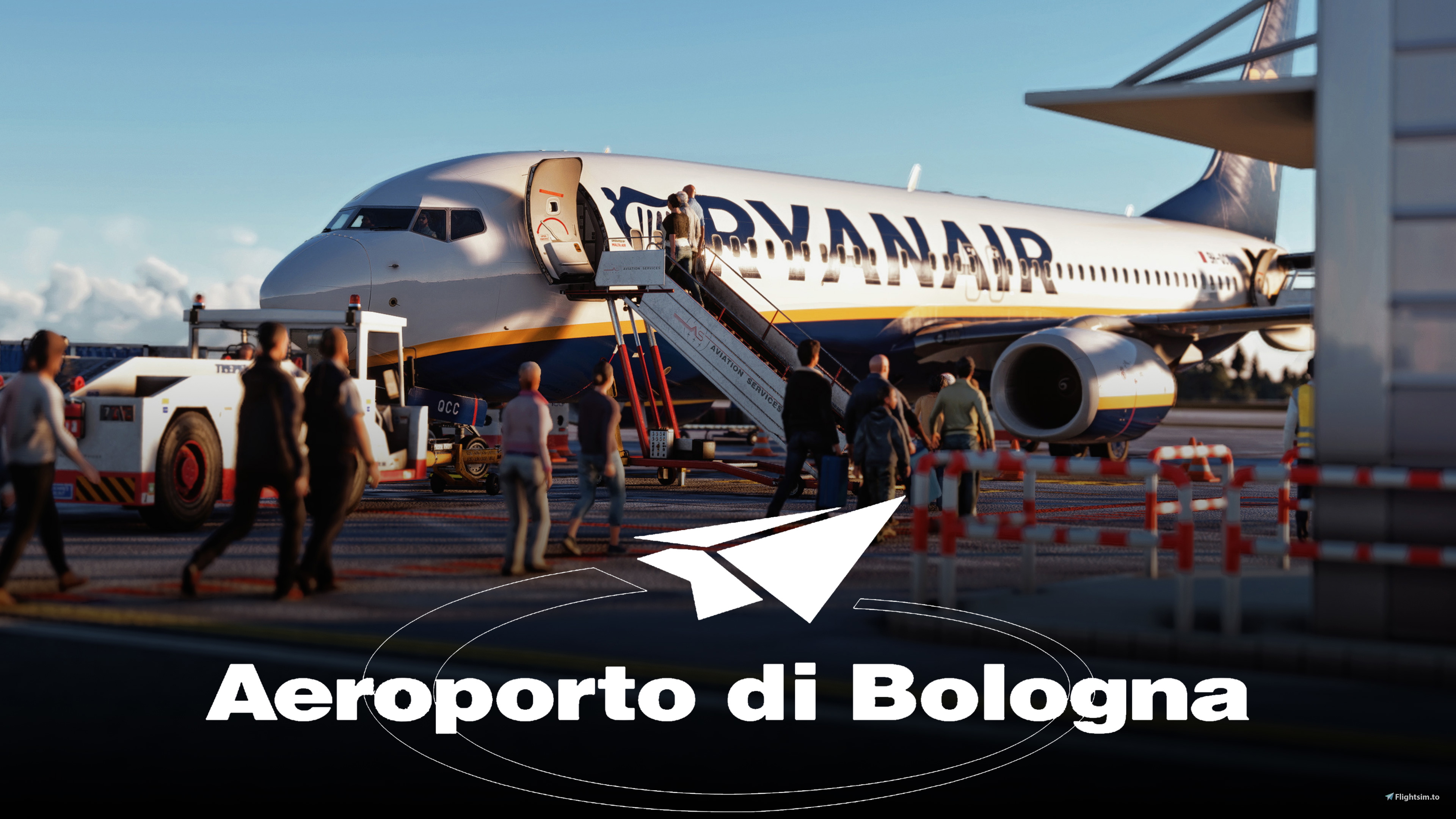
GSX Pro Profile for LIPE Bologna Guglielmo Marconi Airport by manuele
Summary:
The following gates have been fully customized for GSX Pro.
- Gate 105 (Large, bus boarding, custom parking and pushback)
- Gate 107 (Large, walk-in boarding, custom parking and pushback)
- Gate 108 (Large, walk-in boarding, custom parking and pushback)
- Gate 109 (Large, walk-in boarding, custom parking and pushback)
- Gate 103 (Large, walk-in boarding, custom parking and pushback)
- Gate 102 (Large, walk-in boarding, custom parking and pushback)
- Gate 217 (Large, bus boarding, custom parking and pushback)
- Gate 218 (Large, bus boarding, custom parking and pushback)
- Gate 219 (Large, bus boarding, custom parking and pushback)
- Cargo Ramp 114 (Large, walk-in boarding, custom parking and pushback)
Features:
- Custom vehicle positions for every GSX vehicle on all customized gates at the airport.
- Custom PAX walking paths with barriers and non, according to how they're used in real life.
- Every stand has been tested in the Fenix A320, the PMDG 737-800, the Aerosoft CRJ700 and the Virtualcol E195, gate 103 also with the 777-200ER.
- Custom parking spots, precise stopping positions and marshallers at every stand.
- Custom pushback to both directions (left and right) at all gates where available.
To install, simply extract the .zip file downloaded from flightsim.to and move the "lipe-zmc3xd.ini" file inside the following directory:
"Users\Username\AppData\Roaming\virtuali\GSX\MSFS"
In case you encounter any further issues or need help with the installation process, this video of "Easyjetsimpilot" very clearly and visually demonstrates how custom GSX profiles are to be installed correctly.
Known issues:
Due to the airport not having a custom AFCAD, the names of the gates inside of the GSX Pro menu differ from the ones on the sim map, and on the ground markings. Here's a conversion table to be used.
The first number refers to the real gate number, shown on the map, charts and ground marking. The second one refers to its GSX Pro number.
Gate 105 = Gate 14
Gate 107 = Gate 31
Gate 108 = Gate 32
Gate 109 = Gate 33
Gate 103 = Gate 29
Gate 102 = Gate 28
Gate 219 = Gate 27
Gate 218 = Gate 26
Gate 217 = Gate 25
Gate 114 = Gate 37
Commentaires(16)
Connectez-vous pour participer à la discussion
Se connecterabout 1 year ago
Devrait servir de modèle pour certaines scènes payantes.
Merci pour votre travail.
Good job, thanks.
over 1 year ago
about 2 years ago
over 3 years ago
over 3 years ago
same for me!
over 3 years ago
Unfortunately the same for me.............
about 3 years ago
His last post was from 7 months ago. I guess it´s not being updated any time soon
over 1 year ago
over 3 years ago
complimenti, curiosità è possibile fare l'aere de-ice nella zona opposita? è stato aggiornato gsx proora è possibile richederlo nella zona apposita. Grazie mille :)
congratulations, curiosity is it possible to de-ice the air in the opposite area?
has been updated gsx proora it is possible to request it in the appropriate area. A thousand thanks :)
over 3 years ago
This worked great, thank you!
over 3 years ago
Thank you!
almost 4 years ago
The default pushback does not despawn
almost 4 years ago
Because there's no way to do that with a GSX Profile, those are scenery assets that only scenery editors can remove.
GSX Profile - LIPE Bologna (Freeware)
GSX Pro Profile for LIPE Bologna Guglielmo Marconi Airport adds custom gate configurations for enhanced GSX Pro experience. It includes custom parking spots, pushback directions, and tested compatibility with popular aircraft models. Simply extract the .zip file and move the provided .ini file to enjoy the customized gates. Note: Gate numbers may differ from the airport map due to the lack of custom AFCAD.

Avis des utilisateurs
5 avis
More Information
Historique des versions
Aucun historique de version disponible.
Similaires
GSX Profile - A330-900neo (Headwind)
Enhance your ground handling experience with this GSX Pro Aircraft Profile for the Headwind A330-900neo. Customized doors, realistic ground equipment connections, and functional refueling and de-icing features await. Simply follow the installation instructions to enjoy perfect catering ramp connections.
par FlyingAustrian
GSX Profile - LIPZ Venezia (BEAUTIFUL MODEL OF THE WORLD)
GSX Pro Profile for LIPZ Venice Marco Polo Airport by BEAUTIFUL MODEL OF THE WORLD. This add-on offers fully customized gates for GSX Pro, with custom vehicle positions and PAX walking paths. Compatible with various aircraft including the Fenix A320, PMDG 737-800, and more. Installation is simple - just extract the .zip file and move the "lipz-b9hx5a.ini" file to the designated directory. Note: Custom pushbacks are not available yet, and gate names in GSX Pro menu may differ from sim map.
par FlyingAustrian

GSX Profile - B787-10 (Asobo)
GSX Pro Aircraft Profile for the Asobo Studios Boeing 787-10. Customize all doors and ground equipment connections with realistic precision. Features include refueling, de-icing, GPU connections, and catering ramp connection. Installation is easy - just extract the .zip file and move the folder to the designated directory.
par FlyingAustrian

GSX Profile - CRJ 900 (Aerosoft)
Enhance your ground handling experience with this GSX Pro Aircraft Profile for the Aerosoft CRJ900. Customized doors, realistic ground equipment connections, and precise bag loading procedures await you. Enjoy working refueling, de-icing, GPU connections, and perfect catering ramp connections in your flightsim adventures. Simply extract the .zip file and follow easy installation instructions to elevate your CRJ900 experience.
par FlyingAustrian
10 months ago