
Description
THIS PLANE IS NOT COMPATIBLE WITH MSFS2024 AND WILL NOT BE
BUT ALMOST ALL THE FEATURES (doors, tablet, cargo, pax) ARE AVAILABLE IN THE DEFAULT PLANES
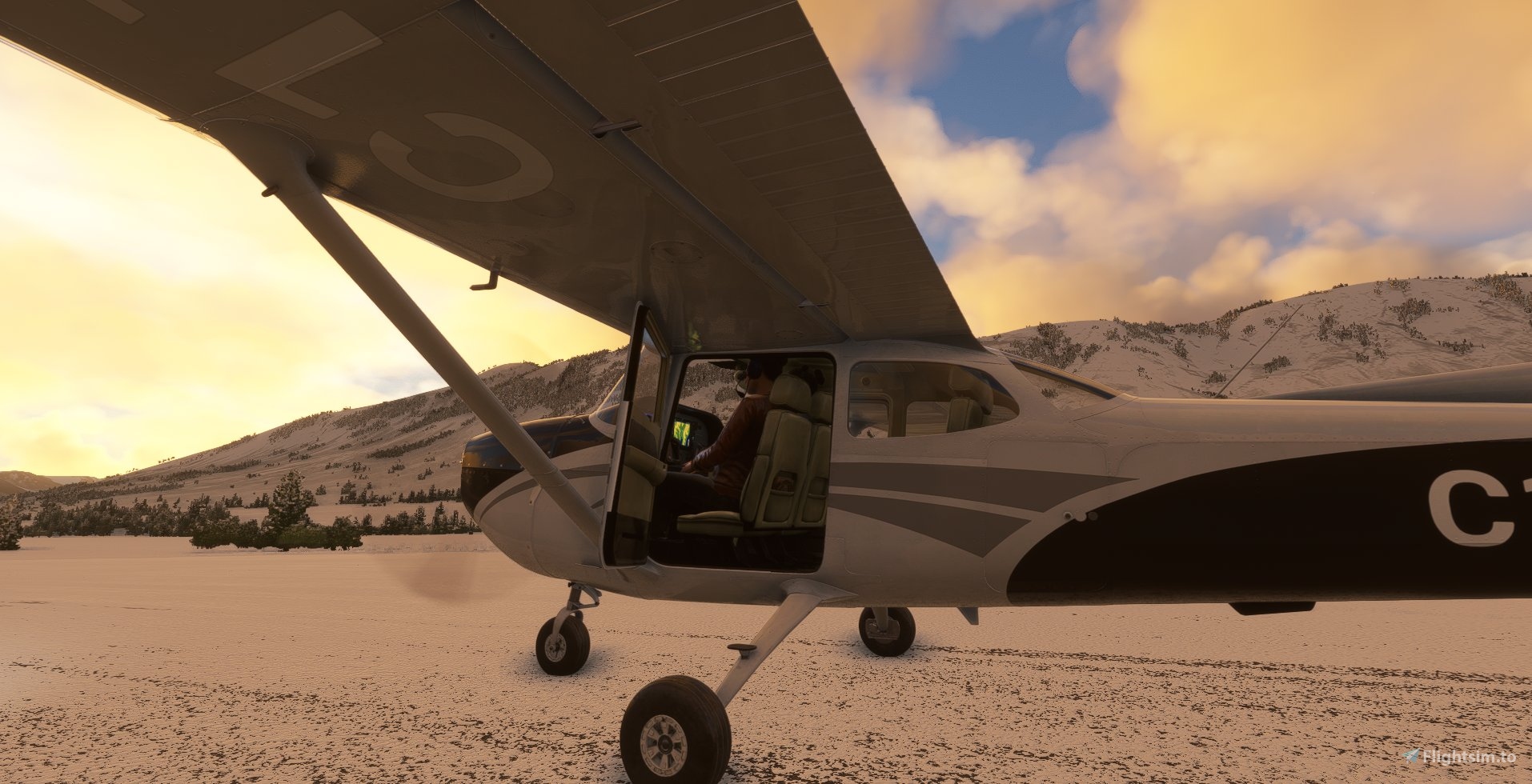
I'm happy to present you this mod over the ASOBO's Cessna 172SP Skyhawk AS1000 for MSFS 2020
(for the impatients asking about Classic gauge variant, please read until the end of theses notes or FAQ on this page)
(for thoses who have blank or unresponsive book/checklist/etc, see compatibility section and FAQ on this page)
What is it ?
It's an improvement of the default Skyhawk AS1000 from Asobo (one of the default planes). Interior animations have been made from the static model, custom objects have been added.
When installing this mod, it replaces the default Skyhawk AS1000 (no new plane in the hangar).
How do I install it ?
Like all other mods :
- remove previous version if there is one (in case some files are removed).
- drop it in your community folder.
- have a carefull look at the compatibility list
What's in this mod ?
TLDR : Vidéo demo for version 1.3.0
First of all you have an ingame mod manual :
- click on the Help message on the panel, on the left of the PFD.
With this mod you will be able to :
- Open the doors
- Open the windows
- Use the sun visors
You have 4 axes for the visors : 3 rotations and 1 slide
You will get customizations directly from the cockpit :
- A handbook on pilot's left compartment storage
Accessible when you look down : "checklist01" camera : CTRL+6
- Click on the book, you will get a page with clicable options (light is required in the cockpit)
- OPTIONAL FAIRINGS
You can show/hide the front and/or back wheel fairings
- WHEEL CHOCKS, TIE DOWNS, COVERS
You can park your plane with optional wheel chocks and tie downs (currently visual, no effect on mouvement yet)
- Set/remove external covers
- VFR Maps on a optional carboard on the yoke.
Currently displayed moving map sites :
SDOACI (FR)
- Hollo Flying maps (UK)
- VFR Map (USA)
- Map Geo admin (CH)
- Open Street Map standard maps (worldwide)
- currently no support for :
Openflightmap (work in progress)
- SkyVector (they made changes to be sure no one can integrate it like this)
- TABLET that can display external applications.
Currently supported :
PMS50 GTN 750 : to use it you need to install either the free or payware version
- Sky4sim NG : to use it you need to install sky4sim-os (located in the program folders)
- Neofly 3 neopad
- FS MCA (Mobile Companion App)
- VFR Map
- currently not supported
LittleNavMap (it makes crash to desktop every call even to simple image)
- PILOT & COPILOT BODIES
You can show/hide pilot and copilot in inside views. It does not affect external views
- Set pilote or copilote weight to zero if you want them to be hidden in external views
- PASSENGERS
You can show/hide left and right passengers in interior and exterior views.
- Set their weight to non zero to make them appear.
- CUSTOM SEATS CONFIGURATION
You can show/hide the front right seat and the back seats
- CARGO CONFIGURATIONS
If you have removed backseats, you can choose between differents setups in a dedicated page of the book
- You can unload cargo when you are on the ground
- STATE SAVING
You can have all the switches, levers, fuel tank levels, visors, doors and windows remembered
- It's an option, if chosen, state loading will occur at parking spot only. It will be partial in any other case.
- If you don't want it, plane will start as it usually does
- Update notifications : a postit on the panel warning you about available updates (on https://www.bagolu.com/ or https://flightsim.to/)
- Several static objects decorating the interior (bottles, bags, maps...)
You also have two new checklists tools :
- A checklist card
take it on the top of the panel, it will stay visible in the corner of your eye during the different phases of the flight
- no checkmarks, no hint, no automatic help : they're made to be read
- you can show/hide it from the options handbook
- A flip checklist box
to follow easily steps of your takeoff and landing phases and remember what you've done
- you can show/hide it from the options handbook
Compatibility
- NOT COMPATIBLE WITH MSFS2024
- WT G1000NXI mod is selected by default.
- This mod has been tested with the current version of MGouge425's Asobo C172SP AS1000 Realism Mod and fully compatible.
- This mod is compatible with Canadian Captain Moustache CCM mod for C172
- This mod has been made compatible by Boris Audio Works for his CESSNA 172 SOUND SET.
- This mod is compatible with Echo19 Sound pack 172 Precision Audio Pack.
- Existing Cessna Skyhawk AS1000 LIVERIES should be compatible
as long as the models are not overwritten in the livery itself. In this case, original interior/exterior will be used
- As long as the panel.cfg/xml are not overwritten (see FAQ if you have blank screens on checklist/book)
- As they have their own 3D models, asobo's liveries are not supported :
01, Aviatorsclub, kenmore, test pilot, xbox aviatorclub.
- B78XH mod was reported to cause side effects (it affects other planes too) but I have modified my code to avoid the problems.
- New Light mod conflicts with this one
- PMS750 mods : PMS G1000 replacement mod for MSFS C172 is not compatible (until they're updated to use "override_base_container ")
- WBSims classic mod is not related to this plane (it's for classic variant) : compatible
- My other C172 mods are not modified by this mod, but they still work :172 Bush kit, 172 Taildragger kit, Amphibian 172, AngleOfAttack 172
- in a word : if you have blank or unresponsive controls or books or instruments, you've got an incompatible mod or livery installed.
AS1000 variant ? Classic Gauges variant ?
This mod is made from Asobo's Skyhawk AS1000 thanks to Games content usage rules : 3D model has been imported in Blender, modified and exported to build this mod.
There will be no classic gauges mod based on Asobo's Skyhawk model as it is :
- encrypted (after SU10, only cfg files are available)
- part of MSFS Premium (not redistributable as is)
A full build of the cockpit from scratch has been made for the Reim Rocket variant. The plane has the same kind of features than this one (and more)
Credits
Thanks to Cessna2807, Ann0v, Pops738, xvx45 for the tests and debugs, fixes...
Other mods
check also my other mods : https://flightsim.to/profile/bagolu
I hope you'll enjoy this mod and take more pleasure in your future flights !
Happy skyhawking !
Questions fréquemment posées
Cessna 172SP Skyhawk AS1000 improvement
Asobo Skyhwk AS1000 improvement patch with state saving, opening and closing doors and windows, working sunvisors, configurable removable fairings (front and back), optional parking wheel chocks, removable interior seats, checklists systems (cards and flip box) and more to come

Contributeurs
Soutiens

Nandando
€30

DeadZone44
€27

lexthehex
€20
wohawa
€20
Proffen
€10
Scott001
€10
BRIFFOX
€10
wjnoordhuizen
€10
nrthstar1
€10
Woolfold
€10
Lolo4Fly
€10

Simhanger
€10
ravenriver
€10
VT_Goding
€10
alainmax23
€10
gpannell
€10
sergio1
€10
jonecox
€10

kenweaver
€9
plinux24
€8
SIMFAN2
€7
Josette
€6
NIIJOE
€5
ordmech
€5
AceRodrigo
€5
mikemikemike111
€5
ctafabrice
€5
PhvB
€5
ss3rnd
€5
dhhume
€5
Gert
€5
schulzkroetmp
€5
ChrisOak
€5
didac
€5
normanh2
€5
Gwilym53
€5
TJ_Turner
€5
ordmech
€5
hdbothe
€5
Puponer
€3
rokal
€3
CFSNJ
€3
mattball
€3
HardyL
€3
Septimosama
€2
Jotaeme2099
€2
Avis des utilisateurs
146 avis
Historique des versions
Fix : - GTN750 on tablet works again (bug reported by Jim B.) - Book and tablet animations adjusted
Similaires
FR172 REIMS ROCKET / CESSNA R172 HAWK XP II
The Reims Rocket and the Cessna XP Hawk II are variants of the Cessna 172 model with a powerfull 210HP engine capable of short takeoffs and quicker climbs. This mod adds a new plane to your hangar with a lot of options and customizations. A sky diving setup is also available.
par bagolu & MBX Aviation
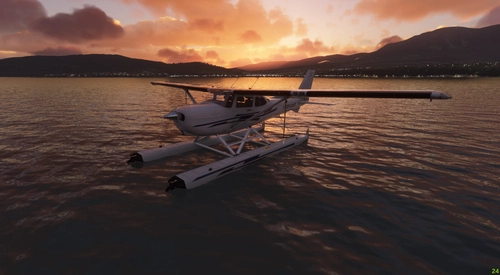
Cessna 172 Amphibian
A versatile and powerful addition to your aircraft collection, the Cessna 172 Amphibian mod brings unique features such as floats, retractable landing gear, and increased flaps angle. With liveries included and modifications to the flight model, experience enhanced sea and ground landings in Microsoft Flight Simulator. Explore new seaports and stunning locations for a refreshing flying experience with this meticulously crafted add-on.
par bagolu
Cessna 172 Tail dragger
Experience the Cessna 172 Skyhawk Tail dragger in Microsoft Flight Simulator with V.3.0.0 update. This mod features a powerful Lycoming 210HP STC engine, enhanced cockpit settings, 3D model modifications, flight model adjustments, and a variety of liveries to choose from. Download now and expand your virtual hangar with this realistic and detailed aircraft add-on.
par bagolu
Cessna 172 Bush Kit
Discover the Cessna 172 Bush Kit, a powerful addition to the Skyhawk family featuring a Lycoming 210HP STC engine upgrade. This mod enhances the original Asobo Skyhawk with modifications to the 3D model, flight model, cockpit settings, and liveries. Experience improved bush wheels, Sportsman STOL Camber Cuffs, increased flaps angle, and more with this versatile aircraft add-on.
par bagolu
Connectez-vous pour participer à la discussion
Se connecterCommentaires(755)
about 4 years ago
============================================================
BLANK PAGES problems and UNCLICKABLE ITEMS are discribed in FAQ and in the description of this page and have been asked MANY times here, please read !
============================================================
I recommend MGouge425's Asobo C172SP AS1000 Realism Mod as a complementary mod for a model closer to POH :
https://flightsim.to/file/43049/asobo-c172sp-as1000-realism-mod
============================================================
This mod has been made compatible by Boris Audio Works for his CESSNA 172 SOUND SET. It brings high quality sounds to the plane !
============================================================
If you have suggestions for the moving map sites displayed on the cardboard, leave me a message.
============================================================
As a frequent question, I will not be working on C172 classic (gauges)
XML files and 3D models are still encrypted after SU10, (only .cfg files have been) and anyway it would not be possible to deliver the plane freely nor to limit to MSFS premium users.
============================================================
Happy skyhawking !
9 months ago
10 months ago
I cannot live without save state.
12 months ago
12 months ago
To be honest, MSFS DEV has become a pain for me with 2024 when it was a pleasure with 2020...
about 1 year ago
about 1 year ago
about 1 year ago
about 1 year ago
What livery are you using ?
about 1 year ago
about 1 year ago
about 1 year ago
about 1 year ago
over 1 year ago
Happily I can now report that without me doing anything this problem has mysteriously gone away on its own, as suddenly as it arrived . Possibly a sim update or something fixed it. Who knows.
over 1 year ago
over 1 year ago
I only changed the visuals in this mod, all the logic is native to the original Asobo plane (or performance mod, if you use one)
over 1 year ago
its been awhile I've seen you :)
I'm trying to use your mod with the G1000 172 but there's no difference in appearance, I've removed all mods that may be conflicting and I still don't see anything so not sure what's going on with that. Any suggestions?
over 1 year ago
With default livery ?
over 1 year ago
Update: I removed all the addons for the 172 except for your improvement mod and the custom sound for it that's it and its still not working for me, so I'm not sure what I'm missing :(
over 1 year ago
over 1 year ago