

Description
!!!!! IMPORTANT YOU WILL NEED A FULL VERSION OF
SIMINNOVATION AIR MANAGER 4 !!!!!
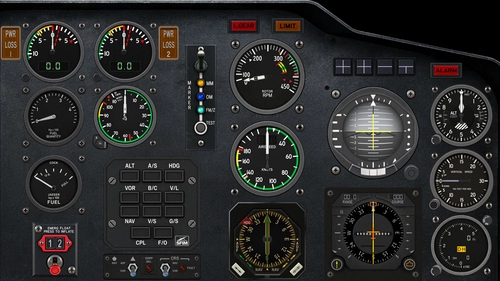
Working Panel for the Hype Performance Group Airbus H-145 (Alpha 340x)
including following instruments
- 2 Helionix MFD Overlay
- GTN 750 Overlay
- Warning Unit
-Engine Panel
-Overhead
-Autopilot
-Upper Overhead
Overhead : Almost all switches work (exception HISL due to an LVAR and HEVENT Error) , depending on setup some switches are hidden, Add : Potentiometers
Upper Overhead: Top Part of the electrical system in the overhead Panel (BUS TIE and Generator)
Engine Panel - FADEC LIFT GUARD LVAR not yet implemented
Tablet Instrument: This instrument is in early development, currently 3 pages are working. Please start the instrument only after the Helicopter has been loaded or else it will not work correctly.
Currently all non-military versions have been included with an almost completetely fully working Crew and Equipment Page (99% identical to the original Tablet Page), an Options Page regrouping multiple Options from different pages of the original Tablet, and an Operations Page for which currently the Hoist / ATC and Rotor Brake should work (more to come)
Currently the Tablet is standalone and a separate Panel has to be created in order to make it work (not integrated in the other Panel Page)
A Installation guide will follow later on, but reading Air Manager will help in 99% of the cases to make it run
The Instruments have been developped in cooperation by Alexander Hildmann (catflyer38 on Siminnovation forum) and Olivier Ludig (LuxRedLion on Siminnovation Forum)
Please do not redistribute or modify code without our authorization
In the future following panels are planned8)
-High Intensity Light Panel[in dev]
-Night Instruments [in dev]
-Missions PAge [poc]
-Weather Radar
Questions fréquemment posées
H-145 HPG Air Manager Instruments
Air Manager Instruments and Panels for the HPG Airbus H-145 Helicopter, Including Helionix MFD, Engine Panel,m Warning Unit, GTN750, Upper Overhead Panel and a Tablet. These instruments are in Alpha Stage and currently developed by Alexander Hildmann and Olivier Ludig


Avis des utilisateurs
2 avis
Historique des versions
-- Feature : new instrument : Ipad with currently 3 Pages : Crew & Equipment / Options / Operations.
Connectez-vous pour participer à la discussion
Se connecterCommentaires(23)
13 days ago
Also instruments for controlling the hoist and Carls radio is included.
I will update the new instruments directly to the Air Manager repository, you can then download them via the Air Manager download dialog.
Regards Alexander
3 months ago
Is this project still alive and will receive some updates ? Could we help to work on enhancements ?
5 months ago
8 months ago
I've started learning how to develop panels in Air Manager. I have a long path.
11 months ago
about 1 year ago
11 months ago
over 2 years ago
almost 3 years ago
Are you still supporting this addon? The AM autopilot control panel buttons persistently displays a state of "OFF" regardless of the actual state for the button. Pressing the button does toggle the LVAR, but the AM panel button does not update between on and off. Can you supply a fix?
Thanks
almost 4 years ago
Hi, I've installed and tried this panel - fantastic work !
Just, I have a "not available" instrument that I can't find, do you please have any idea of what is missing ?
about 4 years ago
Ok, I downloaded this file, and I purchased AirManager.
how do i get the h145 panel in airmanager.
about 4 years ago
Can I update to version 340?
about 4 years ago
yes it works, an updated version will follow in a few days
about 4 years ago
thx,good job。
about 4 years ago
Thank you for this! Only can't get the warning panel to work. Air Manager says 'Image not found'.
about 4 years ago
Download the files again, I forgot to add the Warning Instrument
about 4 years ago
Really nice!!! Enjoy it with outside instrument display.
hope can continue complete the function.
about 4 years ago
I forgot the warning panel, they are now included in the new upload
about 4 years ago
you need to import the instruments and create a panel. In the next version I will provide a panel as well
about 4 years ago
can you please provide some instruction hot to access / load this product into air manager?