

Description
Greetings,
Here is my interior makeover for the Flysimware Cessna 414AW Chancellor.
Special thanks go to Raller, Archer374, SteveDra, and GamingCat for their contributions,
as many of the elements used in this makeover have been based on texture files they originally produced.
Details about the interior:
- The interior wood and trim is Mahogany, including the table inlays.
- The seats are all beige, including the pilot and co-pilot seats in the cockpit.
(Special thanks to "GamingCat" for the main cabin seat texture files on which these were based).
- The headreasts have the embossed "Chancellor" logo on them. (Special thanks to "Raller" who I believe originally created this)
- The carpet is beige, and the texture is from the "Beige Carpet mod". (Special thanks to "SteveDra" for this)
- The pillows are from the UK Amanda Clark moon-gazing hare collection. (Special thanks to "GamingCat" for these).
- The curtains are an orange-brown color with dark brown ties that are similar in color to the mahogany wood.
- All the lower cabin wall trim is a medium redish-brown to better coordinate with the mahogany wood trim.
- The instrument panel, left switch panel, and right circuit breaker panel are all tan in color.
(I personally prefer a tan panel because it makes the black faced instrument gauges stand out better.
Special thanks to "Archer374" whose black / gray panel texture files were helpful in identifying what areas needed to be changed)
Installation:
Put this mod folder into your Community folder.
Note that this mod will change all Cessna 414 Livery interiors, and will conflict with other 414 interior mods.
(You can only have one interior mod installed at a time.)
Credit and thanks to Flysimware for the wonderful plane.
Original textures created and owned by Flysimware. All rights reserved.
Flysimware Cessna 414AW Mahogany Interior Mod
Enhance your Flysimware Cessna 414AW experience with this Mahogany Interior Mod. Featuring a rich mahogany wood trim, beige seats, and intricate details like embossed logos and unique textures, this mod transforms the interior of your aircraft. Install the mod easily into your Community folder to enjoy a completely revamped cabin ambiance. Special thanks to the contributors Raller, Archer374, SteveDra, and GamingCat for their valuable contributions to this makeover.


Contributeurs

Raller
Raller created the "Chancellor" embossed logos on the headrests. They look very realistic and add a very nice touch to the interior of this aircraft.
Archer374
Archer374 published some mods to change the panel color of this aircraft to black and / or gray. His files were useful for identifying which areas in which files needed to be changed.
SteveDra
SteveDra published the beige carpet textures. I incorporated these into my interior mod, since they coordinate much better than the original Flysimware burgundy carpet.
GamingCat
GamingCat produced interior textures that were used as the basis for my interior. I used her beige seat textures but changed the wood trim to mahogany. I also used her UK Amanda Clark Pillows and Coca-Cola cups, which added a very nice touch.
Avis des utilisateurs
2 avis
Historique des versions
This update adds compatibility with MSFS 2024.
Similaires
Cessna 172 Skyhawk N80991 (Aviation101)
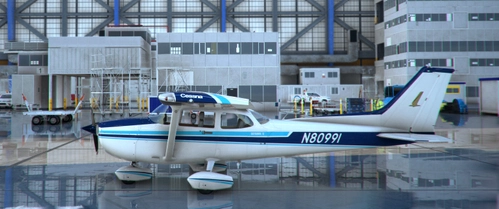
This is a repaint of the Classic and G1000 versions of the Asobo Cessna 172 to represent N80991, which is owned and operated by Josh Flowers of Aviation101. The Classic version interior more closely matches the interior of the aircraft prior to his panel and interior updates. The G1000 version updates the seats to the Grey and White colors he chose when he updated the panel and avionics.
par Henkerhaus
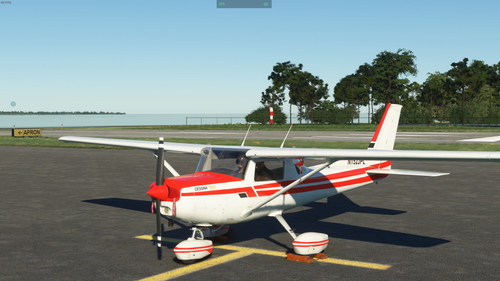
WBSim Cessna 152 II White w/Red Stripes Liveries
This add-on provides white with red stripes liveries for the WBSim Cessna 152 aircraft. The exterior features black accents and a C152 II design, while the interior boasts camel tan leather seats and light brown carpeting. Installation is straightforward, requiring placement of the package folder in your Community folder.
par Henkerhaus
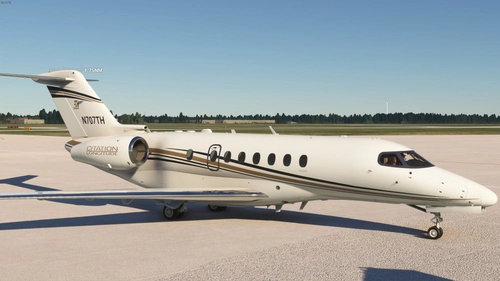
Cessna Citation Longitude N707TH
A beautifully crafted repaint of the Cessna Citation Longitude, featuring a white exterior with black and gold stripes, complemented by a warm tan interior theme. From the seats to the cabin walls, every detail exudes luxury and elegance, creating a cozy atmosphere for your flights. Simply drag and drop to your Community folder for easy installation. N707TH brings a touch of sophistication to your virtual cockpit experience.
par Henkerhaus
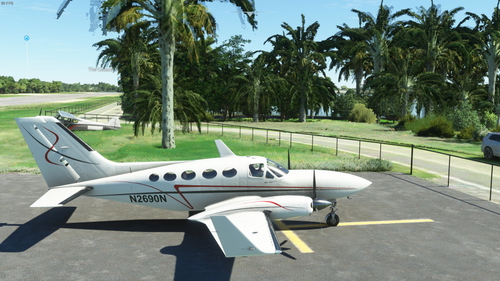
Flysimware Cessna 414AW Chancellor - N2690N
A refined livery of the Flysimware Cessna 414AW Chancellor - N2690N by GEEKLE, featuring the US registration N2690N. The updated artwork includes smoothed out stripes for a cleaner look. Permission to release this version was obtained from the original creator.
par Henkerhaus
Connectez-vous pour participer à la discussion
Se connecterCommentaires(21)
about 1 month ago
mod_flysimware_Cessna_414_Mahogany_Interior
When you unzip the downloaded .zip file, it's inside the unzipped folder. For some reason, Flightsim.to puts the package folder inside another folder and then zips it up. You have to open the unzipped folder to get to the actual package folder.
about 1 month ago
When I extract it, there's only one folder!
The actual mod folder.
about 1 month ago
about 1 month ago
about 1 month ago
about 1 month ago
The mod causes a purple cockpit error on all versions of the 414, ranging from the default to external liveries.
That's a real shame, because I thought it was great.
about 1 month ago
over 1 year ago
over 3 years ago
I'm not seeing it. I have only the default 414, latest version, and no other addons. Mine actually has the mirror in the back.
over 3 years ago
the mod doesn't work for me either :(
over 3 years ago
I reinstalled the plane to the most recent version, 4.1.3 and still not working on my end.
over 3 years ago
Some additional testing done. I removed all addons from my community folder except for the base plane and this mod. Does not work on my sim.
over 3 years ago
Please read the Changelog. Ver 2.0 is ONLY for the current Marketplace release, which is v4.0.1 (which is not the latest release from Flysimware). Ver 1.0 release of this mod should work with versions later than 4.0.1
over 3 years ago
Ahhh, understood. Thanks for the heads-up on that.
almost 4 years ago
Fits well to a red livery, nice choice of colors. Maybe the markings wear from the left console is little bit too much, it makes some markings barely readable. And then, if you know your bird it's not a biggy :-) Nice work, thank you.
almost 4 years ago
Agree and thanks. Would really like if something could be done for the left switch panel...basically unreadable.
Garry
almost 4 years ago
I agree that with the beige panel it would have been better to have had black text so more readable, but I have no control over the panel text color, that I'm aware of. Sorry.
almost 4 years ago
No problem, thanks.
almost 4 years ago
I think the panel text is located in the file C414_INT_TEXT_ALBD.PNG.dds
over 3 years ago
I looked at the file and I think that you're correct. Thanks for the clue!
Unfortunately, it appears that changing the color of the text will be a substantial, tedious effort. I don't see any easy way to select all the white text and globally change it to black, plus the text has numerous deliberate wear artifacts. It will likely have to be fixed by hand, literally character by character in two passes... once for the White parts of the letters, and then again for the wear artifacts. (A lot of work!)