

Description
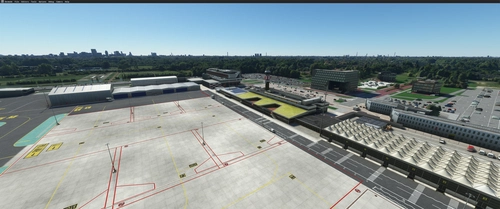
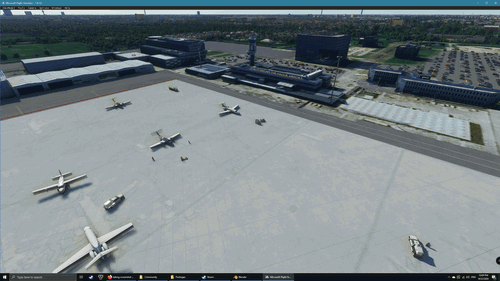
I adjusted the parking and taxiways of the default MSFS Deluxe Rotterdam-The Hague Airport (EHRD).
The following changes were made:
- Corrected gate numbers, size and heading.
- Added parking code to some gates.
- Addes general aviation parking spots.
Made with ADE2020.
Installation: simply drop the folder 'EHRD-Rotterdam' in your 'Community'-folder.
Location
EHRD - Rotterdam The Hague Airport parking
Enhance parking and taxiways at Rotterdam The Hague Airport (EHRD) with this add-on. Changes include corrected gate numbers, sizes, and additional parking spots for general aviation. Compatible with ADE2020, installation is as easy as dropping the folder into your Community folder.


Avis des utilisateurs
1 avis
Historique des versions
Aucun historique de version disponible.
Similaires
Rotterdam The Hague Airport, Rotterdam Netherlands - EHRD V1.01
Enhance your flight experience with this scenery add-on for Rotterdam The Hague Airport (EHRD) in the Netherlands. This mod includes improvements such as removing foliage from the terminal, cleaning up the water nearby, and adding a new airport fire station. Version 1.01 now features 3D greenhouse models located just north of the airport.
par FreakyD
EHRD v1
Enhance your virtual experience with EHRD v1, a work in progress Rotterdam the Hague Airport add-on for Microsoft Flight Simulator. This placeholder scenery includes night lighting on most buildings and aims to replicate the real-life structures and vehicles from Google Maps. Stay tuned for updates as the developer continues to refine and expand the detailed airport environment.
par MrResetti
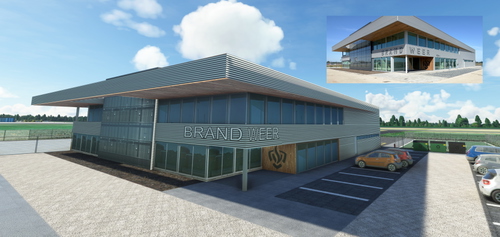
Netherlands - EHRD - Expansion part 1 - New Firestation v1.0
Enhance Rotterdam Airport in Microsoft Flight Simulator with a new, handcrafted firestation modeled after the real-life building that opened in September 2020. This detailed scenery add-on includes custom textures and is designed to seamlessly integrate into the existing MSFS 2020 Rotterdam Airport. Stay tuned for future expansions from the creator, Geraldar98, and show your support for their freeware contributions to the flight simulation community.
par Geraldar98
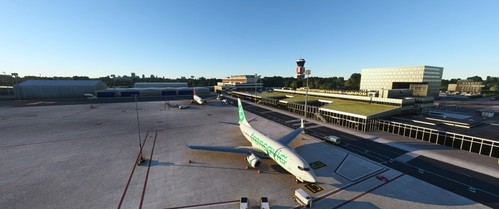
Remove trees Rotterdam EHRD
This add-on for Microsoft Flight Simulator removes misplaced trees at the EHRD terminal in Rotterdam, as well as on the rooftop terrace of the Erasmus MC. Simply unpack the folder into your community folder.
par Kaasboerrke
Connectez-vous pour participer à la discussion
Se connecterCommentaires(4)
over 2 years ago
almost 4 years ago
Good work, hope someone will make a good GSX profile for it.
One remark, please remove the refueling in front of the JetCenter, and make it into a parking for medium bizzjets, facing West. Taxi in position.
On second look: Seems the appron textures are now missing or mixed up?
Could you check also if you have included ground polygones in your modified file?
almost 4 years ago
I’ll look into the refueling in front of the Jet Center. Should be in front of the hangar west of the Jet Center.
Which apron texture are missing? I left them untouched from the original FS version.
almost 4 years ago
The main apron for example, the lines are not in line with the parkings anymore. Also lot of lines (red etc) are missing on the appron.