

Description
iniBuilds Airbus A310 Blender Ready To Paint
It's just iniBuilds Airbus A310 Blender Paintkit !
Wish you make great liveries with it ;)
iniBuilds Airbus A310 Blender Ready To Paint
Create custom liveries for the iniBuilds Airbus A310 with this Blender paintkit add-on. Unlock your creativity and design unique liveries for this classic aircraft.

Avis des utilisateurs
3 avis
Historique des versions
Aucun historique de version disponible.
Similaires
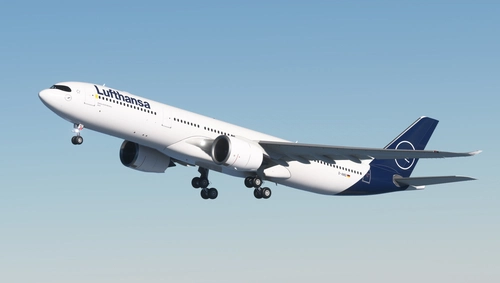
Lufthansa A330-900 Neo - 8K
Experience the stunning 8K quality of the Lufthansa A330-900 Neo livery in Microsoft Flight Simulator. Join one of Europes largest airlines on your virtual flights with this meticulously detailed add-on. Follow simple installation steps and take to the skies with this homage to one of the founding members of Star Alliance. Embark on your flights with the iconic Lufthansa livery, created by aaMasih (Ali Sadeghi).
par aaMasih
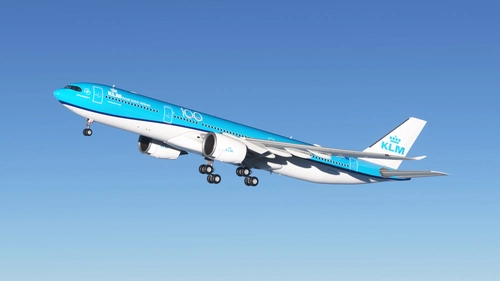
KLM "100 Years" A330-900 Neo - 8K
Celebrate KLMs 100 Year Anniversary with this stunning 8K livery for the A330-900 Neo. Immerse yourself in the iconic colors of the flag carrier airline of the Netherlands in Microsoft Flight Simulator. Simply follow the installation steps to enjoy this tribute created by aaMasih.
par aaMasih
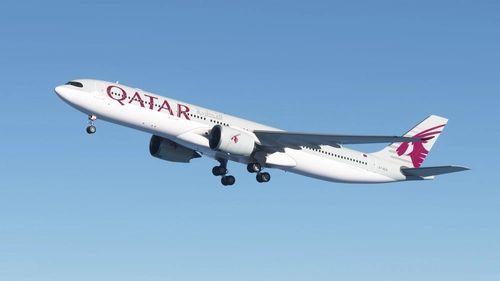
Qatar Airways A330-900 Neo - 8K
Qatar Airways A330-900 Neo in stunning 8K resolution, showcasing the 2006 livery of the state-owned flag carrier of Qatar. Immerse yourself in the detailed recreation of this airlines hub-and-spoke network, spanning over 150 destinations worldwide. Simply follow installation steps to enjoy this high-quality livery by aaMasih. Join the Flight Simulator community and explore the skies with this beautifully crafted add-on.
par aaMasih
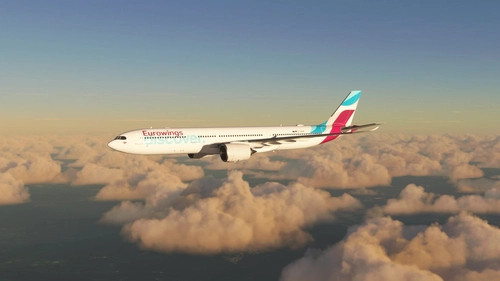
EUROWINGS DISCOVER A330-900 Neo - 8K
Experience the <span style="color: #8f174f;">Eurowings</span> <span style="color: #7bcbe2;">Discover</span> A330-900 Neo livery in stunning 8K quality. Fly with this German low-cost carriers iconic design in Microsoft Flight Simulator. Installation is easy - just unzip, place in your community folder, and take off to explore the skies. Created by aaMasih (Ali Sadeghi) for the flight sim community.
par aaMasih
Connectez-vous pour participer à la discussion
Se connecterCommentaires(8)
over 3 years ago
Thank you!
almost 4 years ago
Just a .blend file with all parts imported into (and not correctly placed), without textures. No efforts.
almost 4 years ago
That's how you get it from the iniA310 .gltf file. Not everything like wings are in the right way.I made other parts like wings hidden to be uncomplicated to deal and easier to paint main parts like engines and the fuselage
As I mentioned before It's just a normal blender paintkit where you choose your desired texture size and then paint on it and after the painting you mask your painted textures on a PSD paintkit or a white livery and that's how it works.
almost 4 years ago
Doesn't seem to be working, could you check please?
almost 4 years ago
This isn't working. When I open in blender painting it is off scale and it paints other parts when I paint the tail. Other than that It opens up
almost 4 years ago
Brilliant!
almost 4 years ago
You forgot to add image texture nodes so it can be painted on
almost 4 years ago
how did you make this