

Description
* Please note that this addon has been merged into the "VHHX Kai Tak Enhancement for Asobo/Gaya SU11" addon by TMongun, please get the updated one here*
The stock Kai Tak Airport just looks absolutely fantastic, but there are some problems with it. The position and elevation of both localizers are pretty wrong, while it is undoubtly dangerous to follow the glideslope of IGS 13, which is much below the real one, and the localizer of ILS 31 is wrongly placed in conjunction with the glideslope. Also it is unable to acknowledge taxi instructions while the aircraft is on the parallel taxiway (i.e. only "say again" option is available). This addon primarily fix these problems, as well as the following extras have been added:
- SIDs and STARs (When I digged into my old archive for the charts related, there are several different versions for them so the one I've coded may be different with the charts you've found somewhere). Note that most of the legs are DME and intercept based so it depends on your aircraft for whether the procedures could be correctly performed or not. I only tested them formally on flybywire A32NX.
- Clearance delivery frequencies are added
- Complete instrument approach procedures have been coded, rather than just leaving the 2 localizers. IGS 13 is named LOC 13 due to limitations of the sim (LDA 13 should be a closer match but the FMC failed to load the frequency by itself when inbound if it is so called). The even more "old school" and challenging VOR and NDB approaches are also added, but you're discouraged to perform them at night, unless you're very familiar with the landscape of Hong Kong
- Cheung Chau VOR (CH) is fully functional as a high power DVOR (it is only a DME in the sim)
- The "checkerboards" are now lighted, although the lights doesn't turn on unless you're very close to it so don't rely on it at night
Please note that this addon is used with the stock Kai Tak Airport comes with SU11 only. Also, the take off and approach paths are highly overlapping with those of the current Chek Lap Kok Airport (VHHH), you'll be very likely to experience near miss at some point if you've turned live traffic on. The path of the IGS 13 localizer does not perfectly colinear with the lead-in lights (which I don't know if it was the same as real case), turn autopilot off and make a slight right turn after you've passed DME 2.0 to get aligned with them.
You are also recommended to download these addons for an even more better experience to Kai Tak:
* You don't need this mod if you're already using the Kai Tak Aiport scenery by any 3rd party developers, or you have subscribed 3rd party global navdata from vendors like Navigraph *
--
Welcome to subscribe my channels for MSFS live game-play:
https://www.youtube.com/channel/UC21efZOlIujoYpzzCGoiYfQ
https://www.twitch.tv/kychungdotcom
Dépendances
Location
Kai Tak Intl. Airport (Stock Version) Navdata
Enhance your stock Kai Tak Intl. Airport experience with this addon that fixes position and elevation errors, improves instrument approach procedures, and adds functional features like SIDs, STARs, and lighted "checkerboards." Note that this mod is designed for the stock Kai Tak Airport in SU11, complemented by additional suggested addons for a more immersive experience. Please be cautious of overlapping flight paths and near misses with live traffic.
Téléchargements suspendus
Le créateur a temporairement suspendu les téléchargements pour cet add-on. Veuillez réessayer plus tard.

Avis des utilisateurs
3 avis
Historique des versions
1. Revised courses for SIDs and STARs 2. Magvar adjustment for "CH" VOR 3. Localizer antenna object for IGS 13 approach has been placed
Similaires
Paro Airport (VQPR) Remake with Restored RNAV Procedures
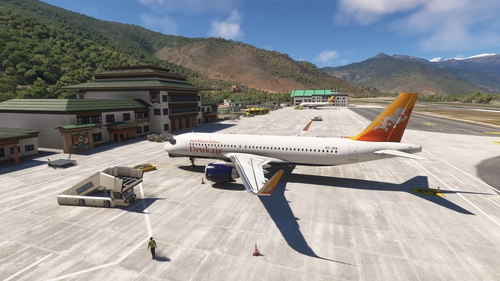
Discover the enhanced Paro Airport (VQPR) and nearby landmarks with this addon. Experience updated runway, apron, and taxiway layouts, as well as revised parkings for improved realism. Enjoy a detailed tutorial and separate navdata and scenery files for enhancing your flight simulation experience
par kychungdotcom
FHSH - St. Helena Airport
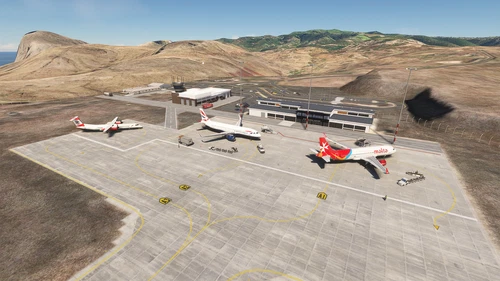
St. Helena Airport (FHSH) offers a detailed representation of this unique airport, known for its challenging approaches and distinct geographical features. The add-on includes handcrafted terminal and tower buildings, as well as three documented approaches.
par kychungdotcom
Pokhara Intl. Airport (VNPR)
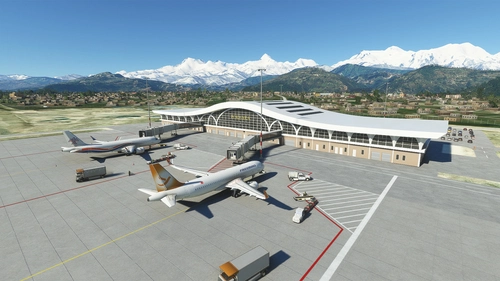
Explore Pokhara International Airport with this handcrafted scenery mod, featuring a custom terminal building.
par kychungdotcom
VGHS - Dhaka (Hazrat Shahjalal) Intl. Airport
Hazrat Shahjalal Intl. Airport add-on for Microsoft Flight Simulator offers handcrafted buildings, precise runway placement with ILS localizers, and revamped taxiway system with corrected names. This enhancement includes detailed elements like airport gardens and car parkings, taxiway signs, and custom paint elements for a more realistic airport experience. Regular updates are expected as the airport progresses, making it a must-have for virtual pilots.
par kychungdotcom
Connectez-vous pour participer à la discussion
Se connecterCommentaires(30)
over 3 years ago
When will this add on come to the Xbox Version?
almost 4 years ago
Thank You!
almost 4 years ago
Thank you for this mod, Kai Tak is my favorite airport. One point: it may be my system but the lead-in lights to 13 are very dim and do not show up until I an almost directly above them, they should be visible for several miles out on the approach. Is there something that can be done about this?
Thanks,
Dave
almost 4 years ago
I also noticed the problem you said, but it is about how the sim handle LOD for scenery objects, while I have no control over it.
over 3 years ago
Try using the additional addons mentioned in the description. Makes a big difference.
VHHX Kai Tak Approach Lights Expansion
https://flightsim.to/file/47202/vhhx-kai-tak-approach-lights-expansion
(VHHX)Hong Kong Kai Tak city
https://flightsim.to/file/21535/hong-kong-kai-tak-airport-cars-removal
almost 4 years ago
I have posted my Kai Tak flight plan pack using your VHHX Kai Tak addon as reference with credit.
https://flightsim.to/file/45311/vhhx-kai-tak-hong-kong-flight-plan-pack
almost 4 years ago
Hi I have been working on my VHHX flight plan collection and noticed some issues.
1) Departure runway 31 procedure there is a waypoint D0 (Delta Zero) that appears midway along the runway after take off so aircraft would make a 180 degree turn at the end of the runway and fly back to D0.
1B) The flight altitude of waypoint D2 of departure for runway 31 is set at 11,000ft. I think this was meant to be 1100ft. (If you created altitude settings).
2) In the NDB 13 approach during various arrivals the path goes to CH first then CC resulting in nearly 180 degree turns (ie SABNO 13) and fly a Z pattern in most cases. CH forms part of the arrival (green) CC is beginning of approach (purple). It actually works better to choose r31 arrivals (ie SABNO 31) with NDB 13. From my reading of the charts CH or CC is used but not both at the same time.
Sorry for the headaches. I haven't flown the routes yet so I don't know if they have any impact on aircraft flight. I do prefer LOC13 and ILS31 which I think most people will use.
Thank you for all your work it is great to have the procedures for such an iconic historic airport.
almost 4 years ago
It sound like that the D0 or D2 you said are the generated points on the fly, are you flying the stock A320 or 747-8?
The NDB approach is in fact something ancient, after Cheung Chau DVOR commenced operation, CC is only kept as a backup for CH. Since the VOR approach is very rare to be performed as it would interfere with aircraft performing IGS approach (stated in some of the charts found), I doubt the NDB approach has ever been performed after VOR and IGS approach have been developed. According to the charts about SIDs and STARs, some of them stated that CC is only used when CH is not serviceable, if you want to try the NDB approach, you may just "direct to" CC and skip CH in the FMC of your aircraft when you are heading to it.
For the altitude constraint, according to the SID for Runway 31, the actual constraint is that you need to fly not above 11000ft within D50 from CH, except that you need to fly into exactly 11000ft when you reach TP NDB, but it is very easy to climb into that altitude for open climb unless your aircraft is taking off near MTOW.
almost 4 years ago
Hi. Re VHHX the take-off procedures were in the TBM 930 and King Air. I have also flown in and out using the FBW a320neo with your mod activated. The LOC 13 arrival works well and following the landing lights was easier than I thought it would be. Doubt I will ever actually use the NDB approach.
almost 4 years ago
Got it, I've modified the departures for Runway 31, adding "RW" NDB as a compulsory waypoint, the problem should be solved. However, it is more safe to fly manually until you reach "SC" NDB to ensure you have full control on climb rate.
almost 4 years ago
Looks very nice, I am wondering, if I am using Navigraph, will I still get the CH switch from DME to VOR-DME?
almost 4 years ago
You don't need this addon if you are subscribing Navigraph, as someone pointed out that the instrument procedures for Kai Tak Airport are still present in Navigraph database
almost 4 years ago
Hi, thank you for this addon!
Would it be possible to do a version with *only* CH VORDME for Navigraph/3rd party scenery users?
Unfortunately even with Navigraph CH is just a DME in sim (as both are following updated IRL AIPs). While Navigraph has procedures coded in, it is impossible to just do any procedures using CH VOR as just raw data as a result (useful in classic airplanes like DC6/DC3).
Would be appreciated!
almost 4 years ago
According to real world documents, you may use "CC" NDB in combination with the DME of "CH" instead if "CH" is not serviceable as a fully functional DVOR
almost 4 years ago
Hi..is there a way to edit the parking spots so that 747-200/400 can park. I found this post...
I'm no expert at the internal code that you guys use but wouldn't an extra definition on the flight_model.cfg be a simple enough fix? Something that will allow an airplane with a wingspan of 36m to spawn at a gate with a wingspan of 32m?
i.e: "minimum_gate_span=197" while "wing_span=210"
This would allow an airplane with a wingspan of 210 (32m gate size) to spawn at a gate that is 30m.
Or is there a way I can edit it. Thanks..I bought you a cup of coffee but forgot to sign it or add a note. Greets and Best Wishes!!
BobM.
almost 4 years ago
Thanks for your coffee at first. Theoretically it is possible to make modifications for the parking bays, but it is needed to delete all the taxiways and parking bays, then remake from scratch if we do not own the source code of the airport, just like what I did to Paro Airport. You may consider switching to the version by ali501, which I even guess the stock version is a modification based on his work.
almost 4 years ago
Thanks.. I had Ali but I am not sure he has updated it to? I had redwing but not sure he has updated either. They never reply on the redwing discord
Thanks