

Description
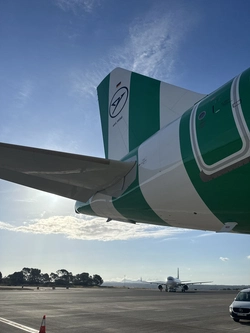
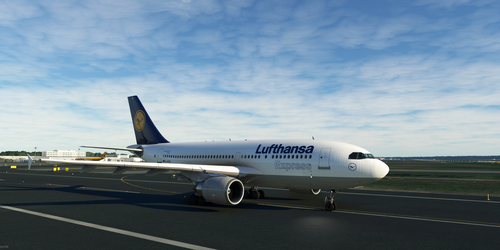
Lufthansa A310-300 reg. D-AIDM.
This is as close as I can get it to the real livery. (I do my very best in creating liveries as accurate as possible)
Includes correct RAL colours, Fonts, Placement and size of decals, colours and some little details the original has. (or had)
-NEW- started work on the cabin, still WIP
If you find that my changed IFE screen is also affecting other liveries, let me know. I´m already looking for a solution
DM is actually still flying theese days for Mahan Air as EP-MNO which I also created :)
https://flightsim.to/file/43772/mahan-air-a310-ep-mno-still-flying-today
If you find anything to improve let me know!
Unzip and drop in community folder
Have fun! :)
Lufthansa A310 D-AIDM (highly accurate) w. Cabin
Experience a highly accurate rendition of Lufthansas A310-300 with registration D-AIDM, featuring meticulously recreated livery details including colors, fonts, decals, and more. Dive into the immersive experience with a work-in-progress cabin and stay tuned for further updates. Explore the authenticity of this aircraft currently in service with Mahan Air as EP-MNO. Join the flight and provide feedback to enhance this realistic simulation.

Soutiens

Avis des utilisateurs
4 avis
Historique des versions
"A310-300" Font corrected Cabin update: Seatcovers of Economy and Business Class added seat colours Curtains and Partitions
Présent dans des collections(1)
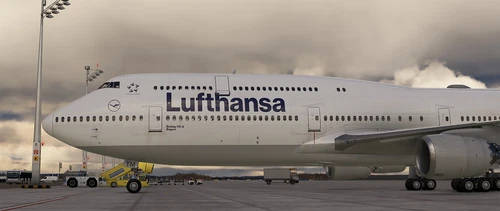

Similaires
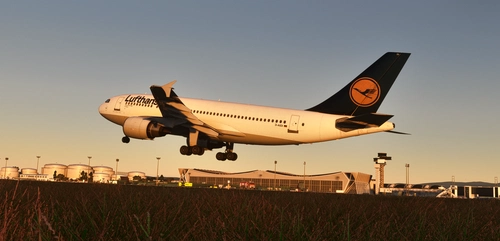
Lufthansa A310 Livery (D-AIDI)
Enjoy the iconic Lufthansa A310 livery (D-AIDI) with this add-on. Capture the essence of Germanys flag carrier and one of Europes largest airlines in Microsoft Flight Simulator. Simply drag the folder into the community folder for easy installation. Represent the legacy of Lufthansa in your virtual skies.
par kiko601
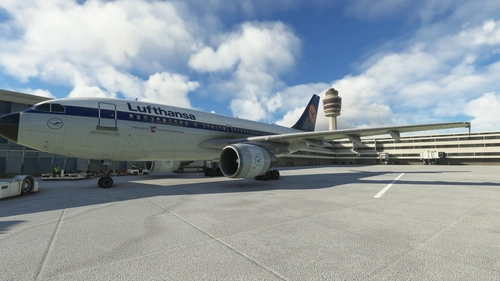
A310 Lufthansa (Old Livery)
Experience the nostalgia of the iconic Lufthansa A310-300 in its old livery with this add-on. Simply download, unzip, and install to enjoy a classic aviation experience.
par Knodel2000
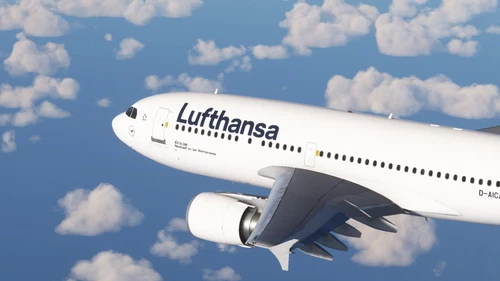
iniBuilds Airbus A310-300 Lufthansa 2018
iniBuilds presents a detailed repaint of the Airbus A310-300 in the iconic Lufthansa 2018 livery by Kikiwi. Simply unzip and place the folder in your community directory to enjoy this stunning repaint. Stay updated with changelogs and feel free to provide feedback in the comments section. Note: No modifications or reuploads are permitted without consent.
par Kikiwi
Lufthansa Express A310 D-AIDD
Experience realistic aviation immersion with the Lufthansa Express A310 D-AIDD livery for Microsoft Flight Simulator. This meticulously crafted add-on replicates the real livery with accurate colors, fonts, decals, and details. Unzip, drop it in your Community folder, and enjoy flying with this classic livery!
par Tilman
Connectez-vous pour participer à la discussion
Se connecterCommentaires(29)
10 months ago
over 2 years ago
The file is in the folder but it is not displayed in the game.
Everything else is there and works.
Can someone help me
over 2 years ago
Did you unzip?
Do you have the additional A310 files installed from the marketplace?
over 2 years ago
The aircraft is displayed in the aircraft selection and can be selected like any other.
The cockpit and all textures are displayed.
But there is no cabin behind the cockpit.
Do I need an additional file for the cabin, or do I have to unzip the cabin additionally?
As I said, everything else works :) except the cabin.
over 2 years ago
over 2 years ago
over 2 years ago
over 2 years ago
over 2 years ago
I also found out, that the IFE screen is visible in other liveries but that can only be fixied by removing it completely as it is sadly not livery specific.
Glad you liked the lights, I thought they would be fitting in the more yellowish coulour as they sould be old light tubes and not LED strips
about 3 years ago
about 3 years ago
for me the livery and plane works just fine.
I also couldnt find a new update?
Do you have the "full" a310 installed ? (including the cabin expansion from the marketplace)
about 3 years ago
about 3 years ago
almost 3 years ago
I don´t use the beta though
over 3 years ago
I dont seem to get the cabin textures, I dragged the file to my community folder and I have the plane but no cabin, what did I do wrong?
over 3 years ago
The only thing I can say here is try downloading again and delete the old livery file completely from your community folder before dragging the new one in.
I tested my own .zip file from here but it´s working fine (for me)
over 3 years ago
Solution found, I had to download the enhanced A310 version first, it is 100% free to download in the sim iteself, restart it, reinstall the livery and there it should work, also to download improved camera views on this site to make it even better.
over 3 years ago
Fantastic update, wonderful work!
over 3 years ago
Thx :) Glad you like it!