

Description
A complete and very accurate profile for the Boeing 787-8 Kuro MSFS
- Alignment of stairs
- Container / luggage trolleys
- Catering services
- GPUs
- Fuel
- De-icing
- Nose wheels
Automatic door opening according to GSX services
Installation :
Drag the folder "Kuro_B787_8" into the folder
C:\Users\"name"\AppData\Roaming\virtuali\Airplanes
Good flights
GSX Boeing 787-8 Kuro MSFS
Enhance your airport experience with the GSX Boeing 787-8 Kuro MSFS add-on, featuring detailed services such as alignment of stairs, catering, and fueling. Enjoy automatic door opening in accordance with GSX services, bringing realism to your flights in Microsoft Flight Simulator.

Historique des versions
Device name change from 788 to B788
Similaires
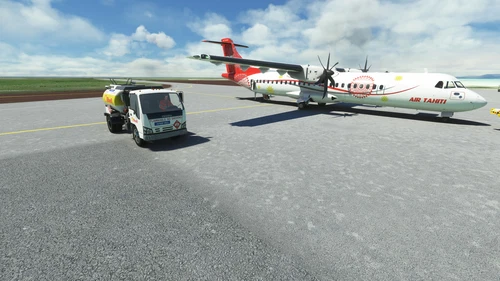
GSX Profil ATR 72-600 Microsoft / Asobo
Enhance your MSFS ATR 72-600 experience with this detailed add-on featuring accurate alignment of stairs, container and luggage trolleys, catering services, GPUs, fuel, de-icing, and nose wheels. Install by dragging the folder "Microsoft_ATR_72_600" into the "Airplanes" folder in your MSFS directory for a more realistic aircraft environment.
par vekant
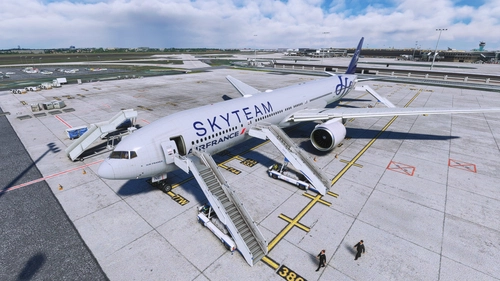
GSX Profil Captain Sim 777-300ER
Enhance your GSX experience with this profile for CaptainSims 777-300ER. Enjoy realistic services such as stairs alignment, catering, and de-icing, with doors opening automatically. Choose between a "Real" version with specific door configurations, or a "Fictional" version for longer boarding times. Simply drag and drop the folder for easy installation. Good flights!
par Vekant
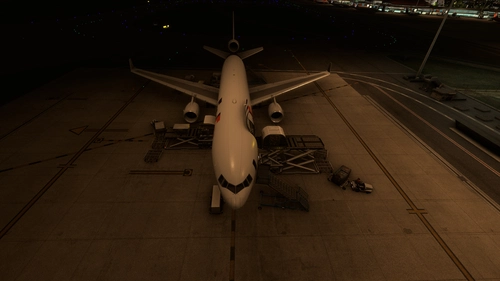
GSX Profil TFDI MD-11F GE & PW
Enhance your ground handling experience with this GSX Profile add-on for TFDI MD-11F GE & PW. Features include alignment of stairs, container/luggage trolleys, catering services, GPU, fueling, de-icing, and more. Doors are manually operated through the EFB for added realism. Simply drag and drop the folder into your Airplanes directory to install.
par vekant
GSX Airbus A330-200 Inibuilds MSFS
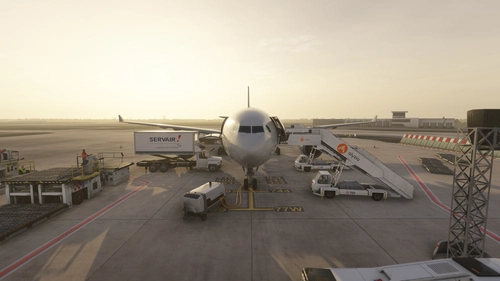
This add-on provides a detailed GSX profile for the Airbus A330-200 Inibuilds in Microsoft Flight Simulator. It includes features such as automatic door opening, alignment of stairs, and support for ground services like catering, fuel, and de-icing. Users will need to manage profiles manually for differentiating between the A330-200 and A330-300. Installation instructions involve placing the profile folder in a specific directory on your system.
par vekant
Connectez-vous pour participer à la discussion
Se connecterCommentaires(18)
almost 3 years ago
almost 3 years ago
about 3 years ago
about 3 years ago
over 3 years ago
over 3 years ago
over 3 years ago
Is it Kuro v2 compatible??
over 3 years ago
over 3 years ago
if you use simbrief, you need to go into the the Roaming\Virtuali\Airplanes\Kuro_B787_8 gsx.cfg file and change the ICAO Type to B788 as the file right now throws an error if you want to use the simbrief integration
over 3 years ago
Hello, no it has nothing to do with GSX, you have to modify in \Kuro_B787-8\SimObjects\Airplanes\Kuro_B787_8
The aircraft.cfg file and modify the line icao_type_designator = "B788"
over 3 years ago
no it is this file, open it up and look at the first line, you will not be able to integrate with simbrief because the type code is 788 not B788.
over 3 years ago
I can’t find the folder. Pls help
over 3 years ago
I also can´t find it
over 3 years ago
Hello, if you have GSX to install, normally it must be created?
over 3 years ago
%appdata% then Virtuali, and you'll see an airplanes folder
over 3 years ago
what about the 3 pax doors and the 2 cargo doors and the 2 catering doors if not can you animate them thanks
over 3 years ago
Hello, no sorry we can't anime but if there is a new version I will update it. Do you want a profile with the other doors even if they remain closed?
over 3 years ago
nah its ok