
Description
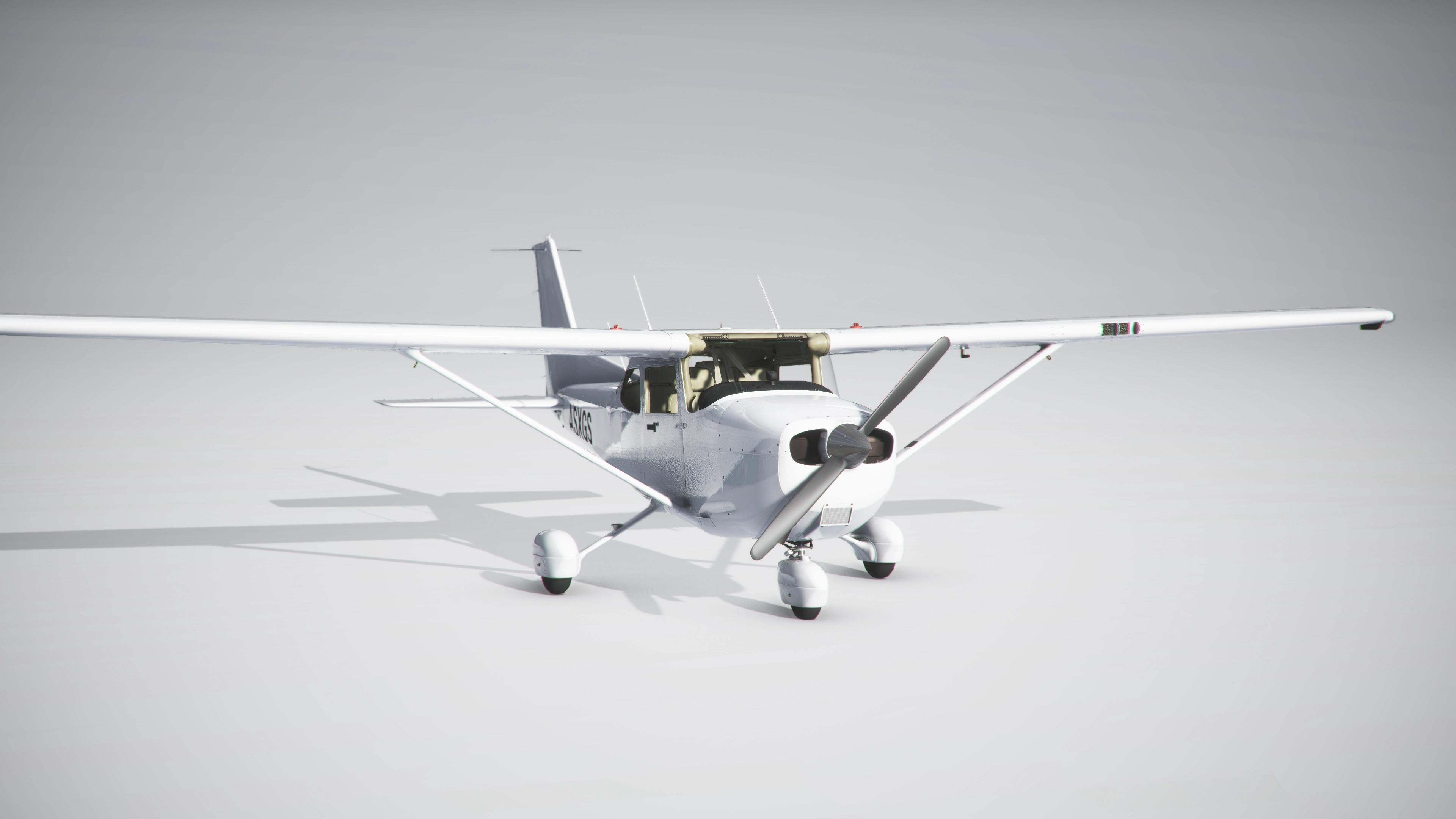
This is a community folder ready cessna 172 Classic template folder with blank white texture.
Version 1.3
- Fixed synchronized COM1/COM2 and NAV1/NAV2. This livery is now finally usable again. Thank you for your patience.
please report any bugs or abnormalities
SU7 ready "Asobo Cessna 172 Classic" Template (Community Ready folder)
Customize your Cessna 172 Classic with this community-ready template featuring a blank white texture. Version 1.3 includes fixes for synchronized COM1/COM2 and NAV1/NAV2, making this livery usable once more. Dont hesitate to report any bugs or abnormalities.


Avis des utilisateurs
2 avis
Historique des versions
Version 1.3 Fixed synchronized COM1/COM2 and NAV1/NAV2. This livery is now finally usable again. Thank you for your patience. Please report any bugs or abnormalities.
Similaires
JustFlight PA28R Arrow III "Community ready folder Template"
A Community Ready Folder Template for the JustFlight PA28R Arrow III, providing paintkits for customization in the original Airplane Folder. Get creative and personalize your aircraft with ease.
par ANN0V
bagolu C172 Bush Kit and Taildragger Dirty and/or aged Template (PSD)
Enhance your liveries with the bagolu C172 Bush Kit and Taildragger Dirty Template (PSD). This template includes mud splashes, dust, rust, and scratches for a weathered look. Perfect for customizing liveries for the C172 Bush Kit and Taildragger models.
par ANN0V
Microsoft PC-6 ready to paint blender file
Customize your Microsoft PC-6 model in Blender hassle-free with this easy-to-use template. Start painting your own liveries today.
par ANN0V
Cockspur PH100 - Livery Template Folder
Customize your Cockspur PH100 livery with this Template Folder. Easily rename files, add to your Community Folder, and start creating your unique designs. Perfect for livery creators looking to personalize their flight experience. Happy Painting!
par ANN0V
Connectez-vous pour participer à la discussion
Se connecterCommentaires(22)
over 1 year ago
almost 2 years ago
over 2 years ago
over 4 years ago
I downloaded SU7 ready "Asobo Cessna 172 Classic" but it won't show in selection. Any idea? Please
over 4 years ago
Do you own the premium deluxe version? This is not s plane. Just a template folder with a blank livery for livery creators.
over 4 years ago
it only works in the delux version?
over 4 years ago
Yes. This is not a plane, only a folder with s blank livery for livery creators. You need to have the deluxe version to own the plane in order to use this.
about 5 years ago
It seems that since last release of MFS2020 there is a problem with the classic paintkit > when in exterior view: the inside of the plane is transparent. No problems with factory classic liveries.
about 5 years ago
i ll have a look later and upate if needed
about 5 years ago
ok I checked, i see the problem
ill try to solve it
about 5 years ago
thansk a lot :)
about 5 years ago
is fixed, should be able to download the new version. Thanks for the Report. i'll be busy now fixing and updating all my liveries :)
about 5 years ago
thanks, me too lol
about 5 years ago
just test: it works for me, thanks a lot again :)
about 5 years ago
Cool! Glad to hear ;)
Let me know if other issues come up. Happy fixing :p
about 5 years ago
Hello,
Is it possible to change the tail number color from black to white ?
Thanks
about 5 years ago
Hi, Yes you can. You have to go to the panel folder and open the panel.cfg file. on the very bottom of this file you can change the color of the Tail ID by replacing the value "black" with the value "white"
over 5 years ago
over 5 years ago
There you import the model file (Cessna172SP_LOD01.gltf) to blender