

Description
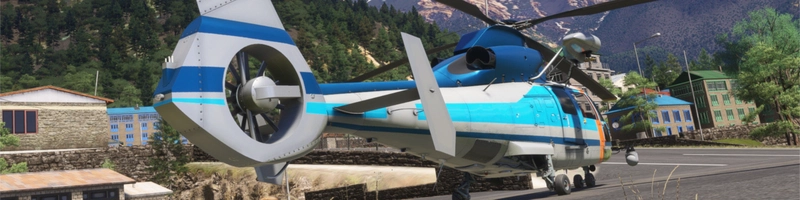
World's 1st H160!
This is a repaint of All Nippon Helicopter JA01NH.
I know that others have already painted this, but I wanted to paint it with my own hands.
Any modification or redistribution without permission is strictly prohibited.
V2.0 Update
・Helicopter Television System Added
・Airbus data plate on the right side of the fuselage was changed to 3D model.
・Separated Japanese and English decals (exterior only)
・Luxury version (float equipped) deleted, I hope action pack will be release soon.
Helicopter TV system has no detailed photos so most of them are made from my imagination.
Thanks to all spotters who photographed JA01NH.
Custom objects are now separated as optional files.
If you want to use a camera system, read the PDF in "Optional Files".
If you have a problem with the update of HPG H160, please redo the PDF procedure.
Known Issue
LOD is not optimized and the drawing distance is too short.
I have no idea how to fix this and cannot predict when this will be solved.
Fun Fact
In the first, All Nippon Airways was launched their business as helicopter operator.
The operational section of the helicopter then became independent as All Nippon Helicopter.
Also their maintenance section(ANAM, now ANA BTC) became Airbus Helicopters Japan's maintenance team.
So, the world's first H160 was delivered and operating by the ANA lineage!
HPG H160 | All Nippon Helicopter | JA01NH
Introducing the first H160 in the world, the HPG H160 | All Nippon Helicopter | JA01NH repaint. This add-on includes two variations featuring unique equipment such as a passenger step and emergency float. Explore the detailed ADELT and camera systems on JA01NH, a part of the ANA lineage, awaiting future Action Pack enhancements. Please note that cockpit decals may not be entirely accurate due to limited references available.
Avis des utilisateurs
5 avis
Historique des versions
・LOD added, but still drawing distance remains short. ・Now applying custom objects is much easier. Almost all tasks integrated into PowerShell batch.
Présent dans des collections(1)
Similaires
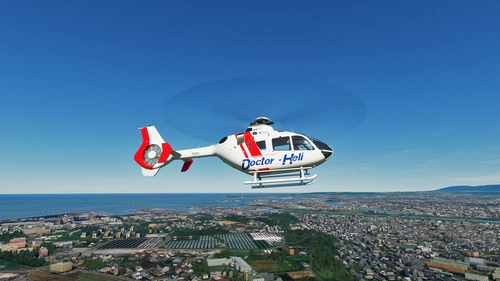
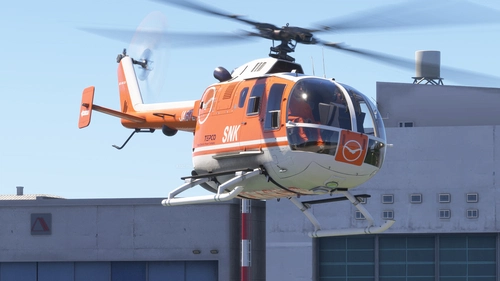
Doctor Heli
Experience the national air ambulance service in Japan with Doctor Heli for Microsoft Flight Simulator. Featuring various operator liveries and models, including the popular H135 used in emergency missions. Recognizable from the Japanese TV Drama "Code Blue", this add-on offers detailed designs scaled to 2K resolution. Subscribe to the creators channels for MSFS live gameplay.
par kychungdotcom
![Airbus H135 All Nippon Helicopter [8K]](https://cdn.flightsim.to/images/16/airbus-h135-all-nippon-helicopter-8k-pT0iX.jpg?width=500)
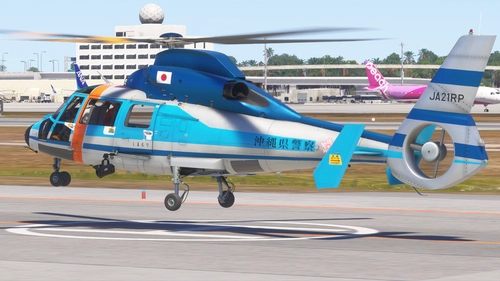
Airbus H135 All Nippon Helicopter [8K]
Fly with the Airbus H135 All Nippon Helicopter in stunning 8K quality. Explore the world of ANH, a helicopter operator for NHK, Japans national broadcaster. More liveries coming soon. Created by Kurorin.
par Kurorin
![Airbus H135 Tokyo Metropolitan Police Department -Hayabusa- v1.0.0 [4K]](https://cdn.flightsim.to/images/16/airbus-h135-tokyo-metropolitan-police-department-hayabusa-4k-If0v4.jpg?width=500)
Airbus H135 Tokyo Metropolitan Police Department -Hayabusa- v1.0.0 [4K]
Fly the skies of Tokyo with the Airbus H135 Tokyo Metropolitan Police Department -Hayabusa- livery. This add-on enhances your flight simulation experience with improved metallic colors. Check out more liveries by the creator and explore recommended scenery for an immersive experience.
par Kurorin
![Airbus H135 Japan’s National Police Agency -Tsubasa- v1.0.0 [4K]](https://cdn.flightsim.to/images/16/airbus-h135-japan-s-national-police-agency-tsubasa-4k-04sBd.jpg?width=500)
Airbus H135 Japan’s National Police Agency -Tsubasa- v1.0.0 [4K]
Fly with the Airbus H135 Japan’s National Police Agency -Tsubasa- livery, representing the Osaka Prefectural Police force. This add-on features an improved metallic color scheme for an authentic experience. Check out more liveries by the creator and support their work on Flightsim.to.
par Kurorin
Connectez-vous pour participer à la discussion
Se connecterCommentaires(19)
7 months ago
Many thanks for your wonderful work.
11 months ago
about 1 year ago
I have error in running the Batch file. Scripts is disabled in this system.
almost 2 years ago
almost 2 years ago
I mean I want to add a float to the civil version, but at the moment it can't.
almost 2 years ago
almost 2 years ago
I'm always grateful for the wonderful livery.
almost 2 years ago
My Japanese friend reports no problems with the script and I suspect it is related to the system locale.
I will continue to look for the problem, but please understand that it will be long due to the house move.
almost 2 years ago
とんでもないです、気長に待っています。
almost 2 years ago
almost 2 years ago
And I will investigate the issue of livery not showing up. Thanks.
almost 2 years ago
almost 2 years ago
friendly,
Benji
about 1 year ago
over 2 years ago
over 2 years ago
over 2 years ago
I flew the Livery in different lighting/season and the panels were perfect, it must be the Simulator lighting on a curved surface. Please ignore my first comment. Gave your Livery 5stars because it is excellent. Thank you.
over 2 years ago
The cargo door (or the whole fuselage?) reflection looks weird.
I think I made a mistake in editing the normal map.
Thanks for the report!
over 2 years ago