

Description
I highly encourage everyone to post a request to the developer /MSFS why such an option is not implemented from the start.
v.1.3.0 - 23.05.2024
Holy shrunken head! Is this a too late/early Halloween prank?! This looks gross, yuck!
No, it's a collection of modifications to pilot avatars that enables you to (finally) enjoy MSFS2020 in first-person POV with a visible Pilot body and no disturbance/artifacts of the head, like some of you know it from DCS. It is meant to be used in VR, also works in 2D. All modifications are working at Level Of Detail (LOD) 0 and are only visible inside the cockpit. From outside view, everything is normal and no one has lost his head.
Comment of a User:"Many, Many thanks for taking the time to put this together. It's a VR game changer for immersion to finally see my legs in the cockpit. Any continued development is welcome and appreciated!!"
This package contains of five independent Mods that work together to allow you to use the Pilot Avatars in any combination as you want.
Example: Capt in the A320 with no Head and FO with. Or: FO without Head and Capt with. Or both without (yuck!). There are even Invisible ones If needed, because the aircraft you are flying doesn't allow switching of only the copilot, and you want to fly solo. You Can choose any combination you want from the Miscellaneous menu in the General Options "on the fly". All pilot avatars are marked with a VR text in the image preview.
One little inconvenience is that not every plane lets you choose by default if you can see your pilot avatars when inside the cockpit or not. As a starter for you, I included a small Mod that switches the Pilot in the Asobo FA-18E to always visible. I suggest you start with it first and familiarize yourself how switching the pilots work. You will also may need to reposition and fine tune your point of view, to be in an optimal position to your virtual body. You can do it with these default MSFS commands: UP = Up Arrow, Down = Down Arrow, Left = Left Arrow, Right = Right Arrow, Forward = Alt + Up Arrow, Backward = Alt + Down Arrow.
And sorry, there is no(!) way to save it in VR. You have to redo it each time you jump into the cockpit, but you get used to it, it's like adjusting your seat.
The F-18, the Cabri and free Mozzie from Gotfriends is a very good showcase of linked hands and feet to the controls that
are moving in sync with your inputs. Don't miss it!
I will try to add more default MSFS2020 Planes, and some that I have bought, at a later time. Please understand that I can't provide it all at the beginning as there are so many. And some I can't add at all because I don't own them. I hope that people will comment if they have a working mod for a specific aircraft that works the same as the F-18 mod or even similar to this fabulous one for the DA-40 NGX: https://de.flightsim.to/file/2738/da40-ngx-project You can click on the air vents to show/hide the Pilots, literary, on the fly. I will populate a list with similar Mods at the end, and I will post a link to a YT vid that explains how to enable the pilots for all aircraft. I also used this tutorial for the F-18 mod.
****************
INSTALLATION:
****************
!!!!! Delete all previous mods of this branch !!!!!!
Important:
"Pilot and Copilot always visible in Cockpit.zip",
that enables the always visible pilot in the cockpit, is not a part of this package anymore.
Maintaining it got difficult if included here.
You have to download it from here:
######################################################
https://flightsim.to/file/74838/pilot-and-copilot-always-visible-in-cockpit
Installing this Mod is a necessity to get the VR Avatar Mods working!
If you don't, you won't see your pilot body in the cockpit.
######################################################
When you installed "Pilots always visible in Cockpit.zip",
unpack "VR Headless Pilot Body v1.X.X.rar"
You find self-explanatory Images, a README.txt and five zipped Mods inside:
1."MSFS Pilot Avatars for VR.zip"
This adds a second set of "VR headless" avatars, and also two invisible ones, if needed, to the default ones. You can set them "on the fly" to Pilot or Copilot in the "General Options" -> "Misc" menu.
2."GotFriends Avitar Buddies VR.zip"
This adds a second set of headless avatars to the GotFriends Avitar Buddies. You can set them "on the fly" to Pilot or Copilot in the "General Options" -> "Misc" menu.
3."GotFriends Avitar Buddies VR.zip"
This adds a second set of headless avatars to the GotFriends Avitar Buddies. You can set them "on the fly" to Pilot or Copilot in the "General Options" -> "Misc" menu.
4."GotFriends Avitar Buddies VR.zip"
This adds a second set of headless avatars to the GotFriends Avitar Buddies. You can set them "on the fly" to Pilot or Copilot in the "General Options" -> "Misc" menu.
5."Trent Palmer VR.zip"
This adds a second set of headless Trent Palmer. You can set it "on the fly" to Pilot or Copilot in the "General Options" -> "Misc" menu.
This Mod also eliminates all conflicts with the default pilots. They don't share the same Trent Palmer clothing anymore.
You have to download the free Trent Palmer Avatar mod from Parallel42.com. https://parallel42.com/products/trent-palmer-avatar
You can get the GotFriends Avitar Series here: https://www.got-friends.com/collections/avitars
Drag'n'drop the Zip folders directly into "MSFS_AddonsLinker" and let this essential tool do it's magic (https://de.flightsim.to/file/1572/msfs-addons-linker),
or
Unzip each of them and place each folder into your MSFS2020 Community folder.
Please don't rename them or remove the "ZZZ" - this can be important for future updates.
YouTube Tutorial how to edit aircraft files to show always the Pilot:
https://youtu.be/ed5w_g_8jJY
********************************************************************************
aircraft mods that let you show the pilots on the fly inside your cockpit
********************************************************************************
https://de.flightsim.to/file/2738/da40-ngx-project
https://de.flightsim.to/file/2246/jplogistics-c152-enhancement-mod <-follow the link to the discord to get to the download
https://flightsim.to/file/40194/cessna-172sp-skyhawk-as1000-improvement
https://flightsim.to/file/2733/da62x-project
...more to come as time goes by...
Please comment if there are more, I will link them here,
or maybe you have done a simple mod (like I have done for the Asobo FA18E) that I can include in the download.
Associated post in the official MSFS Forum:
https://forums.flightsimulator.com/t/head-removal-for-all-default-asobo-pilot-avatars-mod-vr/641016
Please comment and rate after you have tried it.
Condor7777
And again:
Important:
"Pilot and Copilot always visible in Cockpit.zip",
that enables the always visible pilot in the cockpit, is not a part of this package anymore.
Maintaining it got difficult if included here.
You have to download it from here:
https://flightsim.to/file/74838/pilot-and-copilot-always-visible-in-cockpit
Installing this Mod is a necessity to get the VR Avatar Mods working!
If you don't, you won't see your pilot body in the cockpit.
P.S.:
NOTE: Placement of the Pilots is fully dependent on the location of the aircraft's pilot / co-pilot attachment points. These positions are not modified by these add-ons. If an Pilot is clipping through the seat or only available in External View, this is because the aircraft does not have an optimal setup for Asobo Characters. These positions and arm / leg animations are maintained by the respective aircraft developer(s) and I will not be modifying these settings in any aircraft.
If you encounter any issues with the Pilots positions and / or animations, I highly encourage you to contact the aircraft developer and notify them that their aircraft is not Asobo Character ready.
(this note is borrowed from Got Friends)
VR Pilot Avatar Superpack
A collection of modifications to pilot avatars for Microsoft Flight Simulator, allowing for a first-person POV experience in VR with visible Pilot bodies and synced controls. Choose from various pilot avatars, including invisible ones, and easily switch between them in the cockpit settings. Install and customize your virtual pilot experience for a more immersive flight simulation adventure.

Avis des utilisateurs
8 avis
Historique des versions
Hi, just wanted to let you know by this very sneaky update (yes, I just deleted the last digit and a dot), that this mod is feature looked and there won't be any updates anymore, as long there are no significant changes from the developers (Got Friends/Microsoft/Asobo/p42) that can break this one. Again: you don't have to download this mod again. Nothing has changed between 1.3.0 and 1.3 , I did it only to get your attention and this following massage to you: Some of you are maybe subscribed to this mod, but not to the other important one, that I would like to draw your attention to: The sister mod "Copilot and/or Pilot always visible in Cockpit" is alive and kicking and gets many updates, every time an aircraft gets updated (well that's the nature of the game, when you want to support such wide range of aircraft.) This Mod is necessary to get the Pilot shown up in the Cockpit, when your aircraft isn't able to do it by flipping an option. Visit it here: https://flightsim.to/file/74838/pilot-and-copilot-always-visible-in-cockpit So if you aren't subscribed to it, now it's the time to do it, as from now on I accept requests for aircraft that I don't own. Please read this post for full Info how it (maybe) will work: https://forums.flightsimulator.com/t/vr-pilot-avatar-superpack-copilot-and-or-pilot-always-visible-in-cockpit/641016/21?u=condor77777944 Thanks for paying attention and your support! Condor7777
Similaires
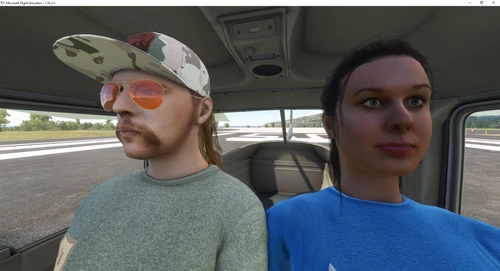
Copilot and/or Pilot always visible in Cockpit
Always have your Pilot and Copilot in view with this mod for Microsoft Flight Simulator. Easily customize their appearance for a more immersive cockpit experience. Compatible with various aircraft and flexible for individual preferences. Stay tuned for updates and new plane additions by subscribing to this mod.
par Condor7777
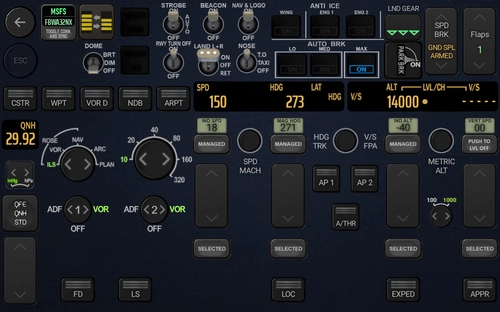
Touch Portal Page FCU and EFIS for FBWA32NX 2
TouchPortal page for FBWA32NX with fully functional FCU and EFIS. CAPT and FO seat. The philosophy behind this page is to have all Switches and info you might need during normal Start, Approach and Landing at one single Page and is also nice to your eyes when you use in a dark environment.
par Condor7777
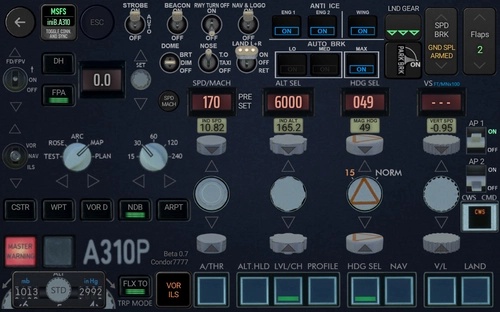
Touch Portal Page FCU and EFIS for INIBUILDS A310
Touch Portal page FCU and EFIS for iniBuilds A310. This TouchPortal page is now feature locked and almost finished. It has a Captain and a First Officer version that also work together when both are imported into TouchPortal. The page has still some placeholders and reused buttons from my FBWA32NX page, These will be replaced in The final version. IF your page get stuck after reloading a flight (happens to me 1 out of 10 flights), the best option is to restart Touch portal via the system tray. Seems the WASimmodule sometimes refuses to deliver all requests in time and shuts down. If you don't like testing and frequently changes, you should only subscribe to this download. This will update you via email with the overall progress. Just wait until this release hits 1,0 and download.
par Condor7777
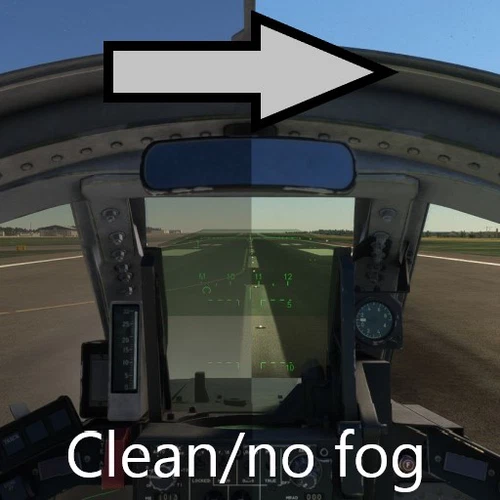
IFE Tornado Clean Canopy No Fog/Dust
Enhance your visual experience in Microsoft Flight Simulator with the IFE Tornado Clean Canopy No Fog/Dust mod. This add-on removes dust and fog from inside the canopy, providing clear visibility for visual landings. Say goodbye to obstructions and enjoy a polished canopy view, free of distractions. Simply drop the mod in your community folder to improve your flight visuals instantly.
par Condor7777
Connectez-vous pour participer à la discussion
Se connecterCommentaires(31)
7 months ago
I've the modification for the "Cowansim R22" and it's "LP".
I don't know how to create the "MOD" , so, I've only get the "CS_R22_ext.gltf" file to replace in the relative route "SimObjects\Airplanes\cowansim-r22\model"
https://drive.google.com/file/d/16HfhNN0E8GUn9SypAVEhjvZvvOiIVLB4
7 months ago
I've a problem with "cowansim 500E". When I choose default digital instrument cockpit everythink it's ok, but the change to analogic panel doesn't work and the analogic instruments are showed without information with the previous digital square screen in background.
It's possible to fix this?
7 months ago
I've remove the mod "zzz CowanSim500e_LP_2.1" and modify manually the file "500E_Ext.gltf" .
Now, It's possible to select digital or analogic instruments panel.
The file could be downloaded from here:
https://drive.google.com/file/d/1JQ6lkYS6_MvOQO42kU8HrFjHP5dHjQD8
over 1 year ago
over 1 year ago
over 1 year ago
almost 2 years ago
about 2 years ago
about 2 years ago
I wanted to know if you can reduce that distance so you don't see the decapitated pilot when you are in the co-pilot seat.
about 2 years ago
over 2 years ago
over 2 years ago
https://www.youtube.com/watch?v=2B4272XrYWY
What do you see/what do you expect? Sorry, but no sorry that this isn't matching your expectation. Please answer in the Thread of the MSFS forum. Did you read the "note" at the end of the Mod description? Please bear with me. Do you see the irony that your question can be interpreted as a riddle, you ask me to solve "Which avatar do I use?"... Further: Flightsim.to limits me to only one response here. This is not practical beyond a simple "Thank you" answer. When you answer here, I will not able to response to you again. This isn't made for a detailed conversation. It's made to give us the possibility to post and answer to a reaction. Answer in the link if you want a reply instead of a rant in response to a poorly asked questions without reasoning. >>> https://forums.flightsimulator.com/t/head-removal-for-all-default-asobo-pilot-avatars-mod-vr/641016
over 2 years ago
over 2 years ago
about 1 year ago
Thanks for the excellent work done so far.
over 2 years ago
It is possible for darkstar ?
over 2 years ago
over 2 years ago
More info how to make pilots in-cockpit visible:
https://forums.flightsimulator.com/t/tip-add-a-copilot-to-your-aircraft-and-passengers-too/351556/20?u=cptlucky8 I highly encourage everyone to post a request to the developer /MSFS why such an option is not implemented from the start.