
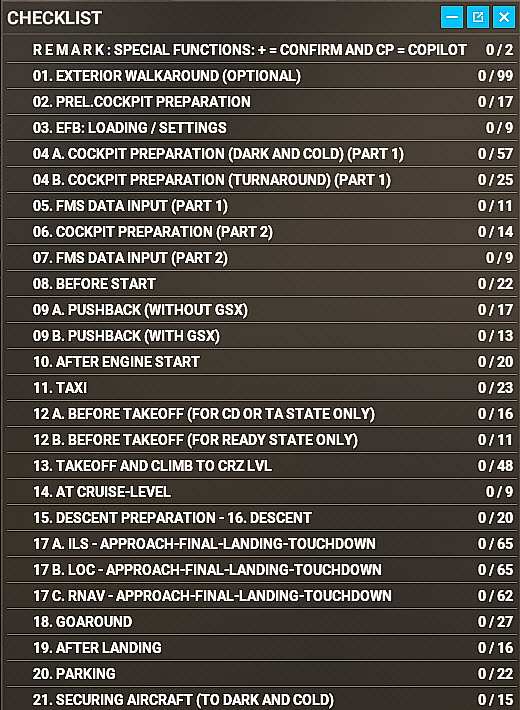
Description
FENIX introduced a fragment of an MSFS Ingame Checklist only e.g. many procedures are incomplete or missing. This Procedure- and Checklist is based on this fragment but now covers all necessary procedures and complete checklists necessary for a full flight.
It relies on the 4 provided FENIX aircraft states even that those are not completely correct: C&D as well as TA = Parking Brake is set; Radios are ON etc. or that in the “READY-State” many settings for a correct takeoff-state are missing. Those necessary settings were also added.
If you want to use this checklist, please make sure that in your MSFS Settings “Assistance Options / Piloting / ASSISTED CHECKLIST” is ON. You then can open the Checklist from the Ingame-Menu-Bar.
A detailed description of the MSFS Ingame Checklist you will find at
https://docs.flightsimulator.com/html/mergedProjects/How_To_Make_An_Aircraft/Contents/Files/Checklists/Checklists.htm
or if you want have a look at its function please visit https://www.youtube.com/watch?v=p-hdObB9XBY. This video shows a full flight with all its procedures and checklists.
Installation:
* Unzip the downloaded file.
* Copy the folder "RF_FENIX_A320_CL_2020_UPD5" into the MSFS "Community" folder
Remarks and Best Practice:
- Unfortunately, FENIX does not support yet to highlight certain CL items in question.
- Also many needed FENIX variables (especially MCDU values) are because of its setup not available in the simulator and therefore estimated figures our workarounds have been used.
- There are 3 categories of checklist items
- Automatic checks (nor marked): A user action is required or the settings are already correct.
- Manually checks (marked with + (Plus): These items cannot automatically be checked and an action as well a confirmation by the user (using the assigned keyboard or joystick button) is necessary.
- Copilot checks (marked with CP): These items that can be automatically set by the included Copilot. You can make these settings yourself or wait. After 7 seconds, the Copilot automatically makes those settings.
- There are specific checklists available based on the aircraft state used e.g. Cockpit Preparation for Dark & Cold or for Turnaround and there are different Pushback-CLs for users with or without GSX.
- In addition, an additional checklist “BEFORE TAKEOFF” is available if the Ready-aircraft state is used because the FENIX “READY” state is not “Ready for Takeoff”. Load the plane, program your MCDU-flight and then run the specific BEFORE TAKEOFF – checklist. Now you are ready for takeoff!
- During “TAXI” and “TAKEOFF” there are only a few Auto-Focus functions implemented (so that users can concentrate on the direction the plane is heading to). Then please use the Copilot to make the necessary settings, or joystick resp. keyboard key bindings.
- If you do not use a separate TILLER, you should bind the RUDDER axis also to NOSE WHEEL STEERING. Otherwise, there are steering problems after “Disconnecting Pedals” in the TAXI CL.
- The checklist is aligned with procedures from BEYOND ATC and recognizes settings made with THRUSTMASTER AIRBUS QUADRANT and ADDON.
FENIX A320 Ingame-Checklist
Enhance your flight experience with the FENIX A320 Ingane-Checklist mod for Microsoft Flight Simulator. This comprehensive checklist covers all necessary procedures and checklists for a full flight, building upon a fragment introduced by FENIX. Ensure your MSFS settings have "Assisted Checklist" enabled to utilize this tool from the in-game menu bar. Install the folder in your Community folder and follow best practices provided for a smooth flight preparation process.


Avis des utilisateurs
3 avis
Historique des versions
• LOC- and RNAV Approach Flows added • Several CL Bugs fixed, CL sequence aligned and readme.pdf updated to current status
Similaires
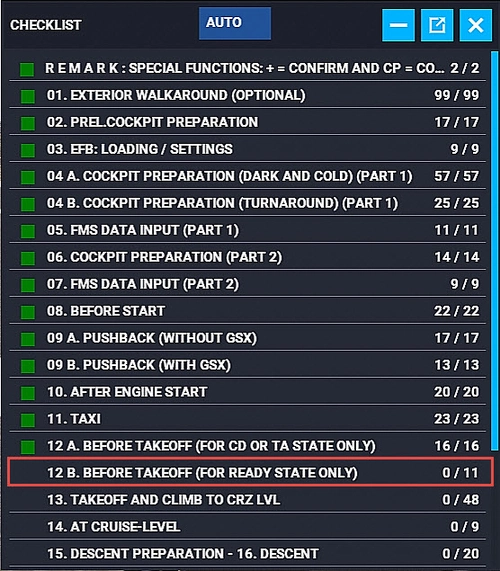
FENIX A 320 -MSFS 2024 Ingame-Checklist (MSFS 2020 style)
This add-on enhances the FENIX A320 experience in MSFS 2024 by reintroducing the comprehensive checklist functionality from MSFS 2020. Users can access detailed evaluations of cockpit settings, automatic progression through checklist items, and audio prompts for item readings. The package includes modified aircraft states alongside additional procedures, such as a "LINE UP CL" checklist for proper takeoff configuration. Detailed implementation instructions can be found in the included readme.pdf file.
par HanseRolf
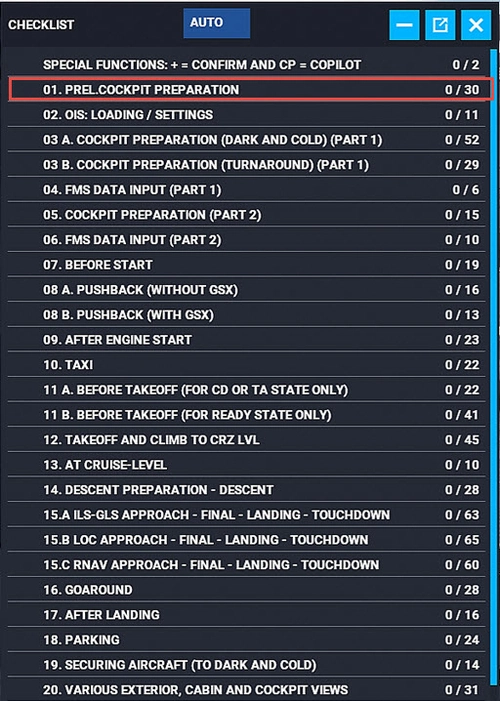
IniBuilds A350 In-Game Flow and Checklist with Copilot (MSFS2024 -Style MSFS2020)
This mod was especially was developed for users who are not so familiar with the Airbus A350 and/or who want to follow RW-procedures when using the plane. The main features of this mod are explained in the description:
par HanseRolf
Connectez-vous pour participer à la discussion
Se connecterCommentaires(30)
2 days ago
I've had this issue since first installing the add-on and it has persisted through multiple reinstalls and updates.
Fenix support confirmed that this happens when the cockpit camera is used outside the cockpit, as some exterior items are not loaded in that mode. The textures display correctly in external/drone view.
Could the walkaround views therefore be changed to use an external camera instead of the cockpit camera?
about 2 hours ago
about 2 months ago
about 2 months ago
6 months ago
6 months ago
9 months ago
9 months ago
9 months ago
9 months ago
Warum sehe ich nur 2 Checklisten in dem Mod.
Fenix ist im Community Folder installiert. Den Ordner aus der ZIP habe ich auch darein kopiert.Den Flieger starte ich immer im Cold & Dark.
Vielleicht hast du ja eine Idee woran das liegen kann.
Vielen Dank schonmal. Freue mich schon drauf den Mod auszuprobieren.
9 months ago
9 months ago
Ich habe die 2020 Version auch runtergeladen.
Sehe aber nur den Outside Check und die Cockpit Preparation Checklist. Die funktionieren übrigens super :D
10 months ago
I also do not see the VR and non-VR packages with the latest download but only a "RF_FENIX_A320_CL_2020_UPD2" folder (and a Readme.pdf). So is the description for installation above outdated?
10 months ago
9 months ago
I copied and pasted a fresh download of the package to the Comunity folder and I can see all the checklists in the xml files. The checklist now shows not empty anymore, however, only two checklists show up: External Walkaround and Preliminary Cockpit Preparation
When I first load another aircraft, e.g. the PMDG 737 and then go back to the main menu and select the Fenix then the complete checklist finally shows up and works. Maybe I will just use this workaround for now.
Thanks
about 1 year ago
about 1 year ago
over 1 year ago
It should also be applicable to Fenix's A319 and A321... any pointers on how to get this to show up as a checklist for those aircraft?
over 1 year ago