
Flightsim.to
    Helicopter Model Matching - Image 1

    Description

    VERSION 2.0 OUT!!! Now every ICAO Helicopter designator :-)

    No more floating Cessnas and Bonanzas!
    Here comes Helicopter Model Matching for the VATSIM vPilot client.

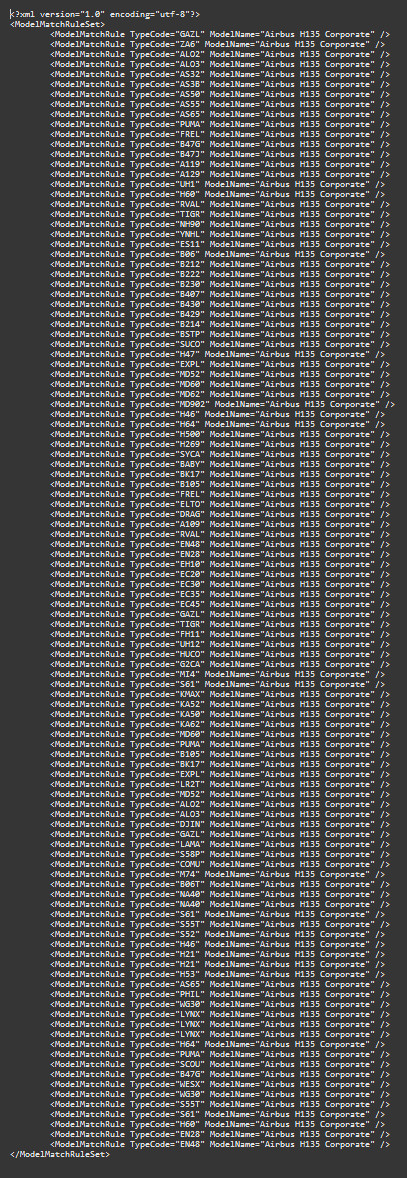
    This vPilot .vmr file ensures that the most common helicopter models of the X-Plane and MSFS simulators are displayed.

    FS2024 (main) version:

    It uses the default H125 coming with the flight simulator.

    FS2020 (old) version:

    It uses the HPG H135, which MUST BE INSTALLED!!!! (https://flightsim.to/file/8970/airbus-h135-helicopter-project).

    This will greatly reduce the number of helicopters that are represented by standard models.

    It is somewhat difficult to find suitable helicopter models for vPilot, as these must be defined as “aircraft”. Only a few have this, including the HPG H135 used here.

    Installation:
    Unzip the file and save it somewhere on your PC. Then open the vPilot settings and pick the .vmr file. This should be placed after specific paint jobs and before “fallbacks”.

    I hope you like this extension, if you are missing a helicopter type, feel free to comment here and I will add it.

    Connectez-vous pour participer à la discussion

    Se connecter

    Commentaires12

    fabristunt
    ·about 2 months ago
    Even downloading the H125 locally doesn't work. It still puts a bonanza. The H125 does not appear in the simobjects/airplanes data in vpilot, probably on account of it being encrypted from the 2024 marketplace or some similar issue. Did you ever get this to work yourself? If so, how?
    fabristunt·about 2 months ago
    It does not work on 2024. Vpilot is still using other aircraft to represent helicopters, even if this is the only vmr file active. I tried downloading the H125 from the marketplace instead of streaming it, maybe it helps. I didn't get any errors in vipilot, it just ignores the vmr.
    PyzeTrolls
    ·5 months ago
    Hello, I'm on MSFS 2024, Installed the VMR File and Put it on vPilot Custom Rules for MSFS 2024, But It Didn't Work, Helicopter still showed up as Embraer
    What can i do To fix this?
    Robbie64·3 months ago
    Same issue here... Vpilot: Your simulator failed to create N236H using model H125. (MSFS 2024)
    Potato45Pilot·7 months ago
    why are all the ones defaulted to the Airbus H135
    TegernseeFanAuthor·6 months ago
    It is quite difficult to find an working model, as it has to be an aircraft and not an helicopter (in FS2020). Thats the main reason. But if you want you can modify following this documentation: https://vpilot.rosscarlson.dev/Documentation#creating-rulesets

    :-)
    WhiskeyM1ke·8 months ago
    What would it take to make this work in 2024?
    TegernseeFanAuthor·6 months ago
    Sorry for the late answer, but it should work now. I own FS2024 since one week, that was the main reason for the update taking long. :-)
    jaredpoliver·over 1 year ago
    Any chance for the H145? Me and several buddies fly the H145 HEMS addition and when we both land at a hospital, it would be awesome to Model Match.
    Also, how does that work with different liveries? I assume I would need to install the same Livery as my other pilot/aircraft has, correct? Thx
    TegernseeFanAuthor·over 1 year ago
    Hello, I do not currently own the H145 but as far as I'm informed that is not possible as MSFS can't use them to model match.
    But it would be possibel to display the opertors livery you're flying with on the H135 if they do exist for the H135. But it does not work out of the box with that model match rule as to model match the file has to point to the exact livery. And as I can not forsee which liveries users have installed I have to stick to the liveries which ship with the H-135 basic install. But if you can PM me and send over the operator and registartion you're normally using I can possibly make a file for you. Have to look into it then. :-)
    daniel545510
    ·almost 2 years ago
    .vmr works perfect for me, but hpg EC35 propellers are not running :(
    TegernseeFanAuthor·almost 2 years ago
    Hi Daniel,
    That sounds good, thanks. Make sure to check out v2.0 :-)
    But I think that's a problem I can't do anything about...
    Greetings
    MSFS 2020MSFS 2024

    Helicopter Model Matching

    Improve your VATSIM vPilot experience with Helicopter Model Matching! This add-on ensures that common helicopter models in X-Plane and MSFS are displayed using the HPG H135, reducing the number of generic models seen. Easily installed .vmr file for vPilot settings - just unzip and select the file. If you need more helicopter types included, simply leave a comment for future updates.
    Téléchargements856
    Version3.0
    Taille du fichier654.0 B
    PubliéIl y a 2 ans
    Mis à jourIl y a 6 mois

    Avis des utilisateurs

    3.7

    3 avis

    5
    67%
    4
    0%
    3
    0%
    2
    0%
    1
    33%

    Historique des versions

    Now uses the default H125 for FS2024