
Description
Description:
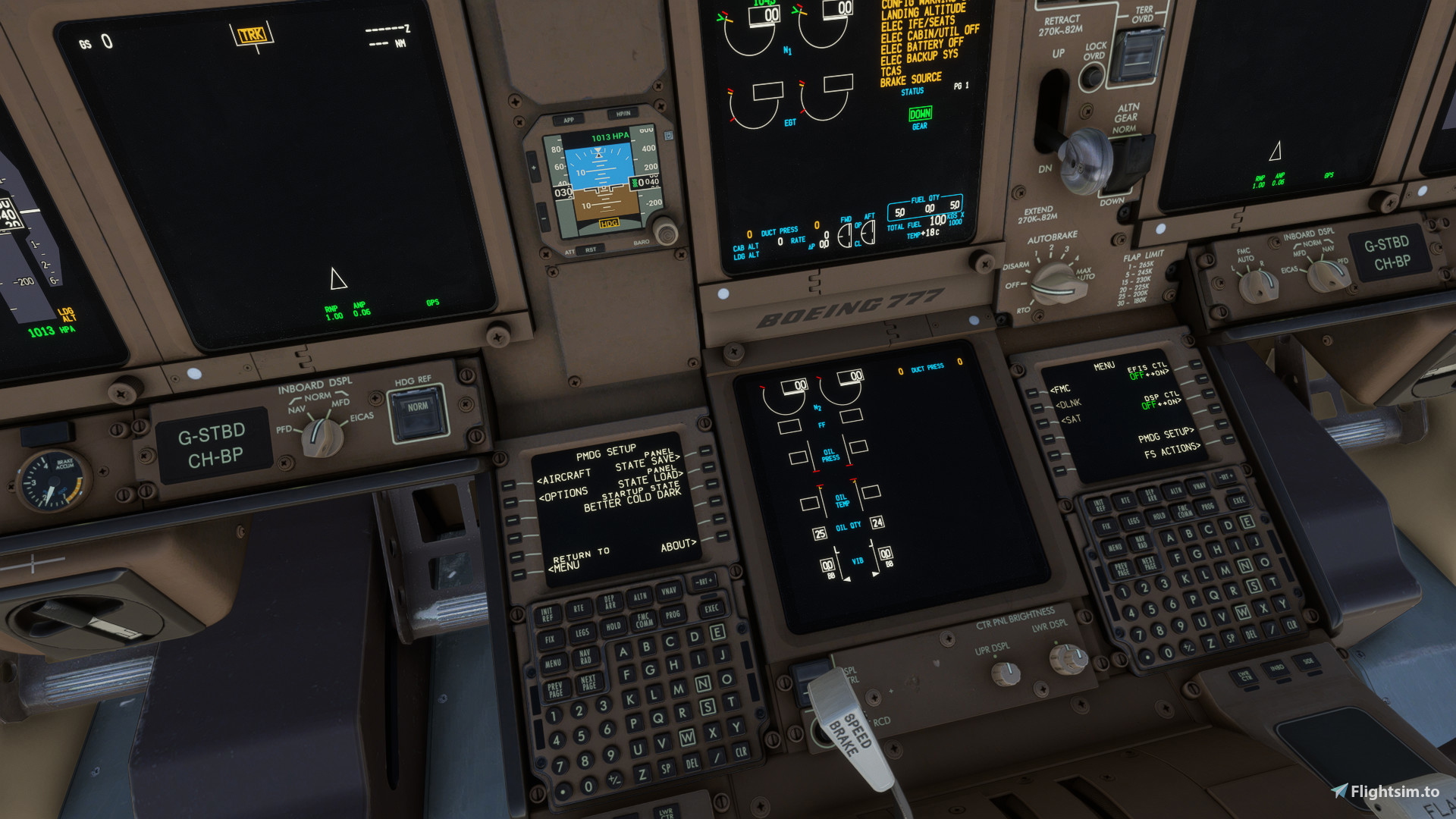
I found the PMDG 777-300er has too many switches already in the right place for the flight. However, I like flicking buttons so I have changed the startup state so that we pilots can click a few more buttons. I have tried to make it according to checklists to make it as realistic as possible. If you have any suggestions please let me know!
P.S. Regarding the lights please make sure you turn up the master brightness first which is on the overhead on the lighting panel. This will then allow you to have a base lighting value which you can then alter using the respective knobs for different areas.
How to install:
1. Download the file
2. Unzip the folder
3. Find the panel state folder for the PMDG 777-300er:
Microsoft store version
C:\Users\(username)\AppData\Local\Packages\Microsoft.FlightSimulator_8wekyb3d8bbwe\LocalState\packages\pmdg-aircraft-77w\work\PanelState
Steam Version
C:\Users\(username)\AppData\Roaming\Microsoft Flight Simulator\Packages\pmdg-aircraft-77w\work\PanelState
4. Copy the .FMC and .SAV files into the folder
5. Load up Microsoft Flight Simulator and into the 777
To load the panel state
- Go to the FMS (you may need to turn on the ground power) and select PMDG setup
- Select panel state load and click on 'Better Cold Dark' and execute
To load into this panel state by default
- Go to the FMS (you may need to turn on the ground power) and select PMDG setup
- Select startup state and click on 'Better Cold Dark' and execute
What does it change:
- Parking Brake SET
- APU GEN OFF
- Backup GENS OFF
- No Smoking sign OFF
- Anti-Ice OFF
- Packs OFF
- APU / Engine Bleed Air OFF
- Transponder OFF
- squawk 2000
- Thrust ASYM COMP OFF
- Pressure setting HPA
- Altitude increment 1000 feet
- Generators OFF
- Nav light OFF
- Recirc fans OFF
Better Cold and Dark for the PMDG 777-300er
Enhance your PMDG 777-300er experience with this mod that adjusts the startup state to allow for more button-clicking simulation. Through realistic checklist-inspired changes, from parking brake settings to lighting adjustments, immerse yourself in a detailed cold and dark cockpit environment for a more authentic flight experience. Follow simple installation instructions and share feedback for further improvements within the community.
Avis des utilisateurs
6 avis
Historique des versions
Fixed issues with doors being opened Pannel brightness off on startup
Connectez-vous pour participer à la discussion
Se connecterCommentaires(33)
2 months ago
5 months ago
over 1 year ago
over 1 year ago
almost 2 years ago
about 2 years ago
about 2 years ago
about 2 years ago
about 2 years ago
version when I’m next online. I will also change the description I have had a few issues regarding master brightness - I may change it to making each individual panel light dark instead of the master brightness for ease!
about 2 years ago
about 2 years ago
about 2 years ago
about 2 years ago
about 2 years ago
about 2 years ago
Can you recommend a checklist that works well with this tweak?
about 2 years ago
https://flightsim.to/file/76566/osprey-airways-pmdg-777-series-checklist